
Troubleshooting
Streaks and Rainbow Smears on Screens After Cleaning
Direct answer
Streaks after cleaning usually mean too much liquid, a dirty cloth, or cleaner residue. Turn the screen off and let it cool, switch to a clean microfiber cloth, mist a little screen cleaner onto the cloth, wipe in one direction, and finish with a dry cloth.
Check these five things first
- Was the screen on or still warm while you wiped?
- Is the cloth clean, and was it ever washed with fabric softener or used with another cleaner?
- How much liquid did you use, and did you spray it directly on the screen?
- What did you use: glass cleaner, rubbing alcohol, dish soap, or wet wipes?
- Is the mark still there with the screen off and cool? Some "streaks" while it's on are pixel or coating problems.
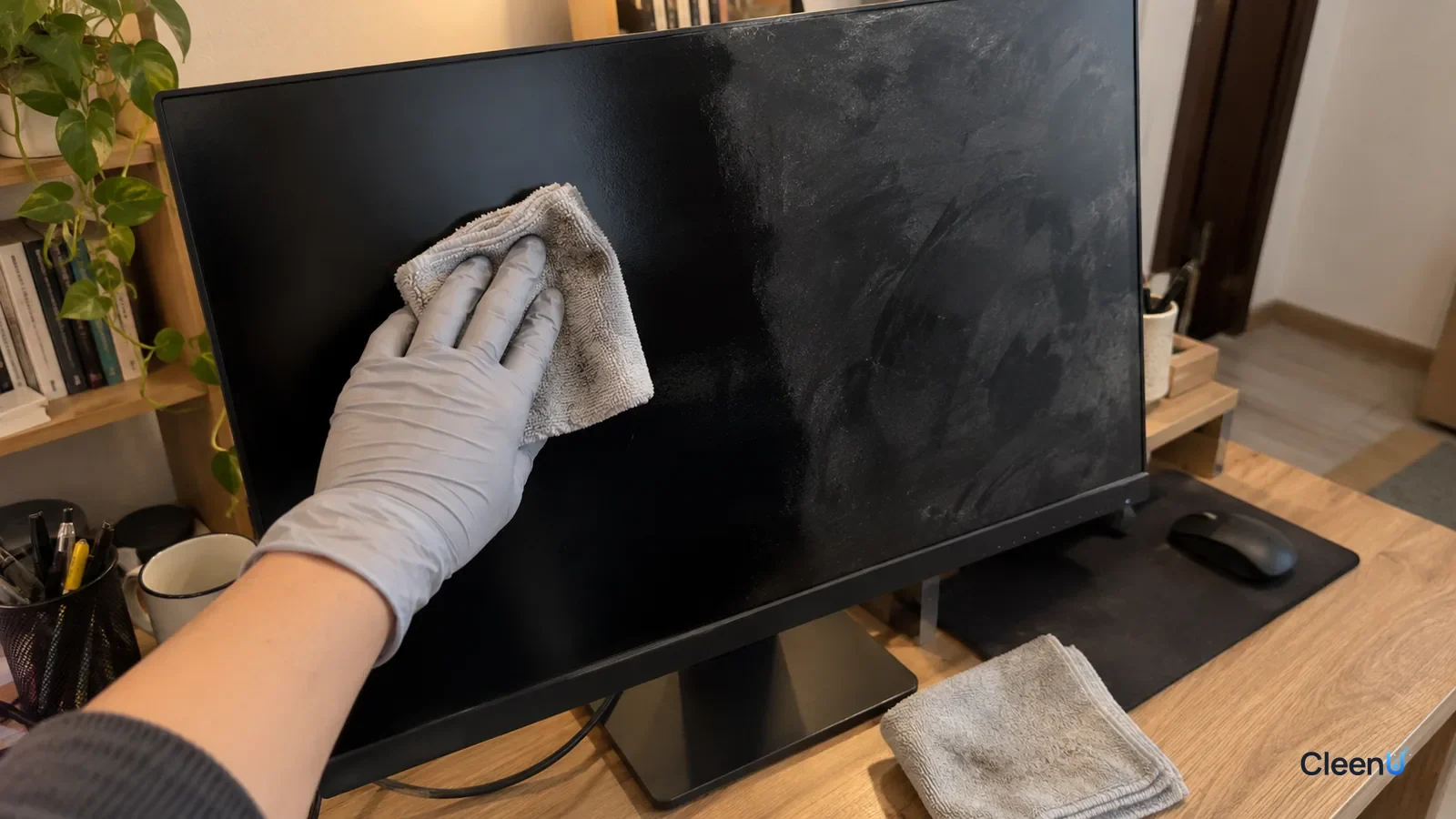
You set out to clean the screen, and when you turn it back on there are pale streaks, cloudy swirls, and, if you tilt your head, an oily rainbow sheen. Wipe again and it gets worse.
Screens are smooth, dark, and brightly lit from behind, so they magnify every trace of residue. The good news: almost every case of "it gets streakier the more I clean it" is a technique or supplies problem, not a damaged screen. Work through the checklist below and you'll usually find the culprit.
Where screen streaks come from
Most screens have one or more functional coatings on top: phones and tablets usually have an oleophobic (fingerprint-resistant) coating, while TVs and monitors use a matte anti-glare finish or an anti-reflective coating. Those coatings determine how easily a screen cleans and what any leftover residue looks like.
Dried residue. Every cleaning liquid has something besides water in it: surfactants, solvents, or other ingredients. Use too much and the cloth can't absorb it all. The water evaporates and the non-volatile part stays behind as a thin film. Light hits uneven thicknesses of that film, and you see white streaks or haze.
A dirty cloth spreading oil around. Fingerprints are mostly skin oil: fatty acids, triglycerides, and wax esters. A cloth that's already loaded with oil, or one washed with fabric softener, just lays down a fresh layer of oil and the softener's cationic ingredients.
Rainbow smears. When there's a very thin, uneven film of oil or residue on the screen, light reflects off both the top and bottom of that film. The two reflections interfere, and different thicknesses reinforce different colors, so you see rainbow bands. It's the same thing you see on a soap bubble or an oil slick in a parking lot. A rainbow smear means there's still a thin film on the screen.
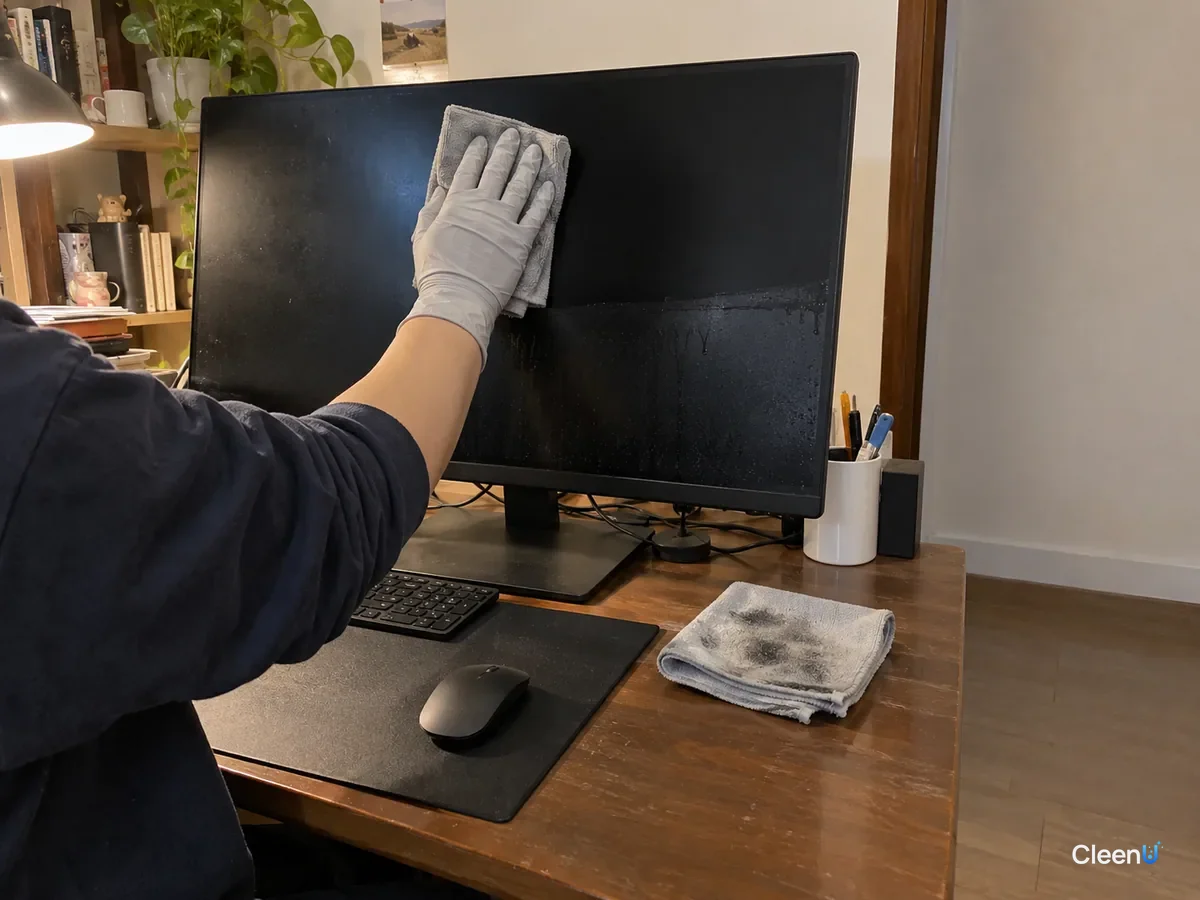
Why skip glass cleaner, alcohol, and wipes
Glass cleaners often contain ammonia or a lot of alcohol. They evaporate fast and cut grease, which is great on windows, but ammonia and high-strength alcohol can damage oleophobic and anti-reflective coatings. Once the coating is worn, fingerprints are harder to remove and streaks show more.
High-strength alcohol evaporates so fast that it often dries mid-wipe and leaves drag marks, and repeated use can cloud some coatings. For when alcohol is okay and at what strength, see Can you use alcohol to clean screens.
Dish soap is foamy and high in solids, so it almost always leaves residue.
Regular wet wipes often include moisturizers, skin-care ingredients, or fragrance to keep them soft, and they leave an oily film on a screen.
How a screen cleaner is designed
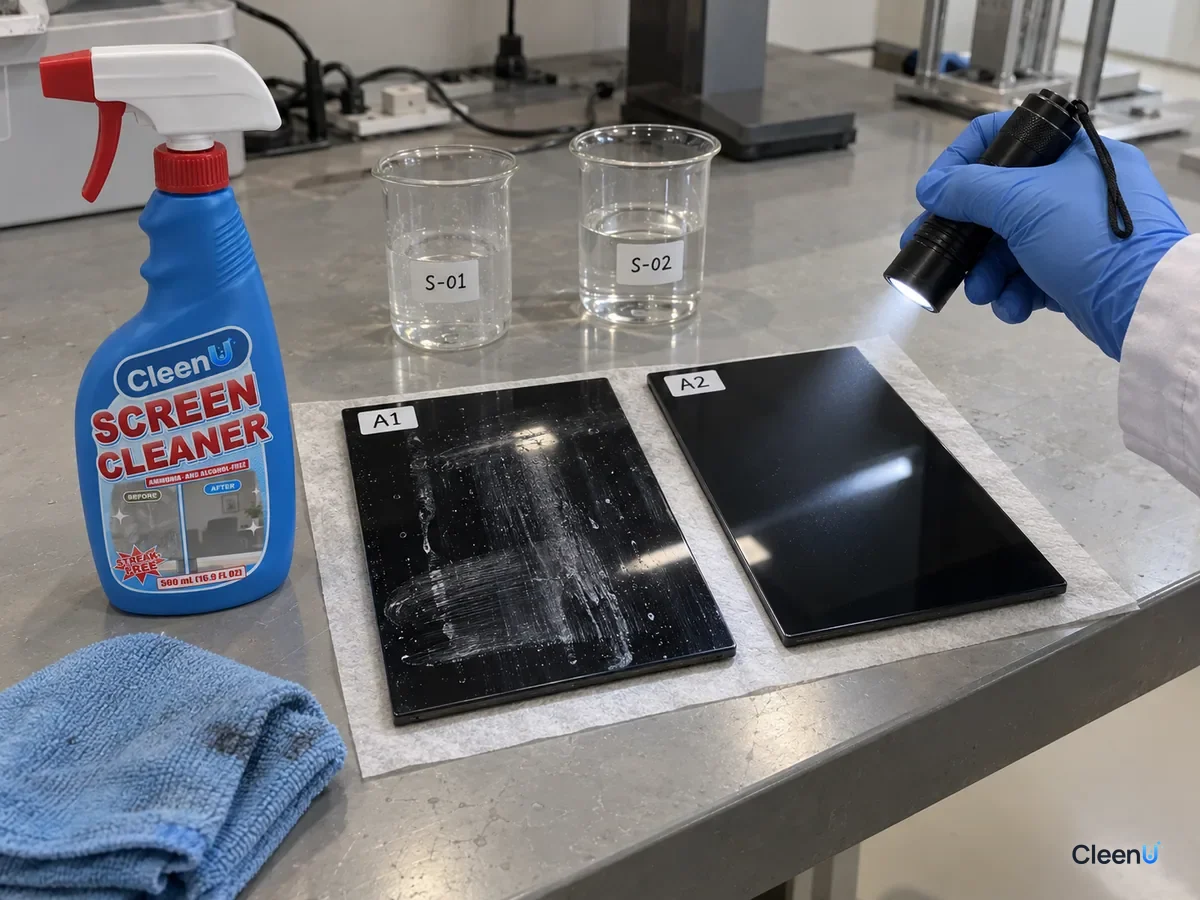
Take CleenU Screen Cleaner as an example. It's a neutral, ammonia-free, alcohol-free screen spray, pH 6.5 to 7.5 as supplied, made with mild nonionic surfactants and low-residue ingredients, with no ammonia, ethanol, or abrasive particles.
The nonionic surfactants emulsify skin oil and fingerprints so the cloth can pick them up. The low-residue ingredients limit what's left on the screen once it dries, which means fewer streaks. Neutral pH and no ammonia or ethanol are there to protect screen coatings.
Even a low-residue product will streak if it's used the wrong way, though. Two things matter most: spray the cloth, not the screen, and use so little that the cloth is barely damp.
Common causes: what you see, fix, prevention
| Cause | What you see | Fix | Prevent it |
|---|---|---|---|
| Too much liquid | White streaks; a hazy ring at the edges | Buff with a dry microfiber cloth to lift the residue | Spray the cloth so it's only slightly damp |
| Dirty cloth or fabric softener | Gets oilier with each wipe; rainbow sheen | Rewipe with a clean cloth that's never seen softener | Wash screen cloths separately, no softener |
| Glass cleaner, alcohol, or wipes | Haze, drag marks, oily film | Clean once properly with screen cleaner, then buff dry | Switch to a neutral, ammonia- and alcohol-free screen cleaner |
| Screen on or warm | Dries mid-wipe and leaves drag marks | Turn it off, let it cool a few minutes, wipe again | Always turn it off and let it cool first |
| Scrubbing in circles with pressure | Circular marks; shiny patches | Wipe gently in one direction | One direction, light pressure |
| Worn coating or a screen fault | Fixed patches with the screen off; cleaning changes nothing | Stop rewiping and contact the manufacturer | Avoid rough cloths and ammonia products |
The right way to wipe a screen
Turn the device off, unplug it, and give the screen a few minutes to cool. Smudges are easiest to see on a black screen.
Dust it first with a dry microfiber cloth so grit doesn't scratch the surface while you wipe.
Mist a little screen cleaner onto a second clean microfiber cloth. It should feel slightly damp and never drip.
Start at one edge and wipe gently in one direction, say top to bottom. Don't scrub in circles and don't press, especially on LCD TVs and monitors.
Immediately follow with a dry microfiber cloth in the same direction to pick up any last trace of liquid.
Check at an angle against the light. If there are no streaks or rainbow bands, turn it back on. If there are, repeat the last two steps rather than adding more liquid.
For device-specific tips, see How to clean screens safely.
The cloth matters more than the cleaner
Microfiber is much finer than cotton and traps oil between its fibers instead of pushing it around. Choose a dense, lint-free cloth made for screens, and keep at least two on hand: one for the damp wipe and one for drying.
Skip paper towels, tissues, bath towels, and old T-shirts. Paper fibers are coarse, shed lint, and can leave fine scratches. Towels and T-shirts tend to hold detergent and softener.
When the microfiber gets dirty, hand-wash it in water with a little mild detergent, rinse thoroughly, and air-dry. No fabric softener, and don't wash it with towels or it'll pick up cotton lint.
Different screens streak in different ways
Phone and tablet glass usually has an oleophobic coating. When it's new, fingerprints wipe right off. After a year or two of wear, the coating thins, skin oil grabs on more easily, and you get greasy drag marks after wiping. That isn't the cleaner failing; the surface has simply become more oil-attracting. Add an extra dry buff, and if needed, wipe twice with a barely damp cloth.
TVs and monitors often have a matte anti-glare coating with a very fine texture. Liquid and oil settle into that texture, and pressing hard pushes oil in deeper, leaving a darker patch. On matte screens, use less liquid and a lighter touch: let the cloth skim the surface instead of pressing. Glossy TV and laptop screens are the opposite case. Their reflection magnifies any residue, so streaks show the most, and the final dry buff is not optional.
A few common "special" smudges
Droplets from sneezing, coughing, or talking dry into small white rings with defined edges; they hold protein and salt from saliva. They're drier than fingerprints. Press a barely damp cloth on them for a second or two to rewet them, then wipe in one direction. That drags less than dry wiping.
Kids' handprints often carry cracker crumbs and sugar, and dried sugar is slightly tacky. Brush off crumbs with a dry cloth first, then wipe with a damp one, in two passes if needed, switching to a clean section each time.
A TV or tablet near the kitchen collects a film of cooking grease that turns the whole screen faintly yellow and hazy. That's a thin oil layer built up over time. The surfactant in the cleaner needs to emulsify it so the cloth can hold it. If one pass doesn't get it, do two, each with a barely damp cloth, rather than flooding the screen to "soak it off."
The finish test is the same for every case. With the screen off, look at it at an angle against the light. No streaks, no rainbow sheen, even color: you're done.
Stop if you see this
If liquid runs into the bezel, buttons, or ports, power the device off and let it dry completely before turning it on. If fixed patches, yellowing, or color blocks remain with the screen off and cool, it may be a panel or backlight problem; stop rewiping. Don't clean a cracked screen with liquid. Don't use ammonia, high-strength alcohol, or rough cloths on coated screens.
Streaky screens: common questions
Does a rainbow smear mean my screen is damaged?
Usually not. Rainbow bands are typically light interference from a very thin film of oil or residue. Wipe it away properly with a clean cloth and they disappear.
How do I get rid of white streaks after cleaning?
Buff in one direction with a dry microfiber cloth to lift the dried residue. Next time use less liquid and spray the cloth, not the screen.
Can I spray screen cleaner directly on the screen?
We don't recommend it. Spraying the screen makes it easy to use too much, and liquid can run into the bezel and buttons. Spraying the cloth gives you control.
Is it okay to use paper towels on a screen?
No. Paper towels are coarse, shed lint, and can leave fine scratches. Use microfiber.
Should the screen be on or off when I clean it?
Off and cool. A black screen shows smudges clearly, and a cool screen won't dry mid-wipe and leave drag marks.
Can I wash microfiber cloths with laundry detergent?
A little mild detergent is fine, but rinse thoroughly and never add fabric softener, or the residue ends up back on your screen.
For a neutral screen spray with no ammonia or alcohol that dries within seconds when used on a cloth, take a look at our Screen Cleaner.
Streaks and rainbow smears on a screen usually come down to technique and supplies: too much liquid, a dirty or softener-treated cloth, glass cleaner or alcohol or wipes, or wiping a warm screen. Turn it off and let it cool, dust with a dry cloth, mist a little neutral screen cleaner onto a clean microfiber cloth, wipe in one direction, and buff dry right away. If streaks remain, repeat the dry buff instead of adding more liquid. If fixed patches stay with the screen off, it isn't a cleaning problem; contact the manufacturer.