
Q&A
Can You Spray Screen Cleaner Directly on a Screen?
Direct answer
Spray the microfiber cloth, not the screen. Spraying the screen makes it easy to use too much, and the liquid runs down into the bezel, buttons, and ports. Only spray directly, and sparingly, if both the cleaner's label and your device's manual allow it, and wipe it dry right away.
Can you spray it directly? Device by device
Yes
- Spraying onto a microfiber cloth: just damp, safe for every screen
No
- TVs and monitors: large screens with bezel gaps where liquid collects at the bottom
- Laptops: the screen sits right above the keyboard and hinge, so drips can get inside
- Phones and tablets: the earpiece, speakers, and charging port are close to the screen
- Any screen that's on or warm: liquid dries fast and leaves marks, and there's more risk if it gets in
It depends
- Both the device manual and the cleaner label say direct spraying is okay: spray lightly from farther away and wipe dry immediately
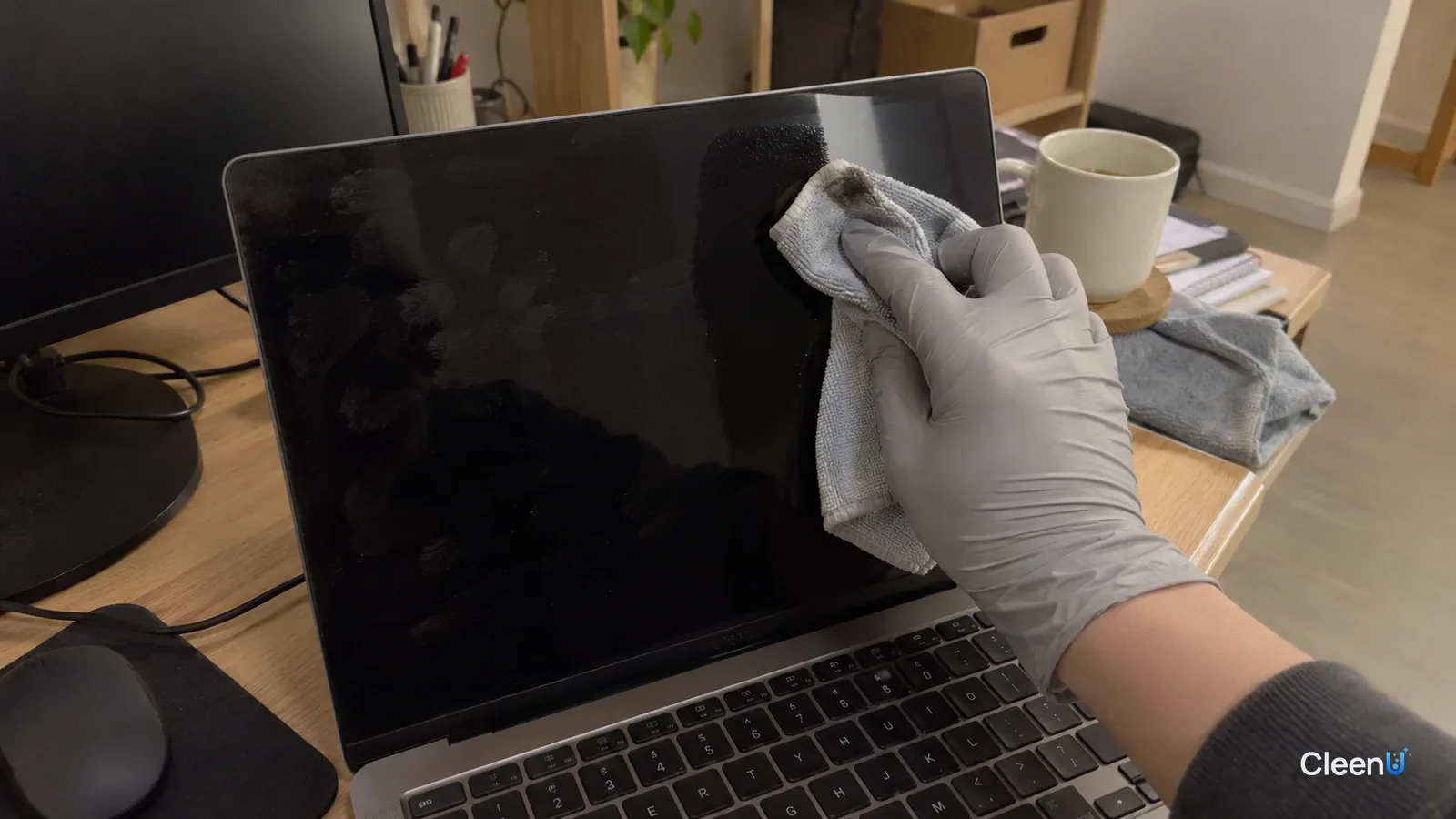
Most screen cleaners come in a spray bottle, so the natural move is to spritz the screen and wipe. It feels convenient, but given how screens are built and how liquid flows, spraying the cloth is the safer habit. Here's why, and how to do it right.
Where does the liquid go when you spray the screen?
Each pump of a sprayer puts out a fraction of a milliliter as a cloud of fine droplets. Once they land on the screen, gravity pulls them together and down. Screens are smooth and don't absorb anything, so liquid moves fast.
A screen isn't a sealed slab. TVs and monitors have a bezel around the panel, with tiny gaps between them. The bottom edge usually has the narrowest frame and the most gaps, which is exactly where runoff collects. Capillary action can draw liquid into those gaps, where it reaches the driver circuitry at the panel edge, the backlight, and the polarizer film.
On a laptop, the bottom of the screen is right above the keyboard and hinge, so drips can go straight into the keyboard. On phones and tablets, the earpiece, speaker grilles, front camera cutout, and charging port are all close to the glass.
The consequences range from mild to serious: watermark-like shadows or glow at the screen edge, bubbling or discoloration along the polarizer, unresponsive buttons, and in bad cases a short circuit. Liquid damage often isn't covered by warranty.
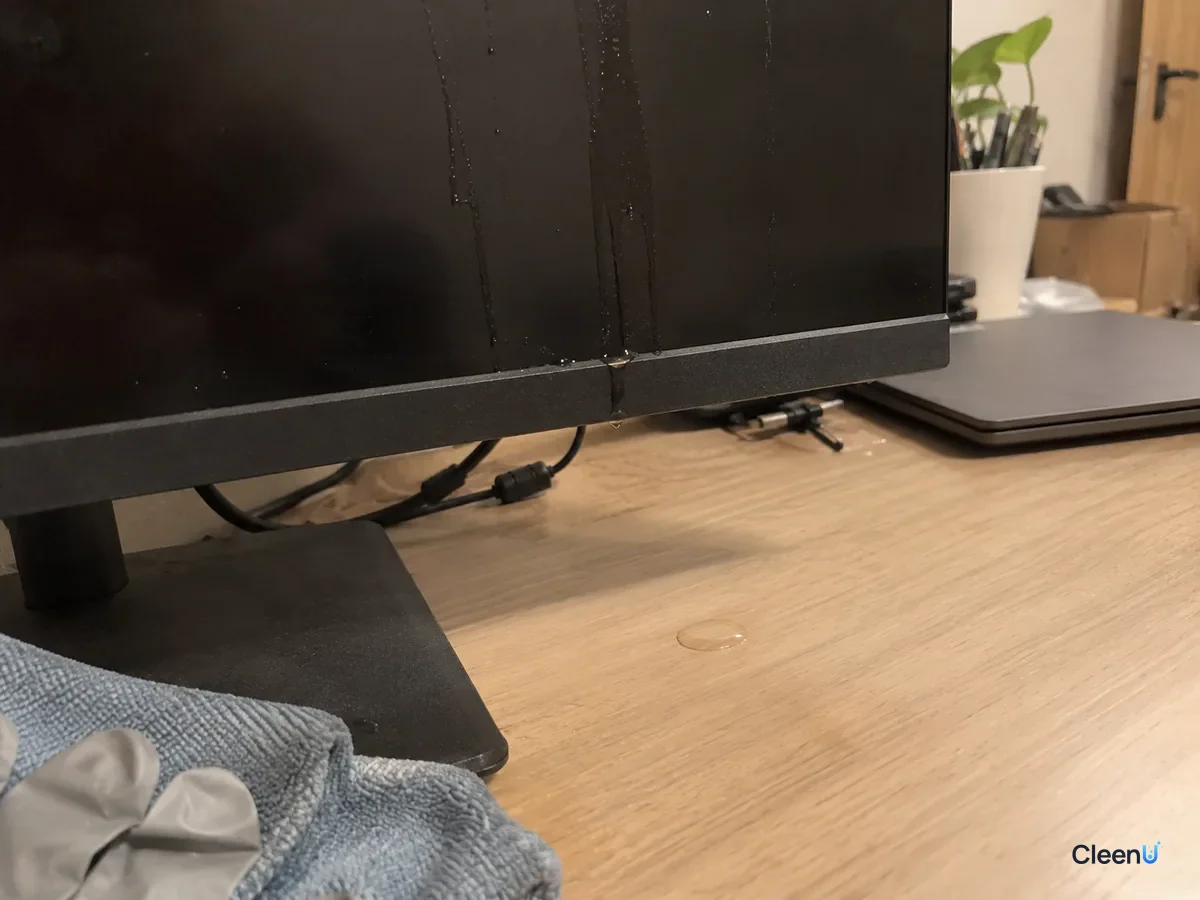
Spraying directly also leaves more streaks
Beyond the risk of liquid getting in, it's much harder to control how much you use. One pump lays down far more than a wipe needs. The cloth can't absorb the excess, and once the water evaporates, the non-volatile part of the cleaner stays behind as white streaks or haze. Uneven droplets can also dry into small round spots.
Spraying the cloth builds in a buffer. The cloth absorbs the liquid and releases only a thin film onto the screen as you wipe, which dries in seconds and leaves very little behind. For big screens specifically, see How to clean a TV screen.
The right way: spray the cloth
Turn the device off, unplug it, and let the screen cool.
Dust it gently with a dry microfiber cloth.
Spray one or two pumps of screen cleaner onto a corner of a second microfiber cloth so it feels slightly damp and never drips. On a large screen, work in sections and re-mist the cloth as needed.
Start at one edge and wipe gently in one direction. Don't press, especially on LCD screens.
Finish right away with a dry cloth in the same direction.
How many sprays? Go by screen size
"Barely damp" is easier to judge as a number of sprays. For a phone, one spray on the corner of the cloth covers the whole screen. Tablets and laptops take one or two. A monitor around 24 inches takes about two; wipe the top half and the bottom half. For a TV 55 inches or larger, don't try to load the cloth all at once. Work in three or four sections and add one spray to the cloth before each.
To check the cloth, press it to the back of your hand. If it feels cool but leaves no wet mark, it's right. If it leaves a wet streak, it's too damp; press it against a dry cloth to take some out first. It's better to finish, see a streak, and add a little more than to start with a soaked cloth. Liquid gets squeezed out of an overloaded cloth and runs down the screen, which is the same as spraying the screen directly.
Why the cloth works as a buffer
A single microfiber strand is much finer than a hair, and the gaps between strands are tiny. Liquid sprayed on the cloth is pulled into those gaps by capillary action instead of sitting on the surface. When you wipe, only the thin layer next to the screen is released, spreading into a very thin film. Right behind it, the same cloth pulls the loosened oil and extra liquid back in.
That release-and-reabsorb cycle is why spraying the cloth gives a cleaner result. When you spray the screen, the liquid lands first, and the cloth can only push it around; the extra either gets pushed toward the bezel or dries in place as streaks.
What you're actually wiping off
Fingerprints are mostly skin oil, fatty acids, triglycerides, and wax esters, with a bit of salt from sweat. Oil and water don't mix, so plain water just smears it into a haze. The nonionic surfactant in a screen cleaner lowers the tension between oil and water and breaks skin oil into tiny droplets the cloth can absorb.
Dust is next. Screens carry a little static while they're on and pull fine dust out of the air, especially across the top half of a TV or monitor. Dust is grit. Wipe it with a damp cloth and you drag those particles across the coating, so brush it off with a dry cloth first.
Then there are droplets and cooking film. Specks from talking or coughing dry into small white rings, and a screen near the kitchen collects a yellowish layer of grease. Both need to be rewetted, then lifted. Press a barely damp cloth on the spot for a second or two, then wipe in one direction. Don't spray that spot extra; more liquid just runs toward the bezel faster.
How to tell it's done
With the screen off, look at it at an angle against the light. No streaks, no rainbow sheen, no wet line along the bezel: you're done. If there is a wet line along the bottom edge, blot it with a dry corner of the cloth without pressing into the gap. If white streaks remain, buff once more in the same direction with a dry cloth. If they still show, add a tiny bit more to the cloth and repeat. Don't spray the screen.
How a screen cleaner is designed
Take CleenU Screen Cleaner as an example. It's a neutral, ammonia-free, alcohol-free screen spray, pH 6.5 to 7.5 as supplied, made with mild nonionic surfactants and low-residue ingredients, with no ammonia, ethanol, or abrasive particles. Its directions say to spray it on a cloth, and it dries within seconds of wiping.
Neutral pH and no ammonia or alcohol are there to protect oleophobic, anti-glare, and anti-reflective coatings. The low-residue ingredients reduce streaks after drying. But all of that depends on using the right amount, and spraying the cloth keeps the amount small without you having to think about it.
It's made for TVs, monitors, laptops, tablets, and phones. It isn't meant to be sprayed directly on screens, used on screens that are on or hot, applied with paper towels or rough cloths, used on keyboards or inside computers, or used on projector screens.
Why do some products say you can spray directly?
Some screen cleaners are labeled for direct spraying. They usually have a finer mist and smaller output and tell you to spray lightly from a distance. Even so, most device makers still recommend applying liquid to a cloth.
Check both instructions. Spray directly only if the cleaner label allows it and your device manual doesn't prohibit it. If either says no, spray the cloth. If you do spray directly, hold the bottle farther back, use a single light pump, and wipe immediately so nothing has time to run.
Keyboards and mice have even more gaps and should never be sprayed directly. For screen-by-screen tips, see How to clean screens safely.
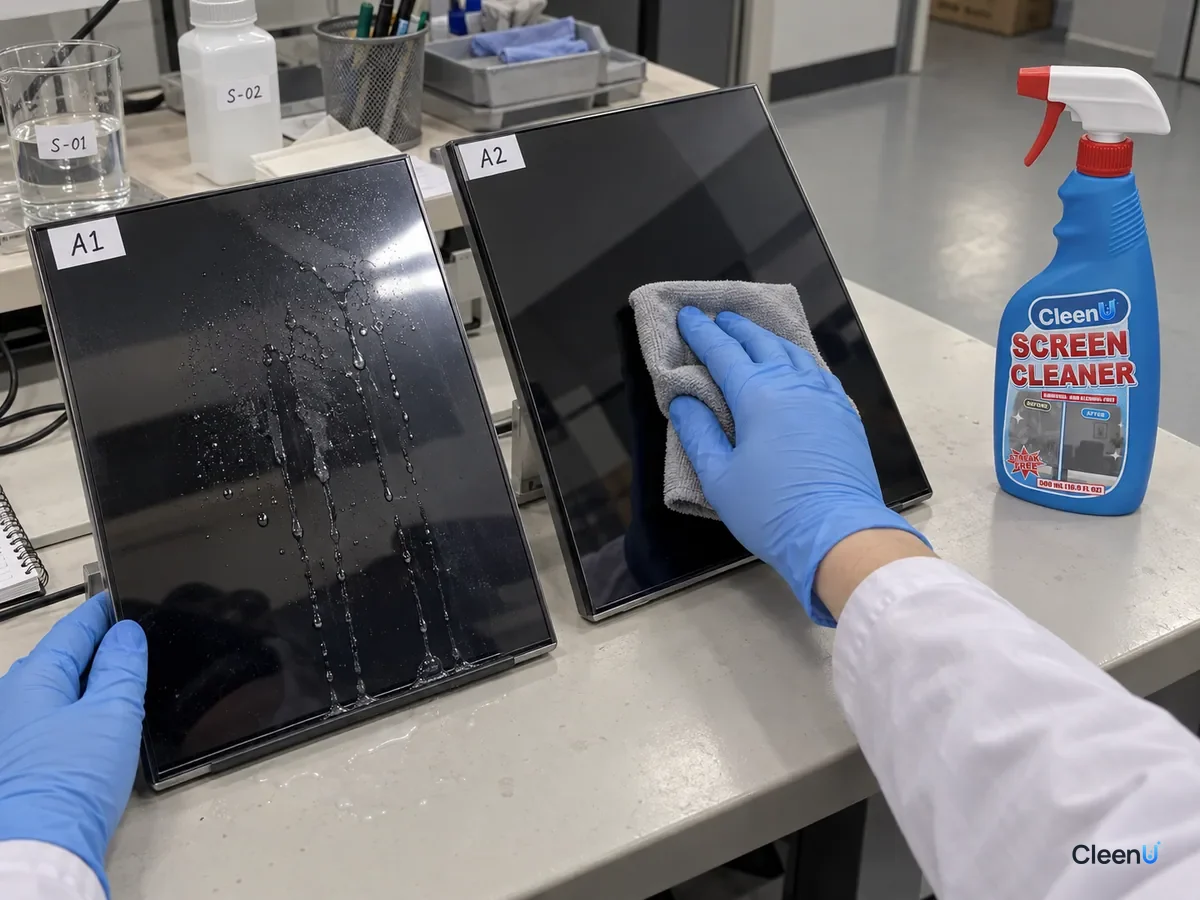
If liquid gets into the screen or device
Turn it off and unplug it right away, and take phones and tablets out of their cases. Blot liquid off the surface and edges with a dry cloth. Don't shake the device or use a hot hair dryer. Let it dry thoroughly in a well-ventilated spot before turning it on. If you see screen shadows, unresponsive buttons, or it won't power on, contact the manufacturer and don't open it yourself.
Using screen cleaner: common questions
How much screen cleaner should I spray on the cloth?
One or two pumps on a corner of the cloth, so it's slightly damp and doesn't drip. For a big screen, work in sections and re-mist as needed.
I accidentally sprayed the screen directly. What now?
Blot it up right away with a dry microfiber cloth, starting at the bottom edge so it doesn't run into the gaps.
Can I spray my phone screen directly?
We don't recommend it. The earpiece, speakers, and charging port are close to the glass. Spraying the cloth is safer.
Can I use screen cleaner on my keyboard?
Screen cleaner is made for screens. Keyboards have lots of gaps and heavier hand oil, so an electronics surface cleaner sprayed onto a cloth is a better fit.
What cloth should I use on screens?
A clean, lint-free microfiber cloth, ideally two: one damp, one dry. Skip paper towels, bath towels, and anything washed with fabric softener.
Should the screen be on or off when I clean it?
Off and cool. A powered screen is warm, so liquid dries fast and streaks, and there's more risk if anything gets inside.
For a neutral screen spray with no ammonia or alcohol that dries in seconds when used on a cloth, take a look at our Screen Cleaner.
Spray screen cleaner onto a microfiber cloth, not onto the screen. Spraying the screen makes the amount hard to control, and liquid runs down into the bottom bezel, keyboard, and ports, where it can cause shadows, dead buttons, or even a short; the excess also leaves streaks. With a slightly damp cloth, wipe gently in one direction and finish with a dry cloth for a clean, safe result. Spray directly only if both the cleaner label and the device manual allow it, and wipe dry immediately.