
Troubleshooting
Robot Vacuum Says the Dirty Tank Is Full When It Isn't? Cleaning Solution Foam Is the Usual Cause
Direct answer
When the dirty tank isn't full but the robot says it is, foam is usually tripping the water level sensor. Empty and rinse the tank, stop using dish soap and other high-foaming products, switch to a low-foam robot solution at the label dose, and wipe the sensor contacts clean.
What you see
Halfway through mopping, the robot heads back to the dock with a "dirty water tank full" alert. You open it and find the water only a third of the way up, with a thick layer of white foam on top. You empty it, and a few minutes later the alert comes back.
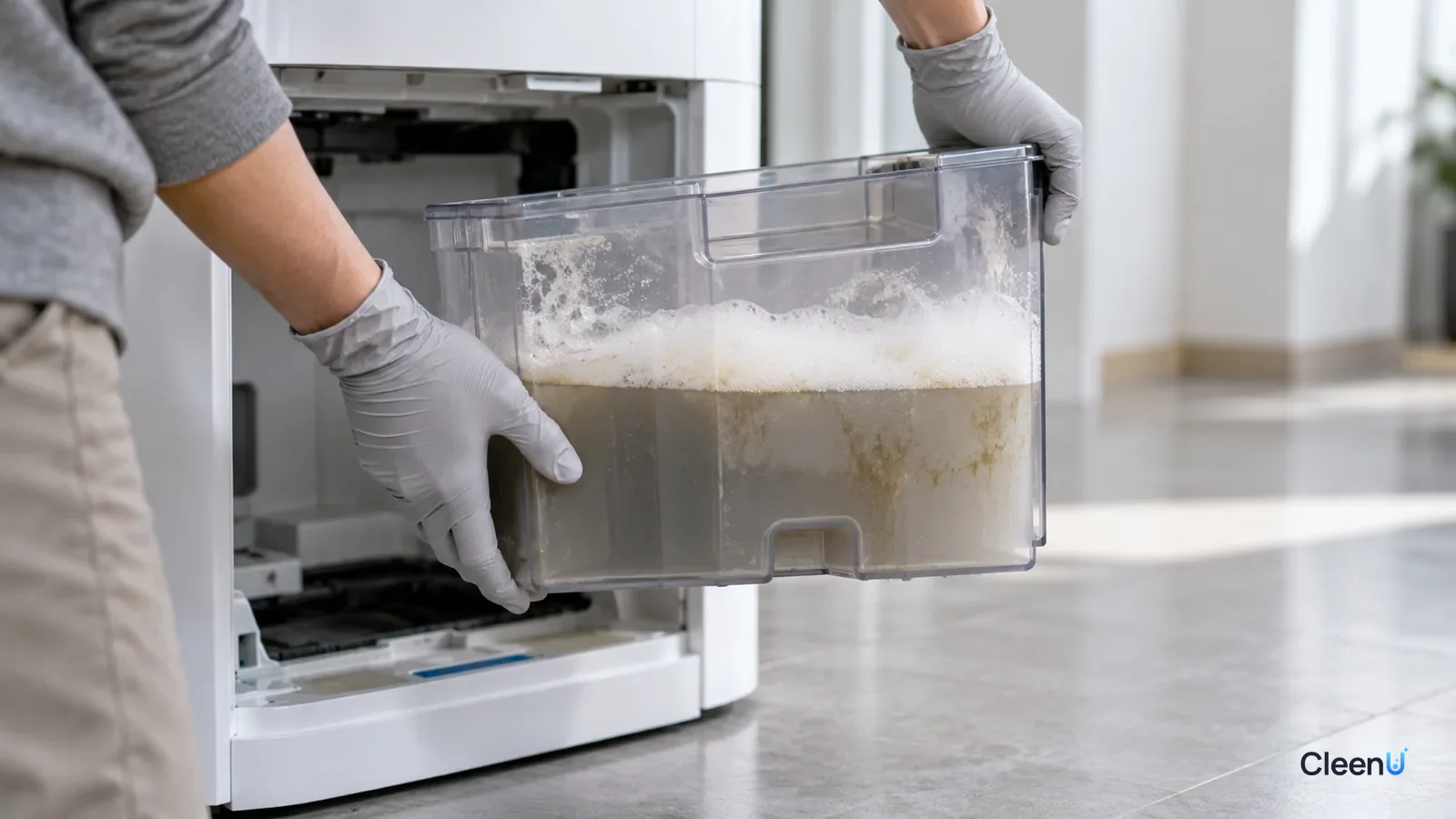
This is one of the most common false alarms on robot mops. It is easy to assume the sensor has failed or the robot is broken, but before you call support, it is worth checking a few things yourself. In most cases the problem isn't the robot. It is the foam in the dirty tank.
Why does foam make the robot think the tank is full?
Robots with a self-cleaning dock pump the water used to wash the mop pads into a dirty tank, and a level-detection system decides when that tank needs emptying. Common methods include electrode contacts, a float, or an optical sensor, depending on the brand and model.
Take electrode contacts as an example. Two metal contacts sit near the top of the dirty tank. When the water rises and touches both, current flows and the robot decides the tank is full. The catch is that foam is mostly water and conducts electricity too. As foam piles up and reaches the contacts, the robot reads it as the water level and reports full early. Float and optical sensors can be fooled the same way when a thick layer of foam lifts the float or blocks the sensor.
That is how a tank that is barely a third full ends up reported as full.
Where does all that foam come from?
Most often, something that foams went into the tank.
Dish soap and regular floor cleaners: they are formulated to foam in a bucket or in your hands. In a robot, the scrubbing and pumping in the dock whip that foam up further. For why regular floor cleaners don't belong in a robot, see can you use floor cleaner in a robot mop.
Too much solution: even a cleaner made for robot mops foams noticeably more when it is dosed several times over the label amount.
Mixed products: two cleaning solutions, a disinfectant or pet shampoo combined in the tank can foam more than any one of them alone.
Detergent left in the pads: if you hand-washed the mop pads with laundry detergent or dish soap and didn't rinse them well, the detergent washes into the dirty tank the moment the dock cleans the pads, and it foams.
Things on the floor: spilled drinks, shampoo or pet wash picked up by the robot end up in the dirty tank and foam there too.
Four checks for a false "dirty tank full" alert
Work through these four checks to find the cause
-
Step 1 Open the dirty tank. Is the water actually close to the full line?
- Yes
- Then the alert is real. Empty and rinse the tank and put it back. If it fills fast every time, lower the water flow in the app or mop in smaller zones.
- No
- Go to the next check
-
Step 2 Is the water level low, with a layer of foam piled on top?
- Yes
- Foam is triggering the alert. Empty and rinse both the dirty and clean tanks, stop using dish soap and regular floor cleaners, and switch to a low-foam robot mop cleaning solution measured to the label.
- No
- Go to the next check
-
Step 3 Are there hair, grime, mineral deposits or dried foam on the level contacts or the sensor window?
- Yes
- Wipe the contacts and sensor window with a barely damp soft cloth or a cotton swab, dry them, and reinstall the tank.
- No
- Go to the next check
-
Step 4 Is the tank seated properly, with the lid and seal in good shape?
- Yes
- If it is seated correctly and still reports full, the sensor or control board may be faulty. Contact the manufacturer's support.
- No
- Reseat the tank firmly and check that the seal hasn't slipped out or torn; replace the seal if needed.
Why foam holds up: a little interface chemistry
Pure water barely foams. Shake a bottle of plain water and the bubbles pop within a second or two. Stable foam needs surfactants. A surfactant molecule has a water-loving end and an oil-loving end, and these molecules line up at the surface of the thin water film around each bubble, lowering surface tension so the film can hold the bubble up.
How long foam lasts depends on how well that film resists draining and repairs itself. Gravity keeps thinning the film. When one spot gets thin, surfactant molecules flow in from nearby, where they're more concentrated, and pull the thin spot back together. That's called the Marangoni effect. The more tightly surfactants pack and the more elastic the film, the more stable the foam.
That's why dish soap foam lasts so long. Its anionic surfactants, such as LAS and AES, foam fast, and foam stabilizers like fatty acid alkanolamides and amine oxides make the film thick and springy. Robot mop solutions take the opposite approach. They're built on low-foam nonionic surfactants, such as low-ethoxylate fatty alcohol ethoxylates and EO/PO block copolymers, which pack less tightly at the film so bubbles break easily, plus a defoamer whose molecules spread rapidly across the film and thin it locally until it ruptures.
Why dirty water foams more than clean water
Many owners notice that the same solution barely foams in the clean tank, yet the dirty tank fills with foam. That's because dirty water brings extra help.
Protein-based soil: the proteins in pet drool, food scraps and skin flakes are somewhat surface-active on their own. They adsorb onto bubbles and stabilize foam, the same reason whipped milk or egg whites foam up so well.
Leftover detergent: laundry detergent or fabric softener not rinsed out of the pads, and other cleaners left on the floor, all get washed into the dirty tank.
Vigorous agitation: the dock's pad scrubbing and the pump's suction keep driving air into the water.
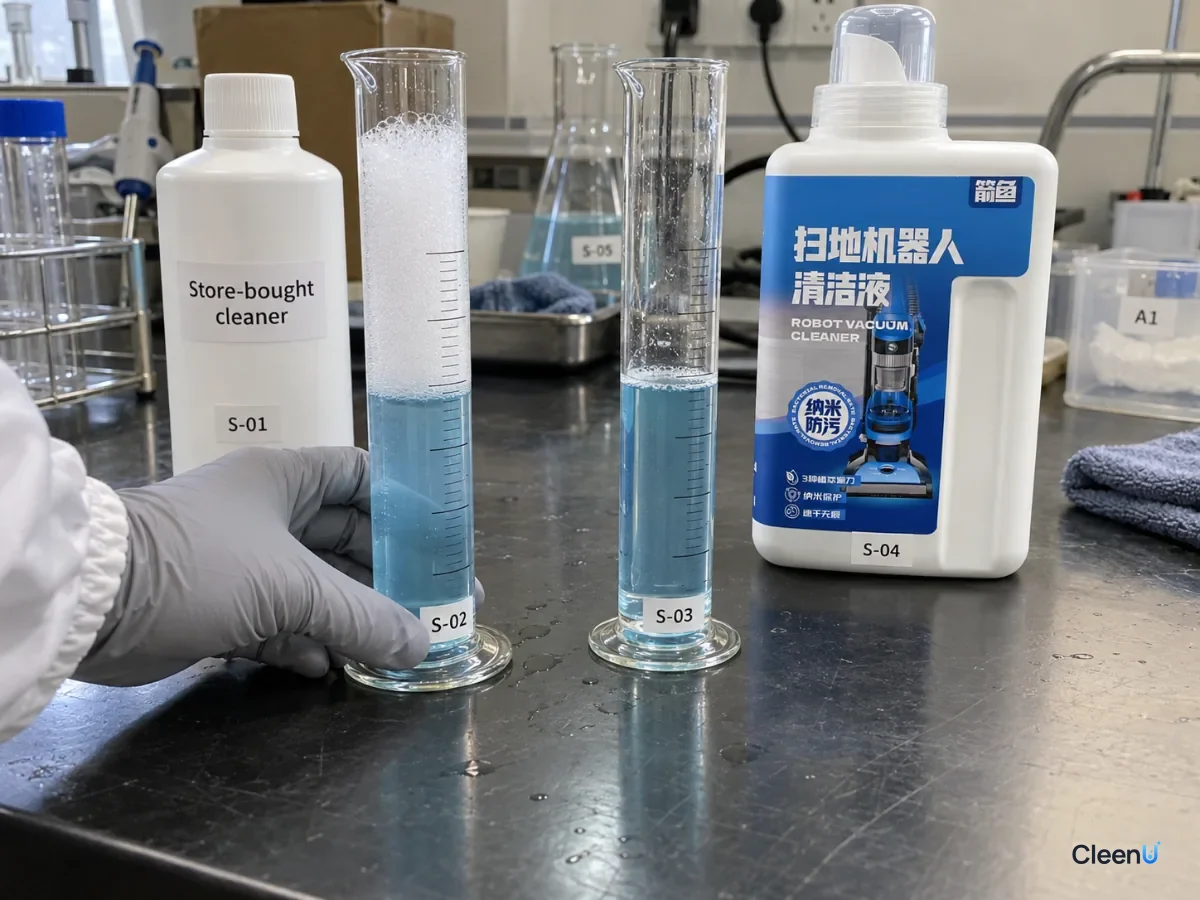
So the right question about a robot mop solution isn't just how it foams in clean water, but how it behaves under conditions close to real use. The industry commonly uses a shake test or the Ross-Miles foam test to compare how high foam rises at working strength and how fast it collapses.
How foam fools the level sensor
The liquid film in foam is water with salts and cleaner dissolved in it, so it conducts electricity. On models that sense the water level with two metal electrodes, foam that piles up and touches both electrodes closes the circuit, sending the same signal as real water. Float sensors get lifted by a thick foam layer, and optical sensors get their light scattered or blocked by foam. Whatever the method, the foam is impersonating the water level.
That's why fixing false alerts takes two steps: cut foam at the source (stop high-foam products, use a low-foam robot solution at the label ratio, rinse the pads), and wipe away the foam and grime already stuck to the contacts and sensor window.
Too much foam causes more than false alarms
A false alert is just the most visible problem. A dirty tank that regularly fills with foam brings a few others.
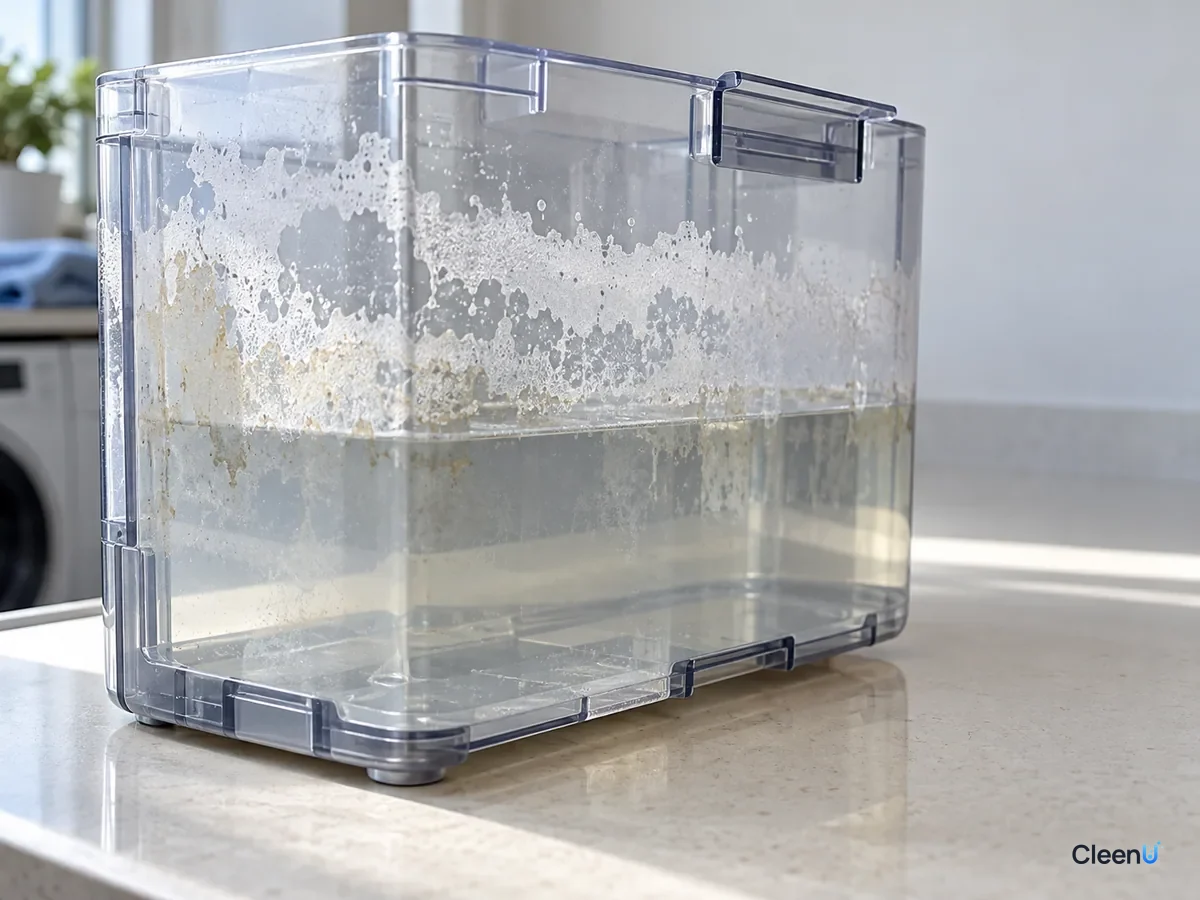
Overflow: foam takes up a lot of space and can creep out through the lid gap or the suction line and wet the inside of the dock. On some models the dirty tank sits next to the airflow path, and foam that gets in there can affect the motor.
Floor residue: heavy foam usually means there is too much surfactant in the water, and floors mopped with it are more likely to feel sticky or show streaks. For tracking that down, see robot mop leaving streaks.
Worse odor: foam dries into a film on the tank walls that traps grime, which makes it easier for bacteria to grow and for the tank to start smelling.
So if you see a lot of foam in the dirty tank, deal with it even before the robot starts throwing errors.
What if the tank really is filling fast?
Sometimes the dirty tank genuinely fills up, just faster than usual. That is different from a foam false alarm.
Water flow set too high: the wetter the pads, the more often the dock washes them and the more water it uses, so the dirty tank fills faster. Lower the water flow one level in the app, especially on hardwood and laminate.
A very dirty floor or a big home: mopping a large home in one go, or a floor that hasn't been mopped in a while and is full of grit, means more pad washes and more dirty water. Mop by zone or empty the tank partway through.
Mopping up a spill: if the robot runs through a puddle, it picks that water up too. Wipe up standing water by hand first.
In these cases, opening the tank shows it full of dirty water rather than foam. Just empty it as the alert asks.
How to clear foam-related false alarms for good
Once you know foam is the cause, dumping the water isn't enough. Leftover foam and cleaner will foam up again on the next run. Here is the full reset.
Empty the dirty tank and rinse it two or three times, until no foam clings to the walls. Pour out whatever solution is left in the clean tank and rinse it too.
Take the mop pads off and rinse them in plain water until squeezing them no longer produces suds. Rinse the dock's wash tray as well.
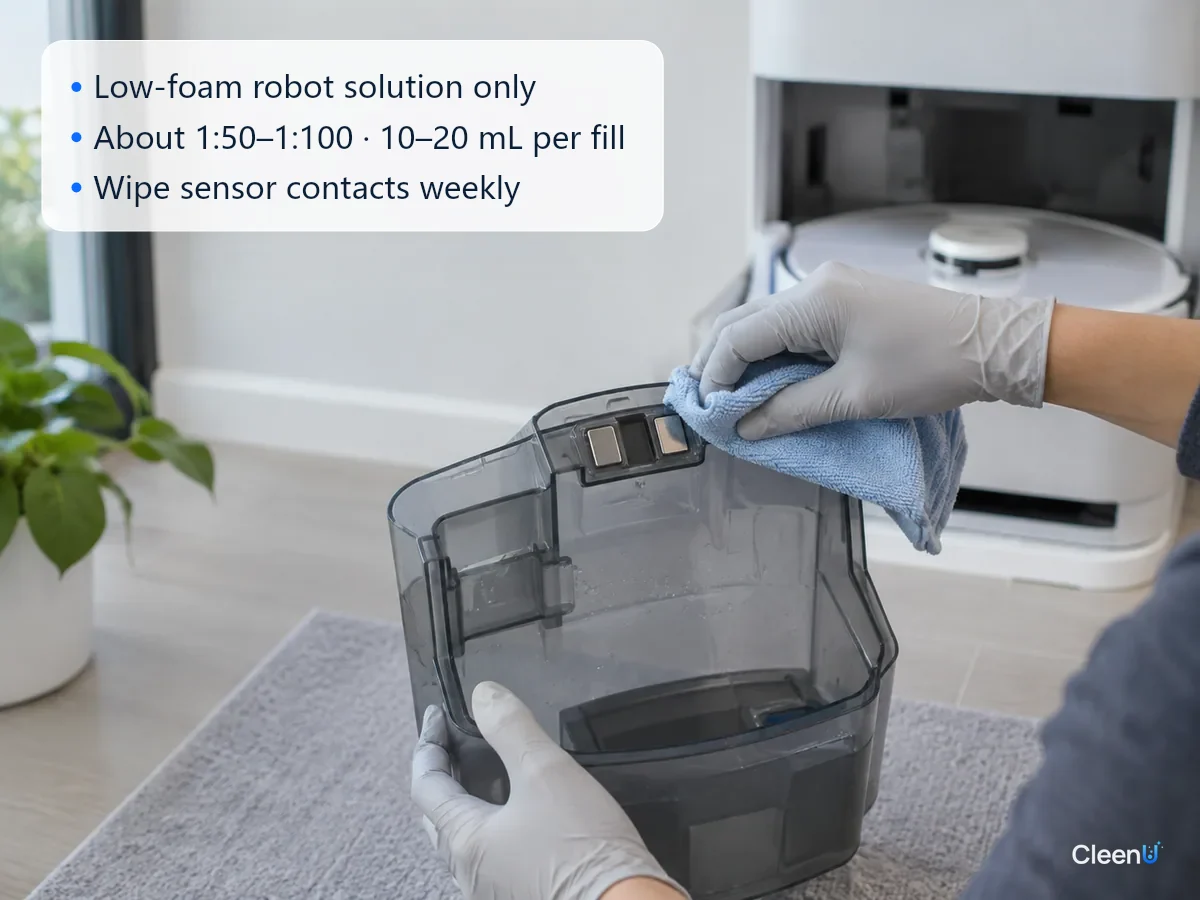
Wipe the contacts, the sensor window and the inside of the lid with a barely damp soft cloth, then dry them.
Run the robot once with plain water only to confirm the alert is gone, then start adding a low-foam robot solution at the label ratio.
Foam control is exactly where robot solutions and regular cleaners differ. CleenU Robot Vacuum Cleaning Solution, for example, uses low-foam nonionic surfactants plus a defoaming ingredient to keep foam very low while it cuts grease. It is a neutral concentrate with a pH of 6.5 to 7.5, wax-free and chlorine-free. Dose it at about 1:50 to 1:100, usually 10 to 20 mL per fill, measured with the cap.
It can be used in most Roborock, Ecovacs, Dreame, Narwal and iRobot robot mops and in Tineco-type floor washers; where it goes, and whether auto-dosing can be used, depends on the manual. CleenU isn't affiliated with these brands.
How to keep the alert from coming back
Use only a low-foam solution made for robot mops, measured to the label every time. When the floor is especially dirty, have the robot mop twice instead of doubling the dose. For converting the dose to different tank sizes, see how much cleaning solution to put in a robot mop.
Keep dish soap, body wash, laundry detergent, disinfectant and essential oils out of the clean tank, and don't mix cleaning solutions. For what can and can't go in the tank, see can you put vinegar or bleach in a robot mop tank.
Rinse hand-washed pads thoroughly and skip fabric softener. On docked robots, clean the dirty tank and the sensor contacts at least once a week.
Wipe up spilled drinks, toiletries and pet shampoo by hand before the robot mops over them.
This article is part of the Robot Vacuum Cleaning Solution & Maintenance Guide, which covers the full maintenance schedule and links to every troubleshooting guide.
Stop if you see any of these
The alert keeps coming back with an empty tank; the dock or robot leaks, smells burnt or runs hot; the error persists after cleaning the tank and changing the solution. Unplug it and stop using it. Don't open up the dock or the robot yourself; contact the manufacturer's support for repair.
False dirty-tank alerts: questions people ask most
My dirty tank isn't full but the robot says it is. Is the sensor broken?
Usually not. Foam tripping the level detection is the most common cause, followed by dirty contacts. Rinse the tank, switch to a low-foam solution and clean the contacts, then try again.
Why does the tank report full so fast after I added dish soap?
Dish soap foams heavily, and the dock whips it up as it washes the pads. When the foam reaches the level contacts, the robot reads it as water. Keep dish soap out of robot mops.
Do robot mop cleaning solutions foam too?
Very little at the label dose. At several times the dose, foam increases noticeably. Measure with the cap instead of pouring by eye.
Can I add a defoamer to the dirty tank?
It isn't a good idea. Find out what is foaming, stop using high-foam products, and dose a low-foam robot solution correctly.
How often should I clean the dirty tank sensor contacts?
Wipe them each week when you clean the dirty tank, and clean them first whenever a false alert shows up.
What if it keeps saying full after I have cleaned everything?
Make sure the tank is fully seated and the seal is intact. If it still reports full, the sensor or control board may be at fault; contact the manufacturer's support.
Can foam in the dirty tank get into the fan or clog the filter?
It can, which is why heavy foam needs attention right away. Foam piled up in the dirty tank can do more than trigger false full alerts; it can reach the filter, get drawn toward the airflow path and leave the filter damp and caked, cutting suction. Empty the tank, rinse the tank and filter, and let them dry. Then switch to a low-foam robot mop solution and dose it lightly.
For a low-foam robot mop cleaning solution that won't pile up foam in the dirty tank, try Robot Vacuum Cleaning Solution.
When a robot says the dirty tank is full but it isn't, foam is usually being read as the water level. The foam comes from dish soap, regular floor cleaners, overdosed solution or detergent left in the pads. Empty and rinse both tanks, rinse the pads, wipe the sensor contacts clean, then switch to a low-foam robot solution at the label dose, and most false alerts stop. If it keeps reporting full after that, contact the manufacturer's support.