
How-to
Setting Up Your Robot Mop for the First Time: Cleaning Solution, Water Level, and Pads
Direct answer
For your first robot mop run, let it map your home with a vacuum-only pass, add solution to the clean tank or dosing compartment the manual specifies, set the water flow to medium and dampen the pads first. Afterward, check for streaks, missed spots and puddles, then fine-tune for your floors.
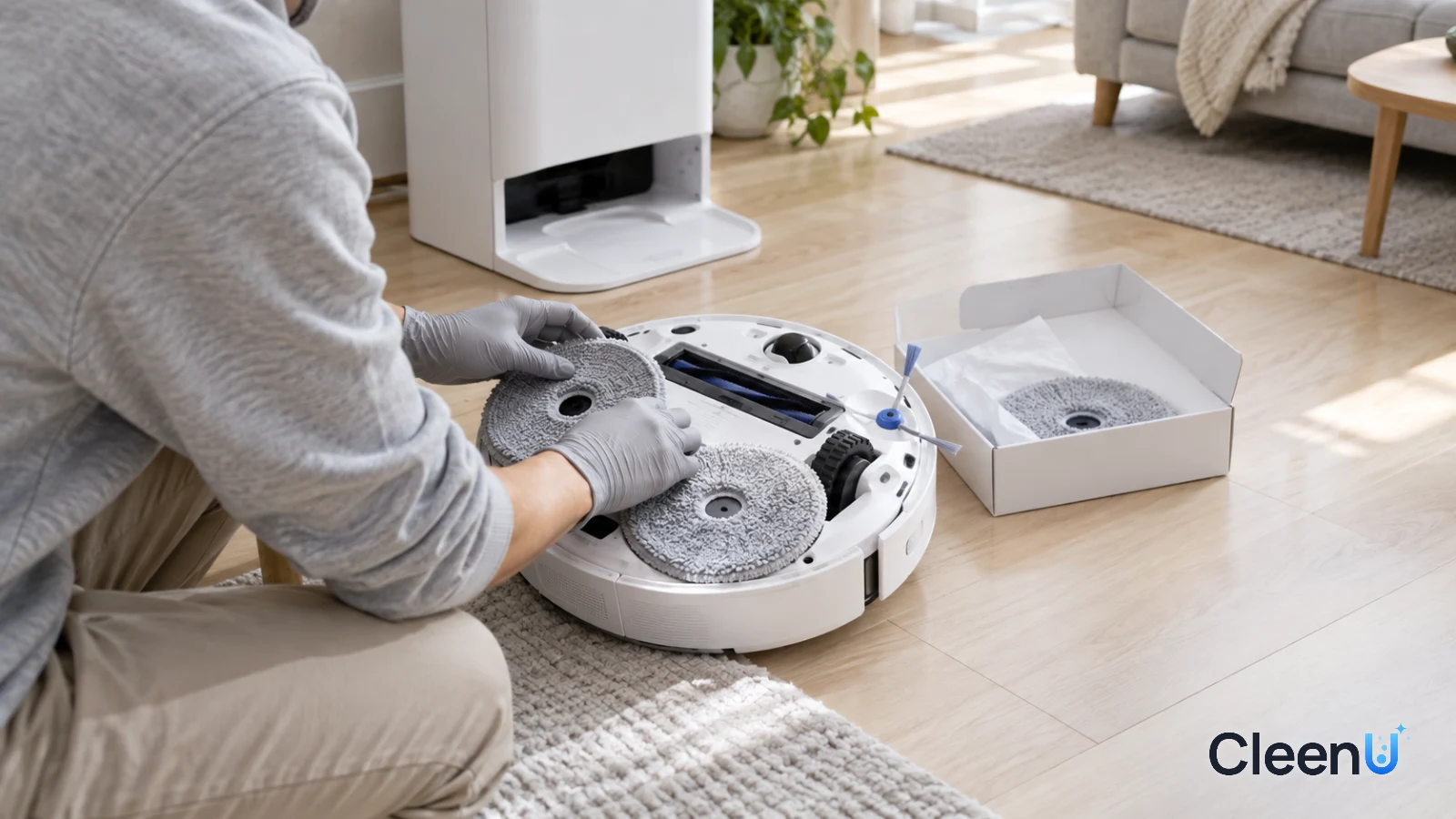
Plenty of people unbox a new robot mop, fill the tank to the top, pour in some cleaner and press "vacuum and mop." Then the robot wanders around without a proper map, soaks the rug, leaves streaks everywhere, and a few days later the dirty tank is throwing "full" alerts and the pads smell.
Spend half an hour to an hour getting the map, pads, solution and water flow right the first time, and you'll save yourself months of hassle. Here is the order to do it in.
Get to know your robot before the first mop
Robot mops vary a lot, so check three things in the manual before you set anything up.
Does it have a self-cleaning dock? On docked models, the dock holds a clean water tank and a dirty water tank and washes the pads automatically. On models without a dock, the water tank sits at the back of the robot and you wash the pads by hand.
Where does the cleaning solution go? Most robots take it in the clean water tank, mixed with water. Some docks have a separate auto-dosing compartment that dispenses on schedule. A few models don't allow any cleaner at all. Putting it in the wrong place can cause foam, clogs or even damage. For how to tell which is which, see where to put cleaning solution in a robot vacuum.
What kind of pads does it use? Spinning round pads, flat pads and roller mops attach and get washed differently.
Also check what the manual says about cleaning solution. Some makers require their own brand; others allow any low-foam solution labeled for robot mops. That can affect your warranty, so confirm it before the first run.
Why start the water flow at medium?
Water flow decides how wet the pads are. Too dry and they can't move stuck-on grime and fill up fast; too wet and the floor dries slowly, streaks easily, and water can seep into the seams of wood floors.
Every home's floors and dirt levels are different, so there's no one "correct" setting. Starting at medium and adjusting after you see the results gets you to the right setting faster than starting at either extreme.
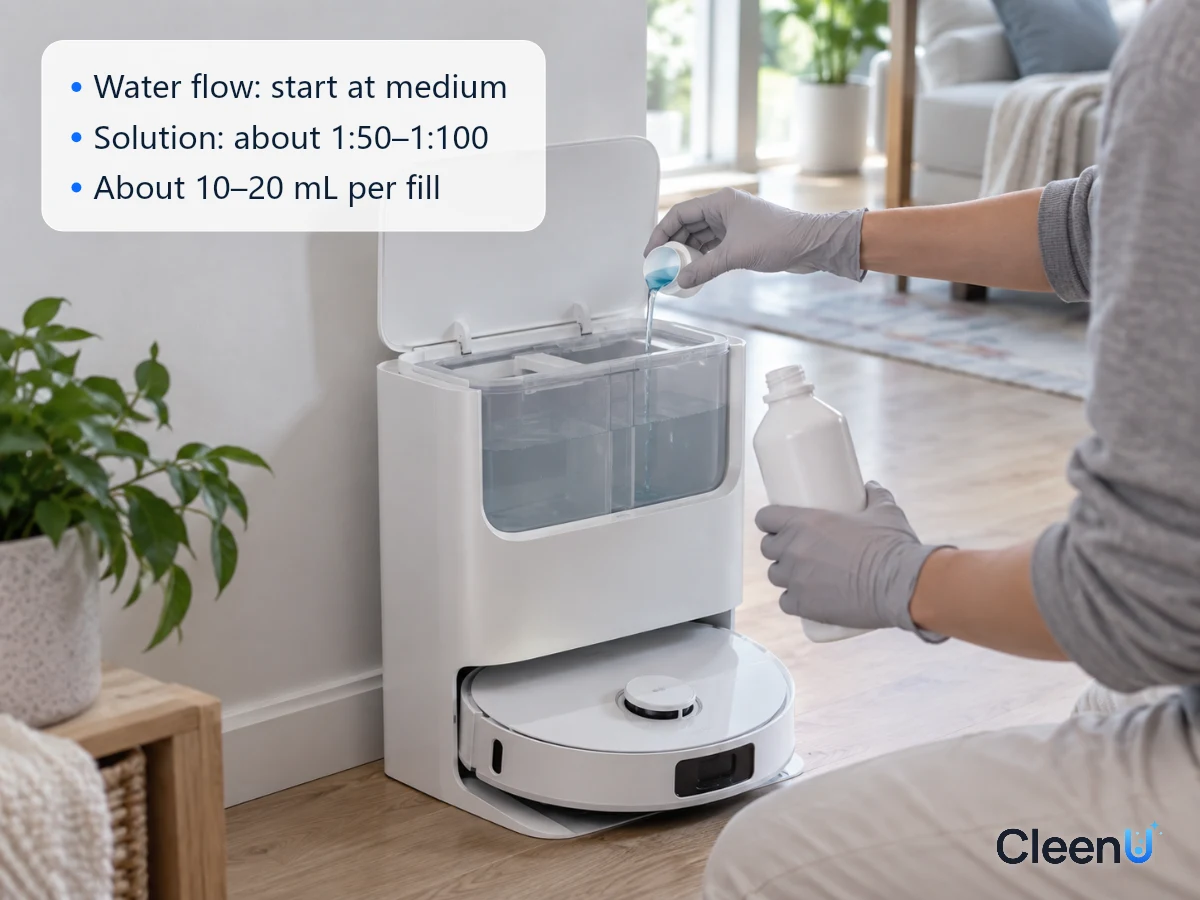
The same goes for cleaning solution: less is better than more. Add robot mop solution at the label ratio. CleenU Robot Vacuum Cleaning Solution, for example, is a neutral, low-foam concentrate diluted at about 1:50 to 1:100, usually 10 to 20 mL per fill, measured with the cap. For the first run, start at the low end. If greasy footprints come up, there's no need to add more.
On brand compatibility: CleenU robot mop cleaning solution works in most Roborock, iRobot (Roomba Combo and Braava), Ecovacs Deebot, Dreame and Narwal robot mops, and in Tineco-type floor washers. Add it to the clean water tank or the compartment your manual specifies. CleenU isn't affiliated with these brands.
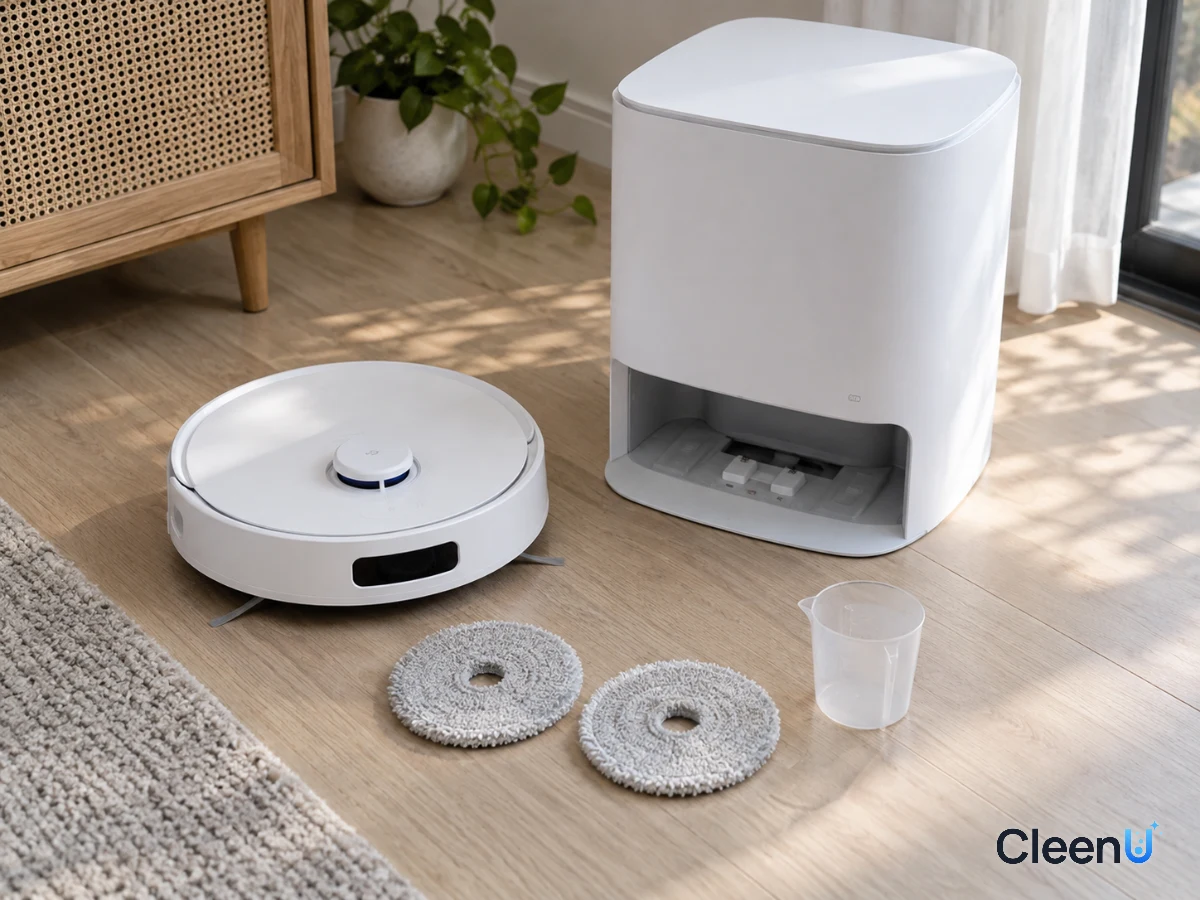
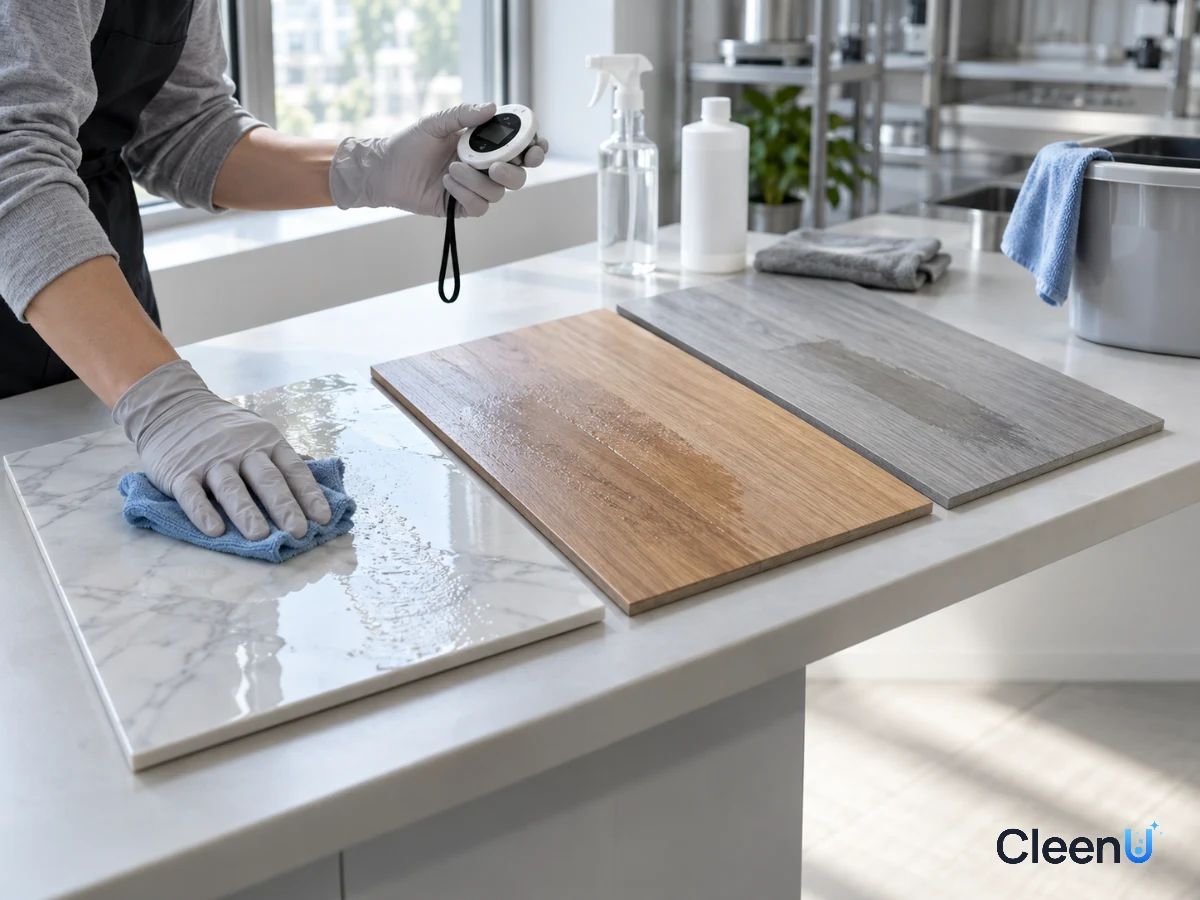
What water flow really controls: film thickness and drying time
What does the water flow setting actually change? The thickness of the water film the pads leave on the floor. The thicker the film, the slower the floor dries, and the slower it dries, the more time the dissolved solution, soil and minerals have to redistribute across the floor, so streaks and water marks are more likely once it dries.
How fast that film evaporates depends on room temperature, humidity and airflow. With windows open in summer, a thin film dries in under a minute. In winter, in a humid season or with the house closed up, the same film can take several minutes. That's why one water flow setting can perform differently across the year: in damp weather, drop it a level, or open a window or run the AC or a dehumidifier after mopping.
Hardwood and laminate add one more concern: the longer water sits, the more chance it has to seep into the seams. On wood, err low on water flow and aim for the floor to air-dry within a minute or two.
Dosing by tank size
Robot tanks range from a few hundred milliliters onboard to several liters in a dock's clean tank. Scaling the dose to the tank keeps you from adding too much or too little. Using CleenU Robot Vacuum Cleaning Solution's ratio of about 1:50 to 1:100 as the example:
Suggested solution amounts by tank size (at about 1:50 to 1:100)
- About 0.5 L (about 17 oz)
- About 5–10 mL
- About 1 L (about 34 oz)
- About 10–20 mL
- About 2 L (about 68 oz)
- About 20–40 mL
- About 4 L (about 1 gallon)
- About 40–80 mL
The math is simple: dose ≈ water volume ÷ 100 to water volume ÷ 50. Start at the low end for the first run and check the results. If greasy footprints at the door and in the kitchen come up, there's no foam in the dirty tank, and the dry floor is neither sticky nor slippery, the dose is right. Always go by the label on the product you have.
Your water matters too
Tap water hardness, meaning how much calcium and magnesium it carries, varies a lot from place to place. Hard water makes white water marks more likely: minerals come out of the film as it evaporates and leave limescale-like white spots. Calcium and magnesium can also combine with some cleaning ingredients and with fatty acids from skin oil to form grayish calcium soap.
If your kettle or showerhead scales up easily, your water is fairly hard. Lower the water flow a little so the film is thinner, dose to the label without adding extra, and spot-check a few places with a dry cloth after mopping for white marks. Some robot mop solutions include chelating agents to offset hard water, so it's worth checking the label when you shop.
Step by step: set up your first robot mop run
From mapping to the first mop, set it up this way
Clear the floor and charge the robot
Pick up cords, socks, small toys and pet toys, and push chairs under the table. Charge the robot fully on its dock, leaving the clearance around the dock that the manual calls for.
Vacuum only, and build the map
For the first run, choose vacuum-only or mapping mode, with no pads and no water, and let the robot cover the whole home to build its map. Then name rooms and merge or split areas in the app.
Caution:Open the doors to every room during mapping so the robot can reach all the areas you want cleaned.
Set no-mop zones and rugs
Mark rugs and mats as no-mop areas on the map or turn on carpet detection. Set no-mop zones around litter boxes, pee pads and pet bowls, and keep-out zones at raised thresholds and the top of stairs.
Attach the pads, damp
Attach the pads as the manual shows, making sure they click in and sit evenly. Before first use, wet new pads with plain water and wring them until they don't drip; damp new pads absorb faster and mop more evenly.
Add water and solution
Fill the clean tank with water to just below the line, then add robot mop solution at the label ratio, close it and put it back. If your dock has an auto-dosing compartment, pour the concentrate there, turn on auto-dosing in the app and start at a low to medium level.
Caution:Don't add dish soap, a regular high-foaming floor cleaner, bleach, vinegar, alcohol or essential oils, and don't pour concentrate into a compartment that isn't meant for it.
Set the water flow to medium and run a first mop
Choose vacuum-then-mop in the app, set water flow to medium and pad washing by room. Start with a single room so you can watch the route and see how it mops.
Check these things after the first run
The floor: it should air-dry within a minute or two. In side light, look for streaks, and check along walls and under furniture for missed spots. If you see a lot of streaks and slow drying, lower the water flow one level. If it isn't getting clean or footprints remain, raise it a level or shorten the pad-wash interval.
The pads: take them off and look. They should be an even light gray. If they're already very dark, the wash interval is too long or the floor hasn't been mopped in a while; shorten the interval and do another pass.
The tanks: see whether the clean tank emptied at a reasonable rate and whether there's foam in the dirty tank. Lots of foam means too much solution or a formula that isn't low-foam.
The rugs: make sure none of them got wet.
One or two rounds of adjustments usually get you to the right settings for your home. For common problems and fixes, see the robot mop cleaning solution guide.
Before your first robot mop run, make sure
- The robot has mapped your home with a vacuum-only run, with rooms and zones set
- Rugs and mats are marked no-mop or carpet detection is on
- The pads are damp and firmly attached
- Solution goes where the manual says, at the label ratio
- Water flow is at medium and you're testing in one room first
Water flow by floor type
Tile and vinyl plank: they handle water well. Use medium to medium-high, and give the kitchen and entry an extra pass.
Laminate and sealed hardwood: water can seep into the seams. Use low to medium, so the floor air-dries within a minute or two.
Marble and other natural stone: medium, with a neutral solution and nothing acidic.
Unsealed, waxed or oil-finished wood: generally not suited to wet mopping; check the flooring maker's care guidance first.
If your home has several floor types, set the water flow room by room in the app.
Keeping it running well after setup
After each run: empty, rinse and air-dry the dirty tank the same day, and don't leave mixed solution in the clean tank overnight.
Pads: turn on the dock's drying function; if there isn't one, take the pads off after each run, wash them and let them dry.
Weekly: clean the filter and wash tray, and cut hair off the brush roll and side brushes.
Solution: dose to the label and don't mix it with other products. Keep opened concentrate tightly capped in a cool place. For how much to add and how to scale it to your tank, see how much cleaning solution to put in a robot mop.
This article is part of the Robot Vacuum Cleaning Solution & Maintenance Guide, which covers the full maintenance schedule and links to every troubleshooting guide.
Stop if you see any of these
The robot leaks and leaves puddles; the pads won't spin, or there's grinding or a burning smell; heavy foam and repeated "dirty tank full" alerts after adding solution; wood floors turning whitish or lifting. Pause the robot and check the pads, tanks and solution. For foam, switch to a low-foam robot solution; for mechanical faults, contact the manufacturer's support.
Written for: New robot mop owners setting up the mopping function for the first timeNot for: Models whose maker allows only water or only its own solution (follow the manual); unsealed or waxed wood floors
First-time robot mop setup questions people ask
Can I mop on the very first run?
It's better to vacuum and map first. Once the map is built, set no-mop zones and rugs, then attach the pads and mop, so rugs stay dry and the robot doesn't wander.
Do new mop pads need washing first?
Just wet them with plain water and wring them until they don't drip before attaching. Damp new pads absorb faster and mop more evenly.
What water flow setting should I use?
Start at medium. Lower it if you see streaks or slow drying; raise it or shorten the pad-wash interval if floors aren't getting clean.
Should I add cleaning solution the first time?
You can, at the label ratio, starting at the low end. Water handles everyday dust; kitchens and entries with greasy footprints clean up better with solution.
What auto-dosing level should I pick?
Start at low to medium. If greasy footprints come up and there's no foam in the dirty tank, keep it there; otherwise go up one level.
Can a robot mop mop rugs?
No, don't wet-mop rugs. Mark them as no-mop areas or turn on carpet detection so the robot lifts or avoids the pads.
Where does the cleaning solution go in a robot mop?
In the clean water tank or the dock's designated detergent compartment, never the dirty water tank. For manual dosing, fill the clean tank with water, then add solution at about 1:50 to 1:100; 10 to 20 mL per fill is usually enough. For docks with auto-dosing, pour solution into the detergent compartment per the manual and let the machine mix it. Check your manual for the exact location.
Do I need cleaning solution every time I mop?
No. Plain water is enough for rooms that only collect dust. Add solution for kitchens, the area under the dining table and entryways where greasy footprints and shoe marks build up. When you do add it, follow the label ratio and start at the low end; with CleenU Robot Vacuum & Mop Floor Cleaning Solution, 10 to 20 mL per fill is usually enough.
My robot leaves white spots or haze. Should I use distilled water?
Try it once. White spots and haze are common with hard tap water, because calcium and magnesium are left behind as the floor dries. Mop once with distilled or softened water; if the spots fade, water was the cause. If the haze stays, check for too much solution or dirty pads, and lower the water flow one step.
Setting up your robot mop for the first time? For a low-foam, neutral concentrate you can measure with the cap, try Robot Vacuum Cleaning Solution.
Set up your first robot mop run in order: clear the floor and map with a vacuum-only pass, then set no-mop zones and rugs. Attach damp pads, add a low-foam robot solution at the label ratio where the manual says, start the water flow at medium and test one room first. Afterward, check for streaks, look at pad color and check the dirty tank for foam, then fine-tune the water flow and pad-wash interval for your floors. Get it right once and daily mopping takes care of itself.