
Troubleshooting
Streaks After Robot Mopping? Start With the Cleaning Solution Dose
Direct answer
When a robot mop leaves water marks or streaks, the usual causes, in order, are too much cleaning solution, dirty mop pads, a water setting that is too high, and hard tap water. Check them in that order: cut back to the label dose, wash the pads, and lower the flow one level.
Check these five things, in this order
- Did you pour the solution freehand and go over the label dose?
- Have the mop pads gone a long time without washing, and do they feel tacky or stiff?
- Is the water flow on the highest setting, so the floor stays wet for a long time?
- Have you ever mixed in dish soap, floor wax or another cleaner?
- Are the dock's wash tray and waste tank full of dirty water?
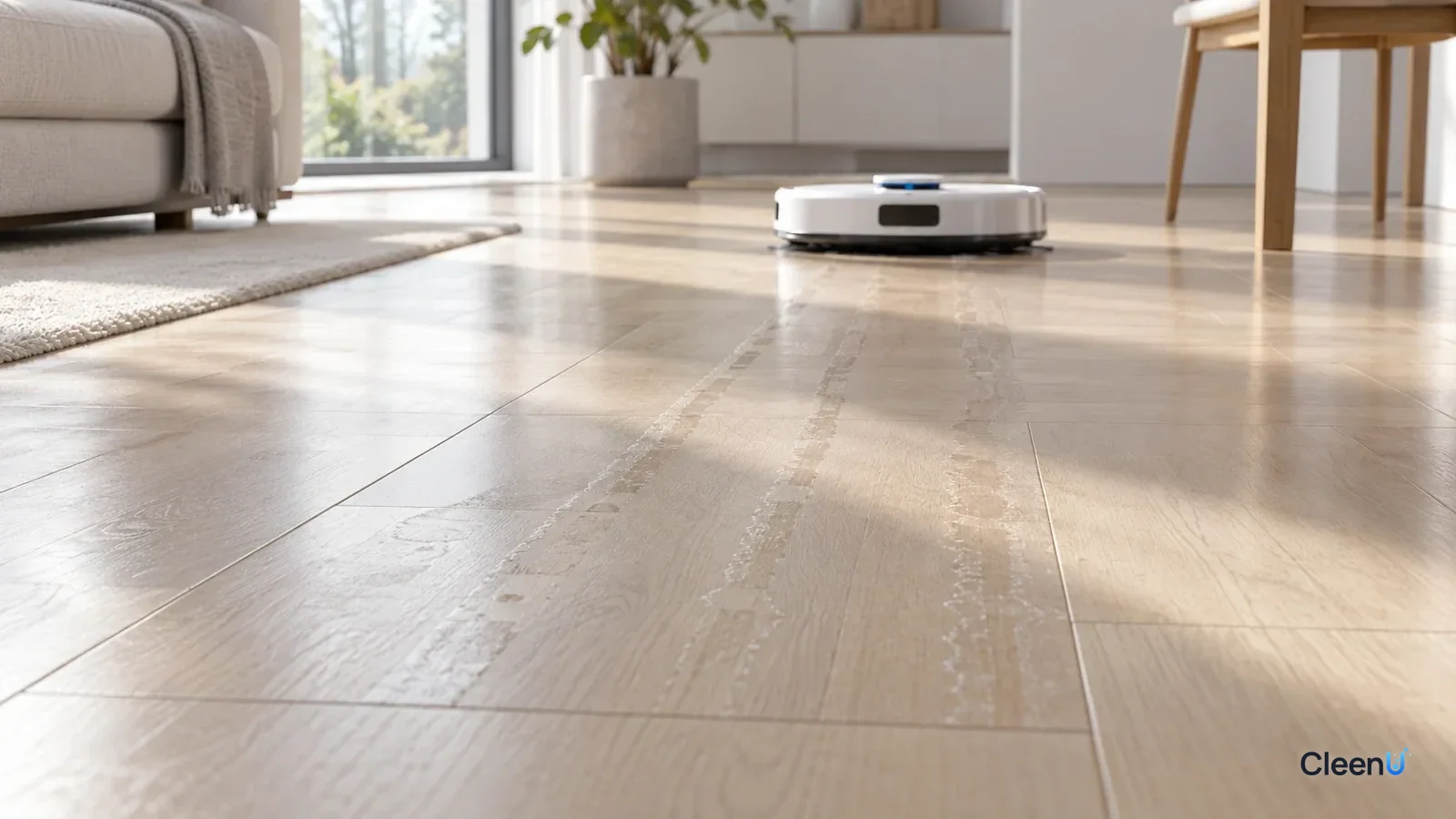
Your robot finishes mopping, and in low light the floor is covered in streaks that run parallel to the robot's path, or the whole area looks hazy. It is one of the most common complaints about robot mops. The good news is that you can almost always fix it at home, and most of the time the problem is what went into the tank, and how much.
Robot streaks have a telltale pattern. They come in lines that follow the robot's route, because each one is a strip of dampness left by the pad. When that strip dries, whatever was in it is left behind in a line.
How do streaks form?
While the robot mops, the pump feeds water from the tank to the pad, and the pad lays down a thin film of water. That film dissolves dust and oily residue, and the pad picks part of it back up. The rest evaporates, and whatever was dissolved in it stays on the floor in lines.
So streaks come from only a few sources: residue from the cleaning solution itself, dirt spread back onto the floor, minerals in the water, and any polish or product that was already on the floor. The dose comes first on the list because it is the most common cause and the easiest one to overlook.
Why check the solution dose first?
The working ingredients in a cleaning solution are surfactants. They wet the floor, emulsify oily film, and release footprints and dust. At the concentration on the label, there is just enough of them to do that job, and what is left behind is too little to see; no rinse is needed.
Plenty of people assume a little extra cleans better and pour freehand. The surplus surfactant isn't picked up by the pad. It dries into a thin film that shows up in low light as shiny streaks and can feel slightly tacky. That film also catches skin oil and dust from feet, so footprints show more, which tempts you to add even more solution. It turns into a loop.
CleenU Robot Vacuum Cleaning Solution is one example: it dilutes at about 1:50 to 1:100, and 10 to 20 mL per fill is usually enough, measured with the marked cap. At the label dose there is no need to rinse afterward. When the floor is very dirty, have the robot mop a second time instead of doubling the dose.
On brand compatibility: CleenU robot mop cleaning solution works in most Roborock, iRobot (Roomba Combo and Braava), Ecovacs Deebot, Dreame and Narwal robot mops, and in Tineco-type floor washers. Add it to the clean water tank or the compartment your manual specifies. CleenU isn't affiliated with these brands.
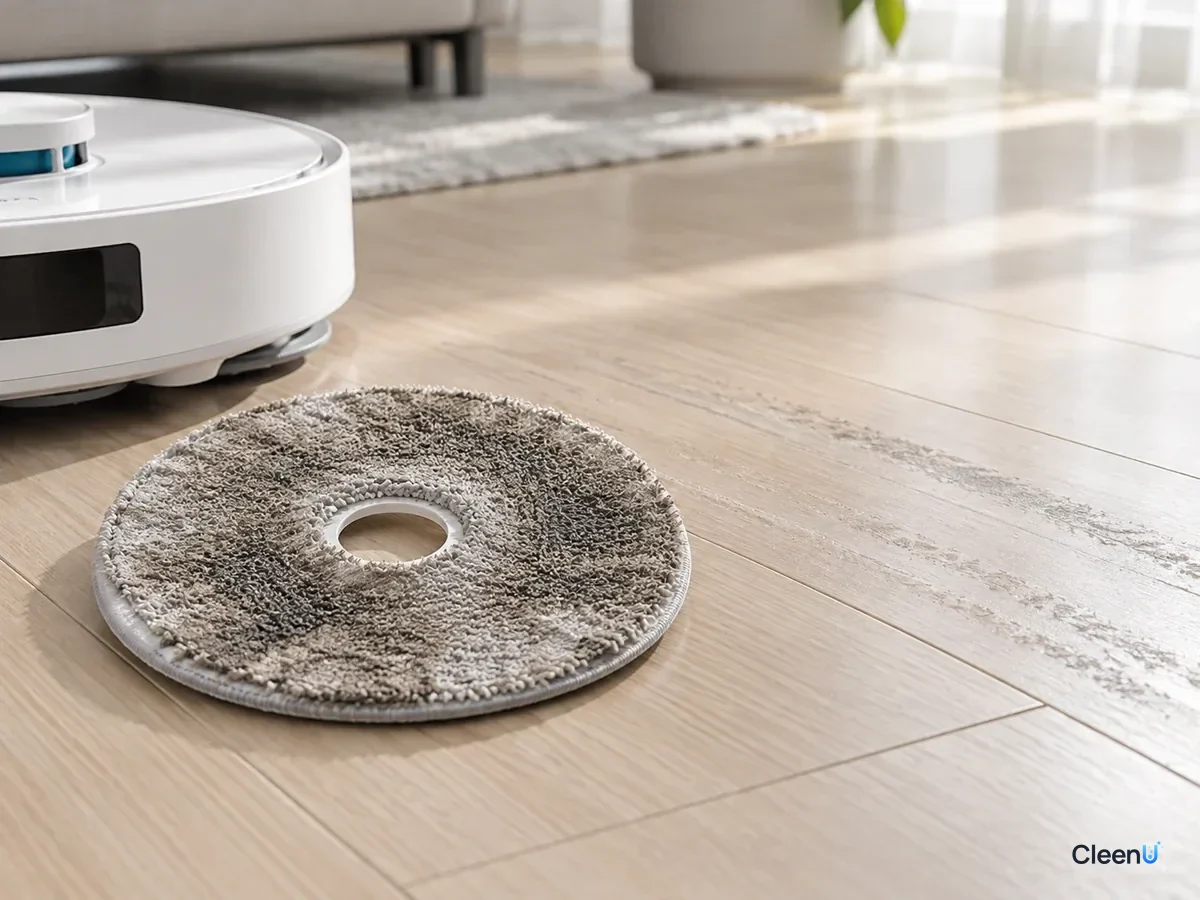
The physics of streaks: why they form rings and lines
Look closely at the marks a robot mop leaves and they're rarely an even patch. They're rings and lines. Behind that is a neat bit of physics called the coffee-ring effect.
Spill a drop of coffee and let it dry, and it leaves a darker ring rather than an even spot. The edge of the drop is thinnest and evaporates fastest, so liquid keeps flowing from the middle to the edge to replace it, carrying dissolved and suspended material along, and that material ends up deposited at the edge. The water film a robot leaves dries the same way. The edges of the film and the boundaries of each pad pass dry last and collect the deposits, forming lines and rings.
What gets deposited? Mainly total dissolved solids: calcium, magnesium and other minerals in tap water; the non-volatile surfactants, fragrance and salts in the cleaning solution; and fine soil that was dispersed but not picked up by the pad. The harder the water, the more solution you add and the dirtier the pad, the more dissolved solids there are and the more visible the streaks.
Why streaks jump out in side light
A clean floor has a fairly even surface, so light mostly reflects off it in a regular way. A thin residue film or lines of deposits scatter light locally, differently from the surrounding reflection. Head-on they're barely visible, but when low sun comes in at an angle late in the day, or a floor lamp lights the floor from the side, those scattering areas look whitish and hazy, and every streak shows up.
That gives you a practical check: after mopping, crouch down and look along the floor toward the light. It's the best angle for spotting residue.
Cutting streaks at the source
Following the physics, there are three ways to reduce streaks: make the water film thinner by lowering the water flow a level; reduce dissolved solids by dosing to the label and washing the pads often; and help the film dry faster and more evenly by ventilating after mopping.
A low-residue robot mop solution leaves little solid material behind to begin with. CleenU Robot Vacuum Cleaning Solution uses low-foam nonionic surfactants with a defoamer, contains no wax or particles, and at about 1:50 to 1:100 needs no rinse.
Causes and fixes, side by side
The causes run from most to least common. Change one thing at a time, run the robot, let the floor dry, and check it in low light. That is how you find the real cause.
Common causes of robot mop streaks, and what to do
| Cause | What you see | Fix | Prevention |
|---|---|---|---|
| Too much solution | Shiny, slightly tacky streaks; footprints show clearly | Go back to the label dose and run once with plain water to lift the residue | Measure with the cap; on very dirty floors, run a second pass |
| Dirty mop pads | Gray streaks, worse along walls and in doorways | Wash the pads and clean the dock's wash tray | Keep self-cleaning on and replace pads regularly |
| Water flow too high | Floor stays wet a long time, then dries with arcs or stripes | Turn the flow down one level and check that the floor dries in a minute or two | Use low to medium flow on wood and laminate |
| Hard tap water | Fine white spots and rings on dark floors | Lower the flow so the floor dries faster | In hard-water areas, use distilled water in the clean tank |
| Mixed products | Hazy floor that won't clear no matter how often it is mopped | Empty and rinse the tanks, then run with plain water | Use one solution only; never mix with dish soap or floor wax |
| Old wax on the floor | Blotchy overall, hazier in places the more it is mopped | Remove the old wax the way the flooring maker recommends | Don't pair robot mopping with wax or polish products |
| Dirty water reused by the dock | Floors get dirtier over time; the waste tank smells | Empty the waste tank and clean the filter | Empty and air-dry the waste tank after every run |
Work through it once, in order
Start with the dose. Empty the clean-water tank, refill it with water, and measure solution at the label dose before adding it, then swirl gently. If there is already visible residue on the floor, use plain water only for this run so the robot lifts the old residue.
Next, the pads. Take them off and scrub them clean in plain water, with no detergent or fabric softener, and let them dry completely before putting them back. On dock models, clear the hair and grime out of the wash tray and filter, and empty and rinse the waste tank.
Then the water flow. Turn it down one level in the app. The right setting is one where the floor dries within a minute or two after the robot passes. Tile can take medium; sealed wood and laminate should get low to medium.
Finally, the water. If you have done all of the above and dark floors still show fine white spots, it is most likely minerals from hard water. Lower the flow so the floor dries faster, or switch to distilled water in the clean tank.
Check the floor after each step. Whichever step makes the streaks clearly fade is where the cause was.
Small details when adding solution that people miss
Even with the right dose, how you add the solution affects the result.
Water first, then solution. Pour the solution in first and blast water on top, and you whip up foam in the tank. Foam in the lines makes the flow uneven, so the floor gets wet in some strips and barely damp in others, leaving streaks of different shades. After adding, swirl gently; don't shake hard.
Use mixed solution the same day. Diluted solution left in the tank for days can grow bacteria and start to smell, and the robot spreads that smell and grime onto the floor.
Solution goes only in the clean-water tank or the dock's dosing reservoir, never in the waste tank. On docks with automatic dosing, pour undiluted solution into the reservoir and set the dosing level in the app; don't add more to the clean-water tank on top of that.
Use one product only. Two products mixed together can interact, foam, separate, or leave more residue than either would alone.
If streaks start right after switching to a new cleaning solution, the old product's residue is probably stacking with the new one. When you switch, empty and rinse the tanks, run the robot once on plain water to flush the old residue out of the lines and off the floor, then use the new product at its label dose.
Different floors streak differently
Tile doesn't absorb water, so residue stays on top; it shows streaks most easily and responds fastest. Glazed and polished tile reflect a lot of light and need an exact dose. Sealed wood and laminate don't like water; too much flow streaks them and can push water into the seams, so keep the flow low to medium. Dark and glossy floors magnify every mark, so even a small amount of residue shows.
Wood floors with open gaps, lifting boards or no sealed finish shouldn't be wet-mopped at all; vacuum only.
For the full picture on adding solution, mopping and cleanup, see does a robot mop need cleaning solution. If you are unsure about the dose, see how much cleaning solution to use in a robot mop.
This article is part of the Robot Vacuum Cleaning Solution & Maintenance Guide, which covers the full maintenance schedule and links to every troubleshooting guide.
Stop using the solution if you see any of these
The floor is slippery even when fully dry; the edges of wood or laminate boards swell or lift; the finish turns white or dull and plain water won't restore it; the waste tank keeps reporting full or fills with foam. Stop using the solution, run on water only, and check the product label and your robot's manual before going further.
Robot mop streak questions people ask
Does my robot mop leave streaks because of a bad cleaning solution?
Don't blame the solution yet. The most common causes are adding too much and dirty pads. Go back to the label dose and wash the pads before you judge the product.
What water flow setting should I use on a robot mop?
Whatever lets the floor dry within a minute or two. Medium on tile; low to medium on sealed wood and laminate.
Does more cleaning solution make the robot clean better?
No. Going over the label dose leaves a residue film that makes streaks and footprints worse. On a very dirty floor, run a second pass.
How often should I wash and replace robot mop pads?
Docks with self-cleaning wash them automatically; otherwise wash and dry them after every run. Replace pads that turn gray, stiff or keep smelling.
How do I cut down on white spots in a hard-water area?
Lower the flow so the floor dries faster, keep the pads clean, and use distilled water in the clean tank if needed.
How do I fix a floor that is already streaky?
Fill the clean tank with plain water and let the robot mop once or twice to lift the residue, then go back to the label dose.
Why does my floor feel sticky after the robot mops?
Cut the dose and wash the mop pads first—those are the usual causes. Go back to the light end, about 1:100 (roughly 10 mL per liter), and run one or two passes with plain water to lift the residue. Spot-clean spilled drinks or grease by hand before the next run.
For a low-foam, neutral solution that leaves no streaks at the label dose, try Robot Vacuum Cleaning Solution.
When a robot mop leaves water marks or streaks, work through it in order: bring the solution back to the label dose, wash the pads and the dock, lower the water flow a level, then look at water hardness and any products you mixed in. Change one thing at a time and check after each run. On very dirty floors, run a second pass rather than doubling the dose.