
How-to
Where Does Cleaning Solution Go in a Robot Vacuum? Clean Tank, Dirty Tank, or Dock
Direct answer
Cleaning solution goes in the clean water tank. On docks with automatic dosing, it goes undiluted in the dock's detergent compartment, and the dock mixes it in for you. The dirty tank only collects wastewater, so never add solution there. Your robot's manual has the final word.
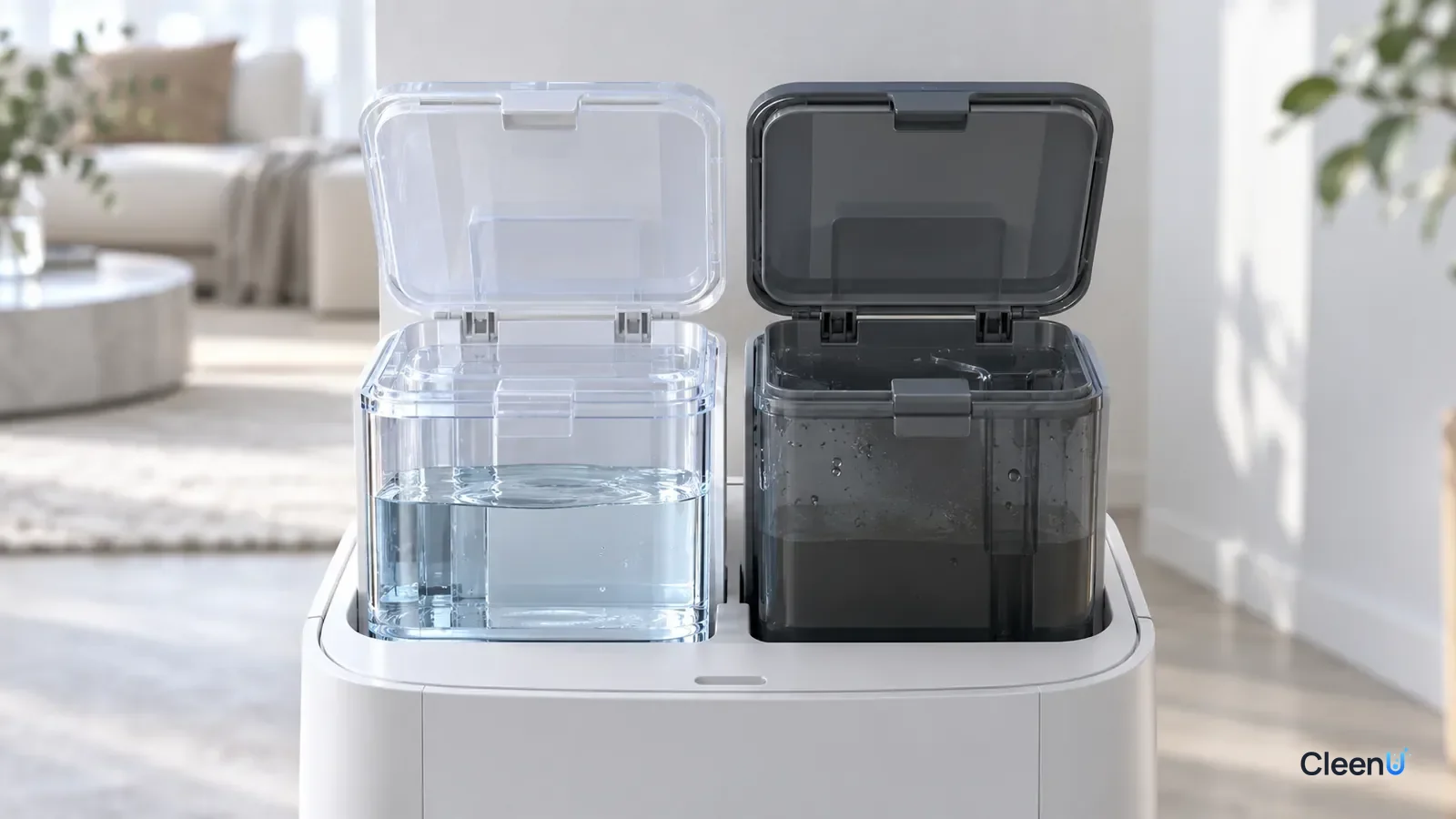
"Where do I pour this?" is one of the first questions new robot mop owners ask, and it is a fair one. Most robots and docks have two or three lidded tanks that look alike, and the quick-start guide rarely spends much time on them. Pouring solution into the wrong one happens more often than you would think. At best it wastes product. At worst it whips up foam, triggers sensor alerts, or leaves concentrate sitting in lines where it does not belong.
The three tanks you need to tell apart
Designs vary by brand, but anything that holds liquid on a robot mop falls into one of three categories.
The clean water tank. This holds fresh water. A small pump draws from it and feeds the mop pads through outlet holes. On robots without a dock, it is usually a translucent tank that slides out of the robot body. On robots with a self-cleaning dock, the clean tank sits in the dock, holds much more, and refills the robot automatically. This is where cleaning solution goes, so it travels to the pads along with the water.
The dirty water tank (recovery tank). This collects wastewater after mopping. The dock scrubs the pads against a ribbed tray and pulls the dirty water into this tank. A level sensor inside tells you when it is full. Its job is collection, not cleaning.
The detergent compartment (auto-dosing tank). Some higher-end docks have a small, separate compartment or cartridge just for cleaning solution concentrate. Each time the robot takes on water, the dock draws a measured amount of concentrate and blends it in. On these models, solution goes in the compartment and the clean tank gets plain water only.
Telling them apart is usually easy: check the icon or label on each lid. Clean tanks typically show a water drop or the word "clean." Dirty tanks often show a crossed-out drop or the word "dirty." Detergent compartments usually carry a bottle or detergent icon and are noticeably smaller. If you are still not sure, the parts diagram in your manual settles it.
Why solution never goes in the dirty tank
The most common mistake is adding a splash of cleaner to the dirty tank to keep it from smelling. It does not work, and it causes problems.
First, cleaner in the dirty tank never touches your floor. The water has already been collected, so any product you add there does nothing for cleaning.
Second, it creates foam, and foam triggers false alerts. The dock squeezes wastewater off the pads with a lot of agitation. Cleaner in that tank gets whipped into suds, and because foam is lighter than water, it reaches the level sensor first. The robot then reports a full tank when the tank is half empty.
Third, it does not fix the smell. A dirty tank smells because skin oil, food particles and hair in the wastewater feed bacteria. The fix is to empty it, rinse it and leave the lid open to dry after every run, not to mask the odor with cleaner.
What the solution does on its way from the clean tank to your floor
Once you picture the route the solution takes, it is easy to see why the tank matters.
Solution added to the clean tank is drawn out by the pump along with the water and fed through the outlets to wet the mop pad evenly. As the pad wipes the floor, the solution goes to work. Surfactants wet the surface and work their way into the skin oil and dull, grayish film in footprints, emulsifying that oil and dispersing it into the water. Dust and fine grit get wetted and caught in the pad's fibers. Back at the dock, a ribbed tray squeezes the dirty, oily water out of the pad and pulls it into the dirty tank. That is one full clean-and-recover cycle.
The route has to start at the clean tank. The solution can only wet and emulsify soil if it is mixed into the water and carried across the floor by the pad. In the dirty tank, it never touches the floor, and it gets churned into foam during recovery.
The formula has to suit that route, too. The pump agitates constantly, the outlets are pinhole-sized, and the dirty tank relies on a level sensor, so a robot solution has to be low-foam, free-flowing and low-residue once dry. CleenU Robot Vacuum Cleaning Solution pairs low-foam nonionic surfactants with a defoamer for exactly that reason: it emulsifies grease without piling foam into the lines or the dirty tank.
On brand compatibility: CleenU robot mop cleaning solution works in most Roborock, iRobot (Roomba Combo and Braava), Ecovacs Deebot, Dreame and Narwal robot mops, and in Tineco-type floor washers. Add it to the clean water tank or the compartment your manual specifies. CleenU isn't affiliated with these brands.
Three signs tell you the route is working. The floor dries within a minute or two with no tackiness or streaks. The dirty tank holds cloudy wastewater, not a layer of foam. The pad comes out damp but not dripping. If all three check out, the tank and the dose are both right.
Why "water first, then solution, then swirl"
The fill order looks like a small detail, but there's simple physics behind it. Cleaning concentrate is usually a bit denser and thicker than water. Pour the concentrate in first and it sinks to the bottom of the tank and doesn't mix right away. Since the clean tank's outlet is often at the bottom, the first liquid to flow out when the robot starts is a stronger-than-intended shot, and the first stretch of floor is more likely to foam or streak.
Fill with water to just below the line, add concentrate at the label ratio, close the tank and give it a gentle swirl, and it mixes evenly in seconds. If the tank is awkward to shake, add the concentrate and then top up with a little more water so the flow breaks it up.
This matters even more in winter, when concentrate thickens and dissolves more slowly, so swirl it after adding.
What's inside each tank decides what it can take
The clean tank, dirty tank and auto-dosing compartment have different requirements because they connect to different parts.
Clean tank: liquid passes through the pump and tiny outlets and stays in long contact with rubber or silicone seals. It needs to be low-foam, particle-free and non-crystallizing, and gentle on rubber and plastic.
Dirty tank: it holds collected dirty water and connects to the level sensor and suction line, and on some models sits near the airflow path. Solution added here does no cleaning at all and can foam, trip the sensor and spill into the airflow path.
Auto-dosing compartment: it connects straight to a metering pump and very narrow tubing and holds only concentrate. It has the strictest viscosity and stability requirements; diluting it yourself or mixing products can thicken it, crystallize it and clog the line.
That's why robot mop solutions are usually built on low-foam nonionic surfactants with no particles or wax, to suit the parts along the clean-tank path. CleenU Robot Vacuum Cleaning Solution is exactly that: low-foam nonionic surfactants with a defoamer, particle-free, wax-free and chlorine-free.
Where solution goes on each type of robot
Once you know which tank is which, match your setup to one of these.
No dock, tank in the robot body. Remove the onboard tank, fill it with water to just below the fill line, add solution at the label dose, cap it and swirl gently, then slide it back in. For CleenU Robot Vacuum Cleaning Solution, the ratio is about 1:50 to 1:100, usually 10 to 20 mL per fill, measured with the marked cap. Onboard tanks are small, so scale the dose down to match.
Self-cleaning dock, manual dosing. Add solution to the dock's clean water tank. Because that tank holds much more, scale the dose to the ratio on the label or in your manual. For example, if the tank holds 4 liters and the ratio is about 1:50 to 1:100, add roughly 40 to 80 mL. If you are unsure of the ratio, go with the lower end.
Self-cleaning dock with auto-dosing. Pour the concentrate straight into the detergent compartment without diluting it, and put only plain water in the clean tank. Then set the dosing level in the robot's app so the dock meters it automatically. Auto-dosing systems are picky: the liquid needs to be low-foam, free-flowing and resistant to crystallizing, or it can clog the draw line or confuse the compartment's level sensor. When you shop, check that the solution is labeled as compatible with auto-dosing docks.
One more thing: some manufacturers specify water only, or their own branded solution only. Those systems may be more sensitive to what you put in them, so follow the manual.
Filling the tank, step by step
These steps cover the most common setup, manual dosing. On auto-dosing models, you only need the first and last steps.
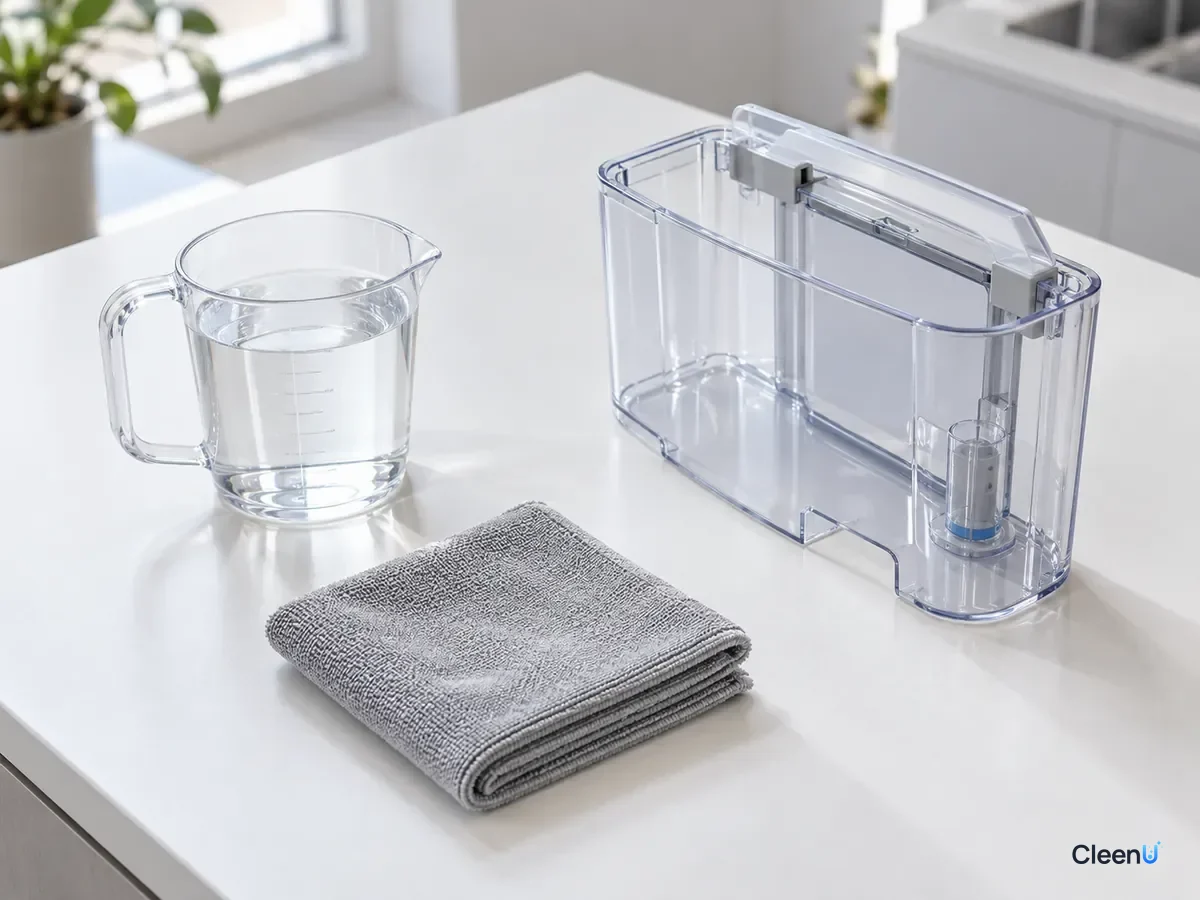
Five steps for manual dosing
Confirm the right tank
Match the lid icon to the manual and make sure you have the clean tank or detergent compartment, not the dirty tank. A small sticker on the lid helps the first few times.
Add water first
Fill the clean tank with plain water to just below the fill line, leaving room for the solution. Water first keeps the stream from churning concentrate into foam at the bottom.
Caution:Do not use hot water unless your manual allows it; high temperatures can warp tanks and seals.
Measure the solution to the label dose
Use the marked cap or a measuring cup; usually 10 to 20 mL for CleenU Robot Vacuum Cleaning Solution (about 1:50 to 1:100). Do not eyeball it, and do not double it for a deeper clean.
Cap it and swirl gently
Close the lid and tip the tank back and forth a few times to mix. Do not shake hard, which creates foam.
Reinstall and start mopping
Slide the tank back in until it clicks and run your normal cleaning program. No rinse pass is needed afterward.
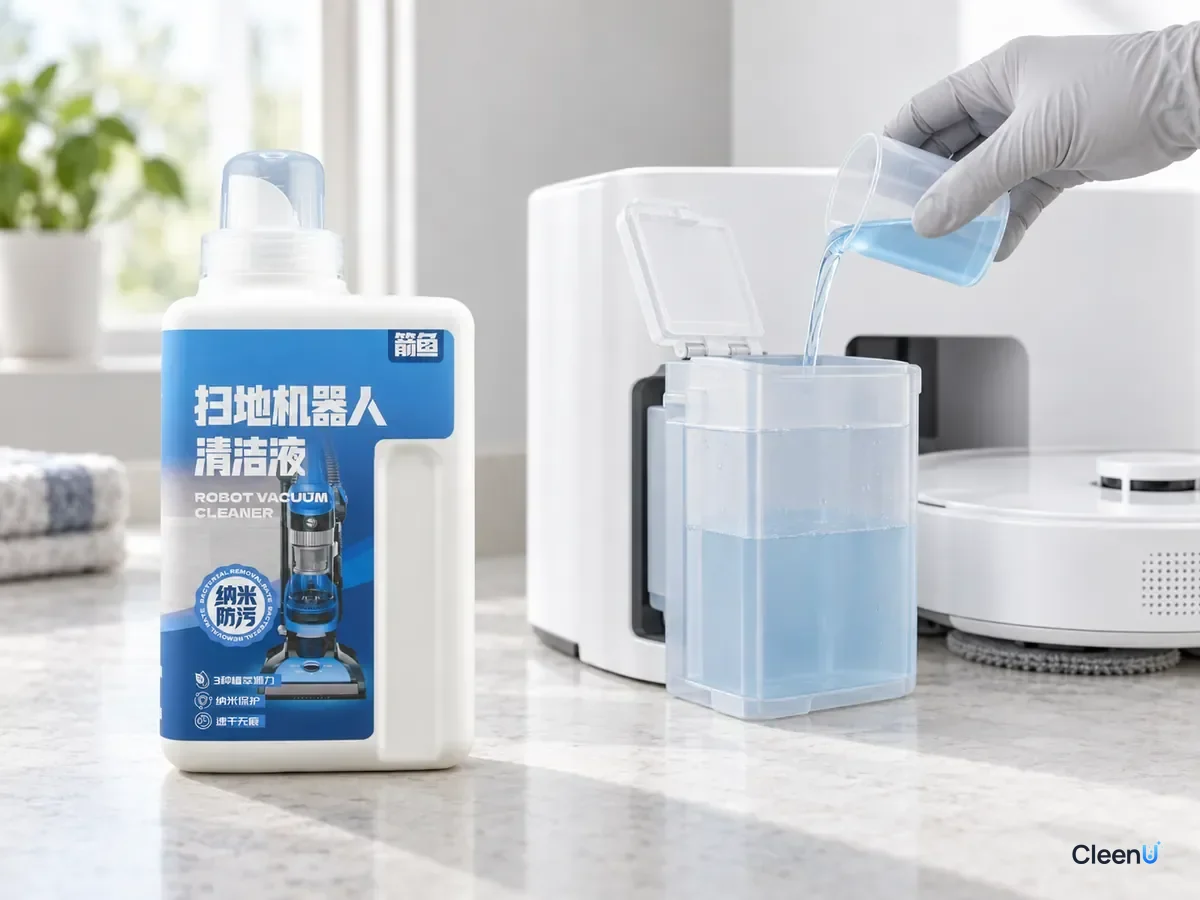
Auto-dosing docks: choosing a level and switching products
Docks with automatic dosing usually offer low, medium and high settings in the app, or let you pick a ratio directly. Start at medium or at the level your manual recommends, then check the floor after a run. If it feels tacky, looks hazy or shows streaks once dry, drop one level. If greasy footprints are still there, add a second pass or mark the kitchen as a focus zone before you turn the dose up. Every step up puts more concentrate into each tank of water, and the risk of foam and residue climbs with it.
Concentrate does not all get used on each run. Some sits in the compartment and in the thin draw line between cleanings. So before you switch to a different solution, empty the compartment, rinse it twice with clean water, and only then add the new product. Two different formulas can turn cloudy, crystallize or foam when they meet, and over time that residue can block the small draw port. If you will be away for a week or two, empty and rinse the compartment before you go and refill it when you get back.
One more trap: auto-dosing assumes the clean tank holds plain water. If you also pour solution into the clean tank by hand, the dock adds its own dose on top and the real concentration doubles. That is one of the most common reasons floors start feeling sticky right after someone turns on auto-dosing. Pick one method and stick with it.
If you put it in the wrong tank
If solution went into the dirty tank, just empty it, rinse it two or three times with clean water, wipe the sensor contacts dry and leave it open to air out. If you already ran the robot and got a false "tank full" alert, do the same, then run one water-only cycle to confirm the alert is gone.
If you poured undiluted concentrate into the clean tank without water, thinking it was the auto-dosing compartment, empty the tank, rinse it and mix a fresh batch at the correct ratio. Solution that is too concentrated foams, leaves residue and makes floors sticky.
If the wrong liquid went into an auto-dosing compartment, such as a high-foam regular floor cleaner, empty and rinse the compartment, then run the dock's line-cleaning cycle if it has one. That flushes out leftover product before it gums up the draw line.
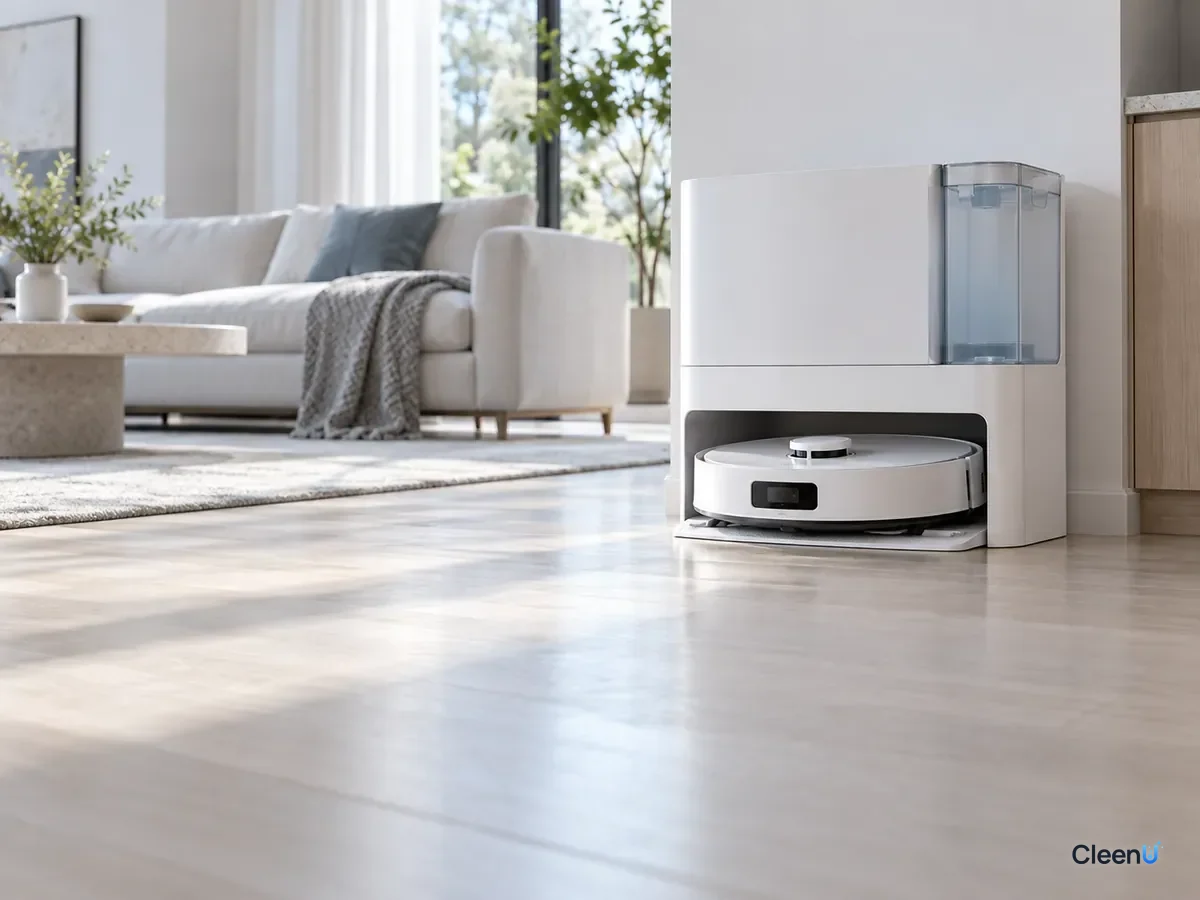
Stop and check if this happens
If the robot keeps reporting a full dirty tank after you add solution, the tank fills with foam, or water barely drips from the outlets, stop using the solution. Empty and rinse the tanks and run with water only, then recheck where the solution went and how much you used.
Written for: New robot mop owners who cannot tell the clean and dirty tanks apart, and anyone who just upgraded to an auto-dosing dockNot for: Robots whose manual specifies water only or the manufacturer's own solution only
Want a low-foam solution with a marked cap that makes measuring easy? Try our Robot Vacuum Cleaning Solution.
For dosing, settings and troubleshooting, see the robot mop cleaning solution guide and how much solution to add to a robot mop.
This article is part of the Robot Vacuum Cleaning Solution & Maintenance Guide, which covers the full maintenance schedule and links to every troubleshooting guide.
Mixed-up tanks and fill order: quick answers
Can I add cleaning solution to the dirty tank to stop odors?
No. Solution in the dirty tank does no cleaning, and it foams and triggers false full alerts. Stop odors by emptying, rinsing and air-drying the tank after every run.
Should I dilute solution in the auto-dosing compartment?
No. The compartment takes undiluted concentrate, and the dock mixes it into plain water in the clean tank.
Water or solution first?
Water first, then solution, then a gentle swirl. Pouring concentrate first and then adding water tends to create foam.
My dock's clean tank is large. How much solution do I add?
Scale it to the ratio on the label. At about 1:50 to 1:100 with 4 liters of water, that is roughly 40 to 80 mL. If unsure, use the lower end.
Can mixed solution sit in the tank for a few days?
Use it the same day. Diluted solution left standing is more likely to grow bacteria and develop an odor.
Where does cleaning solution go in a wet-dry floor washer?
Into the clean water tank, never the dirty water recovery tank. Most Tineco floor washer models can use CleenU robot mop solution at about 1:50 to 1:100; 10 to 20 mL per fill is usually enough. Check your manual for the fill port and any brand-only solution rule. CleenU isn't affiliated with Tineco; the name only describes compatibility.
Can I use hot water in the clean tank?
No—use room-temperature tap water unless your manual says otherwise. Hot water can warp the tank and seals, and a low-foam solution doesn't need it to work. Add the measured solution, top up with cool water and refit the tank.
Put cleaning solution in the clean water tank, or in the dock's detergent compartment on auto-dosing models. Never put it in the dirty tank. Add water first, measure the solution to the label, swirl gently, and if it ends up in the wrong place, empty, rinse and start over. Your manual has the final say. If you see heavy foam or false alerts, stop and run with water only while you check.