
Troubleshooting
Robot Vacuum Auto-Dosing Not Dispensing? How to Clear the Clog and Choose the Right Solution
Direct answer
When auto-dosing stops dispensing, the usual causes are solution that's too thick or has dried at the outlet, a clogged compartment outlet, mixed products, or a liquid that isn't made for auto-dosing. Confirm the feature is on, flush the compartment and lines as the manual describes, then use a solution labeled for auto-dosing.
What you see
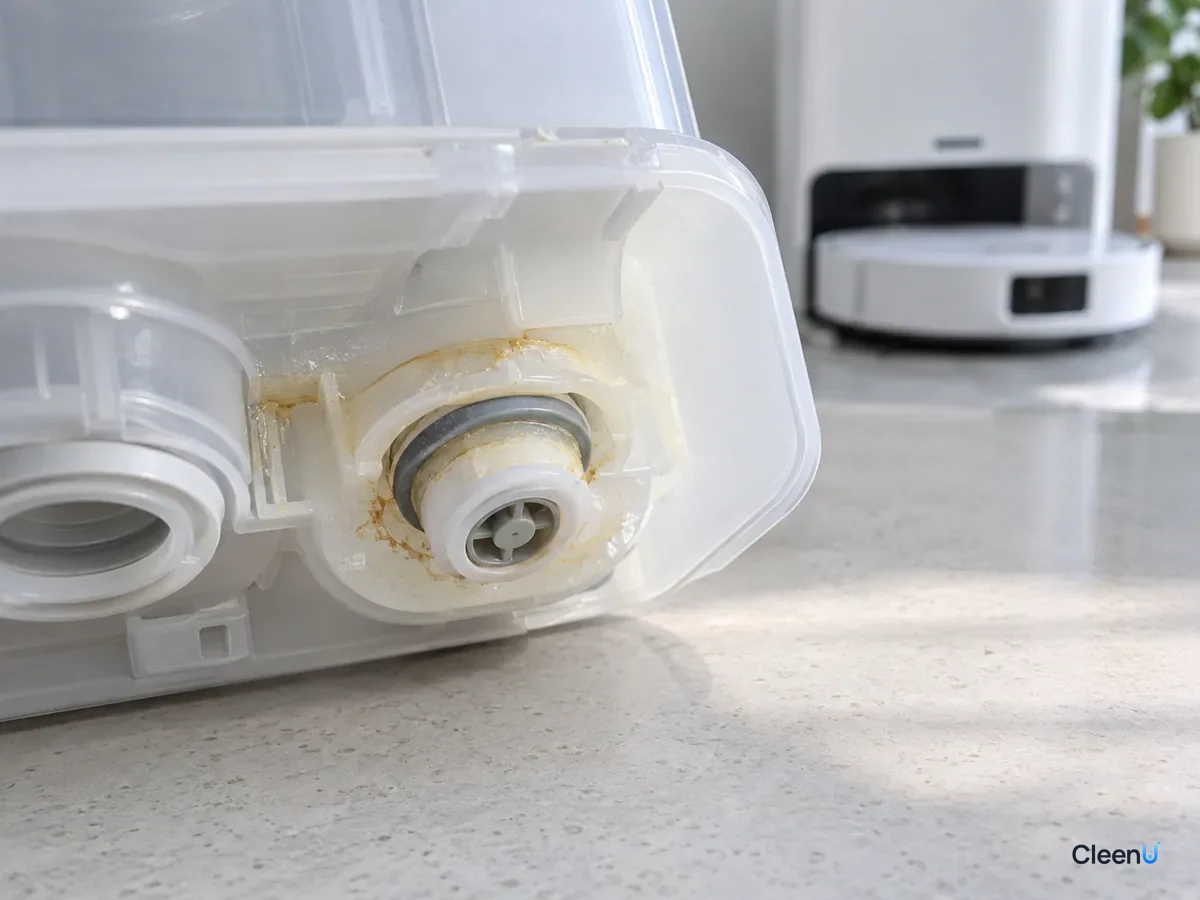
There's plenty of solution in the dock's auto-dosing compartment, but the level hasn't dropped in days. Floors don't seem to get the benefit of the cleaner, and footprints stay put. Some models show a "low detergent" or "dosing error" alert. When you take the compartment out, there's a ring of sticky, dried residue around the outlet.
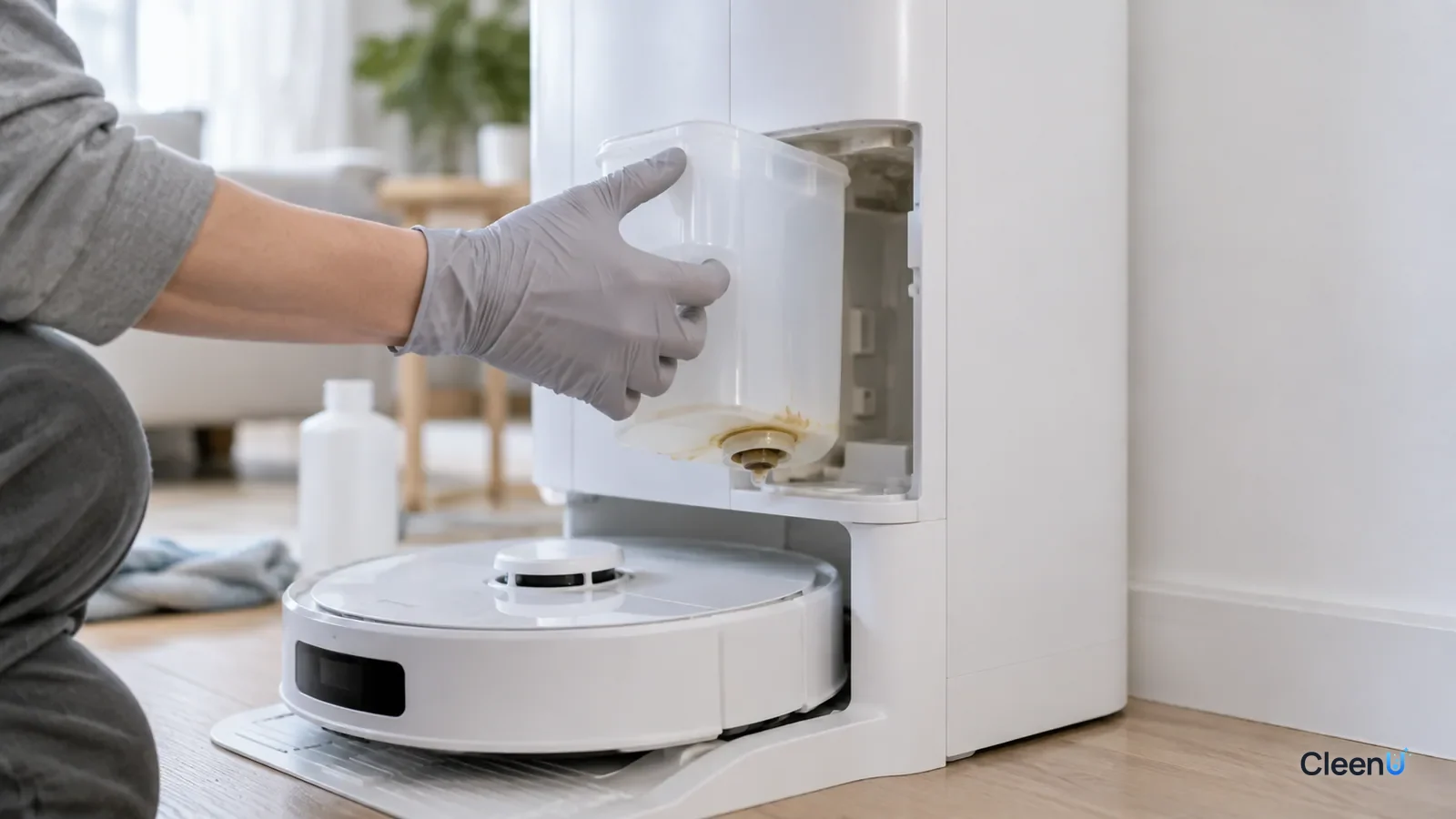
Auto-dosing is a selling point on many newer robot vacuum docks. You pour concentrate into the compartment, and the dock adds it to the water automatically at a set ratio every run, so there's no measuring each time. But it's pickier about cleaning solution than manual dosing, and the most common way it fails is simply not dispensing.
How does auto-dosing work?
Most auto-dosing systems have a few parts: a compartment that holds the concentrate, an outlet and one-way valve at the bottom, a thin line, and a small metering pump that pushes a measured amount of concentrate into the clean water or wash water.
The line and outlet are narrow, and the pump moves only a little liquid each time. Solution that's too thick, contains particles, dries at the outlet after sitting, or reacts when two products are mixed can block the outlet or line. When the pump can't draw liquid, the result is no dispensing.
That's why auto-dosing has a few basic requirements: the right viscosity, no tendency to dry out or crystallize, no particles, low foam, and compatibility with the machine's dosing ratio. Makers usually spell out in the manual which solutions are allowed.
Why does concentrate sometimes clog it?
Concentrate itself isn't the problem; many auto-dosing systems are built precisely to dispense small amounts of concentrate. Trouble usually comes from these situations:
The solution is too thick: some concentrates and dish-soap-type products are very viscous, and a narrow line and small pump struggle to draw them.
It dried at the outlet: when the robot sits unused for a while, water evaporates from the solution near the outlet and leaves a sticky or crystallized crust that seals it.
Products were mixed: pouring a different solution in before the old one is used up can make the mixture thicken, separate or form sediment.
Something that doesn't belong went in: dish soap, laundry detergent, disinfectant, essential oils, or pre-diluted solution (some models expect concentrate only) can clog the system or throw off the ratio.
CleenU Robot Vacuum Cleaning Solution, for example, is a low-foam, neutral concentrate, wax-free and free of particles, diluted at about 1:50 to 1:100. Whether it can go in your auto-dosing compartment, and at what setting, depends on your robot's manual. If the manual doesn't clearly allow it, adding it to the clean tank and measuring by hand is the safer choice.
On brand compatibility: CleenU robot mop cleaning solution works in most Roborock, iRobot (Roomba Combo and Braava), Ecovacs Deebot, Dreame and Narwal robot mops, and in Tineco-type floor washers. Add it to the clean water tank or the compartment your manual specifies. CleenU isn't affiliated with these brands.
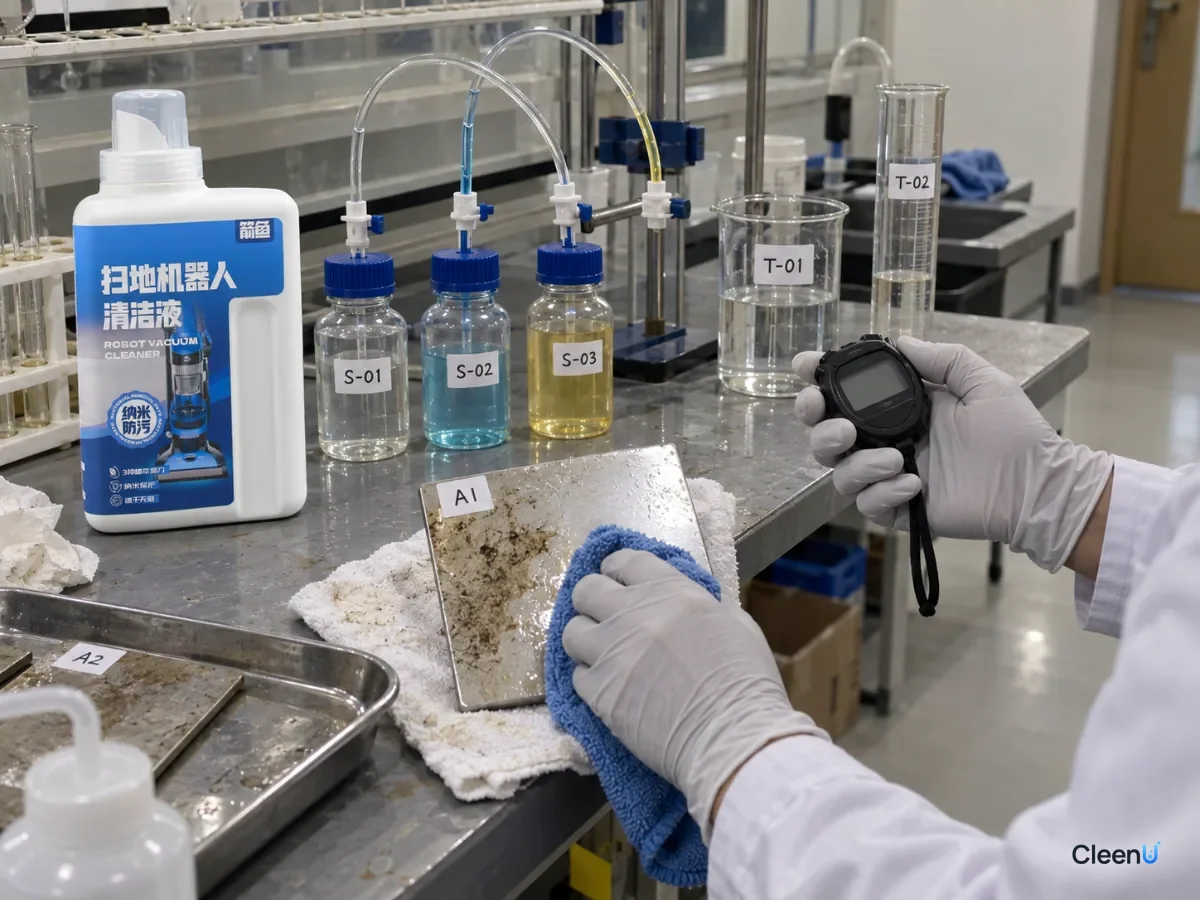
Rheology: why some liquids won't move
An auto-dosing pump draws only a tiny amount of concentrate at a time, through very narrow tubing. Whether a liquid gets through comes down to its viscosity, the internal friction that resists flow. Water's viscosity is very low; honey's is very high. A concentrate's viscosity depends on the type and amount of surfactant, any thickeners, salts and the temperature.
If viscosity is too high, the small pump can't draw the liquid, or draws inconsistent amounts, so you get no dispensing or erratic dosing. That's why auto-dosing systems have requirements: viscosity has to fall within the range the machine was designed for and not swing too much with temperature.
Temperature has a direct effect: most liquids get thicker as they get colder. A dock in an unheated room or near a cold balcony door can have noticeably thicker concentrate in winter. Some formulas containing anionic surfactants can also turn cloudy or form crystals in the cold, because those surfactants become less soluble as temperature drops.
An easily missed effect: adding a little water can make it thicker
It's natural to think that if the concentrate is too thick, adding some water to the compartment will thin it out. With concentrated surfactant systems, that instinct can be wrong.
Surfactants behave differently at different concentrations. At low concentration they form a free-flowing micellar solution. In a certain higher concentration range, the molecules arrange into more ordered structures, called liquid crystal or gel phases, and the liquid turns thick, almost like jelly. Some concentrates sit in a free-flowing range as supplied, but when a little water brings them down to an in-between concentration, they can pass into that thick phase and form a gel plug at the bottom of the compartment or in the line.
So two things matter: don't add water to the auto-dosing compartment yourself unless the manual says to, and after rinsing the compartment, let it dry completely before refilling so leftover water doesn't mix with concentrate into a gel.
How dried crust and crystals form
The outlet is where concentrate meets air. When the robot sits unused, water slowly evaporates from the concentrate near the outlet. The surfactants and other ingredients concentrate into a thick paste and eventually dry into a hard crust. Salts and some additives can also crystallize as the water leaves. That crust and those crystals glue the one-way valve shut or seal the outlet, and the pump can't draw any liquid.
Warm water helps dissolve the crust: surfactants dissolve faster at higher temperature, so the paste rinses away more easily. That's also why the line-cleaning cycles in many manuals call for warm water rather than cold.
Four checks for auto-dosing that won't dispense
Work through these four checks to find why auto-dosing isn't dispensing
-
Step 1 In the app, is auto-dosing turned on, and is the dosing level set to something other than off or the lowest?
- Yes
- The settings are fine; keep going.
- No
- Turn auto-dosing on, set the level to low-medium, run the robot once and see whether the level in the compartment drops.
-
Step 2 Is there dried, sticky or crystallized residue around the compartment's outlet or one-way valve?
- Yes
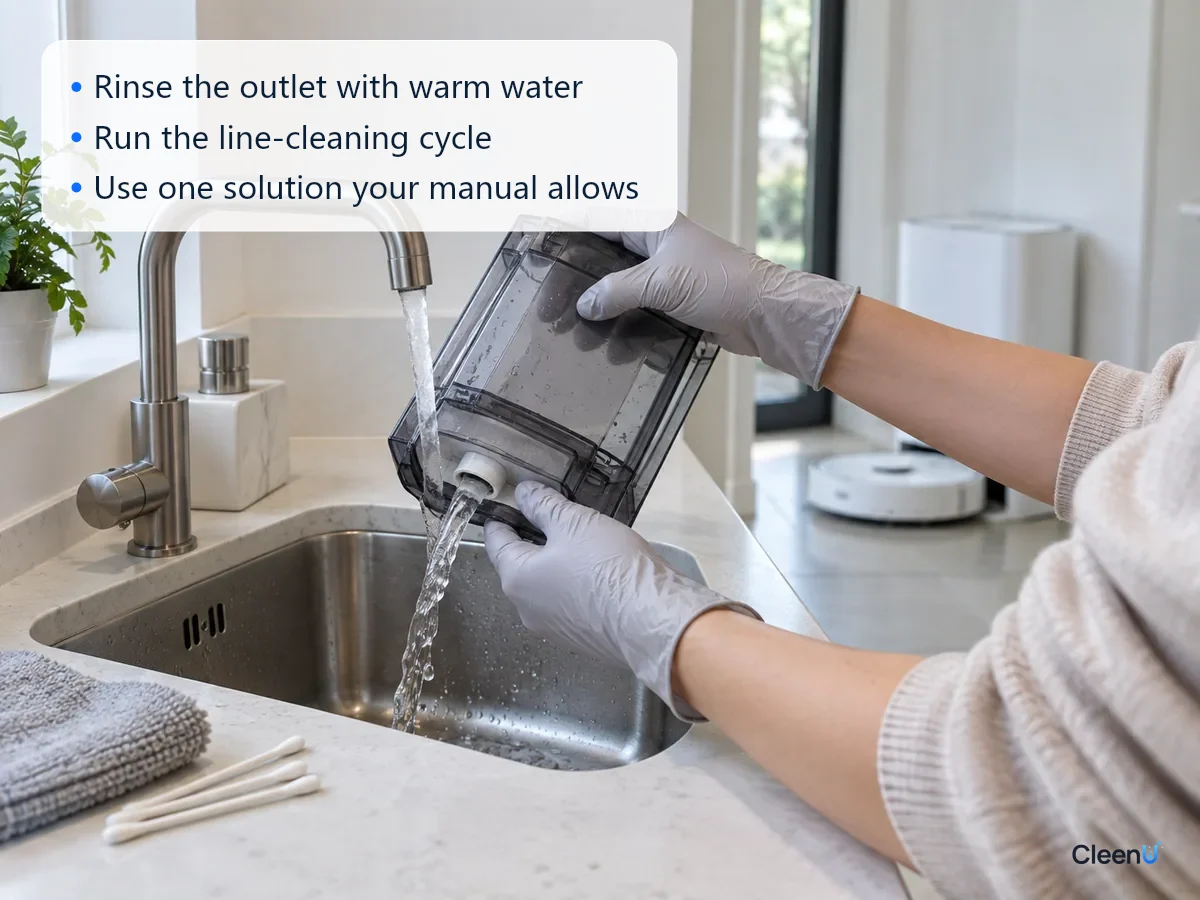
- Remove the compartment, pour out what's left, rinse the compartment and outlet with warm water, clear the outlet with a soft cloth or cotton swab, let it dry and reinstall it. Then run the line-cleaning or flush cycle described in the manual.
- No
- Go to the next check
-
Step 3 Did you recently switch solutions, or mix an old and a new one?
- Yes
- Pour out everything in the compartment, rinse it several times with warm water and run the line-cleaning cycle. From then on, add only one solution that's labeled for auto-dosing, and don't mix.
- No
- Go to the next check
-
Step 4 After cleaning and refilling with a suitable solution, does it still not dispense at all, or does the pump make noise or show errors that won't clear?
- Yes
- The metering pump, line or sensor may be faulty. Contact the manufacturer's support rather than taking it apart yourself.
- No
- Once it's working, watch the level over a few runs to confirm it dispenses steadily.
How to flush the auto-dosing compartment and lines
Take out the compartment and pour the remaining solution into a clean container. If it's the same product and hasn't changed, you can pour it back later; if you're not sure, don't reuse it.
Rinse the compartment inside and out with warm water, especially the outlet and one-way valve at the bottom. Clear dried residue from the outlet gently with a soft cloth or cotton swab. Don't poke it with anything sharp, which can damage the valve.
Many docks have a "dosing line clean" or "drain" program. Fill the compartment with warm water, put it back and run that program so warm water flushes the line and carries out leftover solution. Follow your manual for the exact steps.
When you're done, let the compartment dry, refill it with a suitable solution, and run the robot once to see whether the level drops normally.
Don't pour vinegar, descaler, bleach or alcohol into the compartment to "unclog" it. Acids, chlorine and solvents can damage the seals and pump. For why, see can you put vinegar or bleach in a robot mop tank.
Auto-dosing or manual dosing: which is better?
Each has its strengths, and neither is better in every home.
Auto-dosing: it's convenient and dispenses a consistent amount every run, so there's no overdosing from pouring by eye. It suits homes that mop daily and go through a lot of solution. The downsides are stricter solution requirements, lines that can clog without regular upkeep, and having to empty and flush the compartment before switching products.
Manual dosing: adding solution to the clean tank at the label ratio is flexible and easy to see. You can switch solutions or add a little more or less depending on how dirty the floor is, and there's no dosing line to clog. The downside is measuring every time, and the temptation to pour by eye and overdose.
If auto-dosing keeps giving you trouble, or the solution you want to use isn't clearly approved for auto-dosing in your manual, switching to manual dosing is a good option. Measuring a dozen or so milliliters with the cap or a small cup takes seconds. When you dose manually, empty, rinse and dry the auto-dosing compartment and turn auto-dosing off in the app so the robot doesn't keep warning that detergent is low.
How to keep auto-dosing from clogging again
Use only solutions labeled for auto-dosing that your robot's manual allows. No dish soap, laundry detergent, disinfectant or essential oils.
Use one solution at a time. Before switching, use up or pour out the old one and flush the compartment and line before adding the new one.
Before leaving the robot unused for a week or more, pour out the solution, rinse the compartment and let it dry. Refill when you're back.
Clean it regularly: every month or two, take the compartment out, rinse it and check the outlet for buildup.
Don't overfill. Fill to the line on the compartment and close the lid tightly to keep dust out and slow evaporation.
If your dock has no auto-dosing, or the manual doesn't allow third-party solutions in it, adding solution to the clean tank at the label ratio is just as easy. For converting the dose to your tank size, see how much cleaning solution to put in a robot mop, and for which compartment the solution goes in, see where to put cleaning solution in a robot vacuum.
This article is part of the Robot Vacuum Cleaning Solution & Maintenance Guide, which covers the full maintenance schedule and links to every troubleshooting guide.
Stop if you notice any of these
The compartment or line leaks; the metering pump is noisy, hot or throwing errors that won't clear; it still won't dispense at all after cleaning. Turn off auto-dosing and dose by hand in the clean tank instead, unplug the dock and contact the manufacturer's support. Don't take the pump or lines apart yourself.
Auto-dosing questions people ask most
Can I put concentrate in the auto-dosing compartment?
Many auto-dosing systems are designed for concentrate, but check which liquids and dosing levels your manual allows. If it doesn't clearly allow a product, add it to the clean tank and measure by hand instead.
Can I put pre-diluted solution in the auto-dosing compartment?
Better not dilute it yourself. Some models set their dosing ratio for concentrate, so diluted solution ends up underdosed and can even gel and clog. Follow the manual.
Why hasn't the level in the compartment dropped for days?
Auto-dosing may be off, set too low, or the outlet may be dried shut. Check the settings, then clean the outlet and line.
Can I use vinegar or descaler to clear the dosing line?
No. Acids and solvents can damage seals and the pump. Flush with warm water and run the line-cleaning cycle in the manual.
Can I mix the brand-name solution with another one?
No. Mixing can thicken the liquid, make it separate or form sediment that clogs the outlet. Empty and rinse before switching.
What dosing level should I use?
Start at low-medium. If greasy footprints come up and there's no foam in the dirty tank, leave it there; otherwise go up one level.
For a low-foam, wax-free, particle-free concentrate that's easy to measure into the clean tank with the cap, try Robot Vacuum Cleaning Solution.
When a dock's auto-dosing stops dispensing, it's usually because the solution is too thick or dried at the outlet, products were mixed, or the liquid isn't made for auto-dosing, and only occasionally a failed pump or line. Check the feature and dosing level first, then take out the compartment, rinse it with warm water, clear the outlet and run the line-cleaning cycle from the manual. After that, add only one solution that's labeled for auto-dosing and allowed by the manual, and empty the compartment before leaving the robot unused. If the manual doesn't clearly allow it, dose by hand in the clean tank instead.