
Troubleshooting
Robot Mop Not Cleaning Well? Check the Pads, Water Flow and Cleaning Solution
Direct answer
Work through it in order: does the robot vacuum before it mops, are the pads saturated, is the water flow right, and can the solution handle oily footprints? If all of that checks out and floors still look dirty, plain water or a weak cleaner is the likely cause. Add a robot mop solution at the label dose.
Check these five things to find out why the floor still looks dirty
- Is the robot mopping without vacuuming first, leaving dust and hair on the floor?
- How often are the pads washed, and is the dock's pad-wash interval set too long?
- Is the water flow on the lowest setting, leaving the pads nearly dry?
- Is there only water in the tank, or a robot mop cleaning solution too?
- Is what's left ordinary dust, or dried drink spills and greasy kitchen footprints?
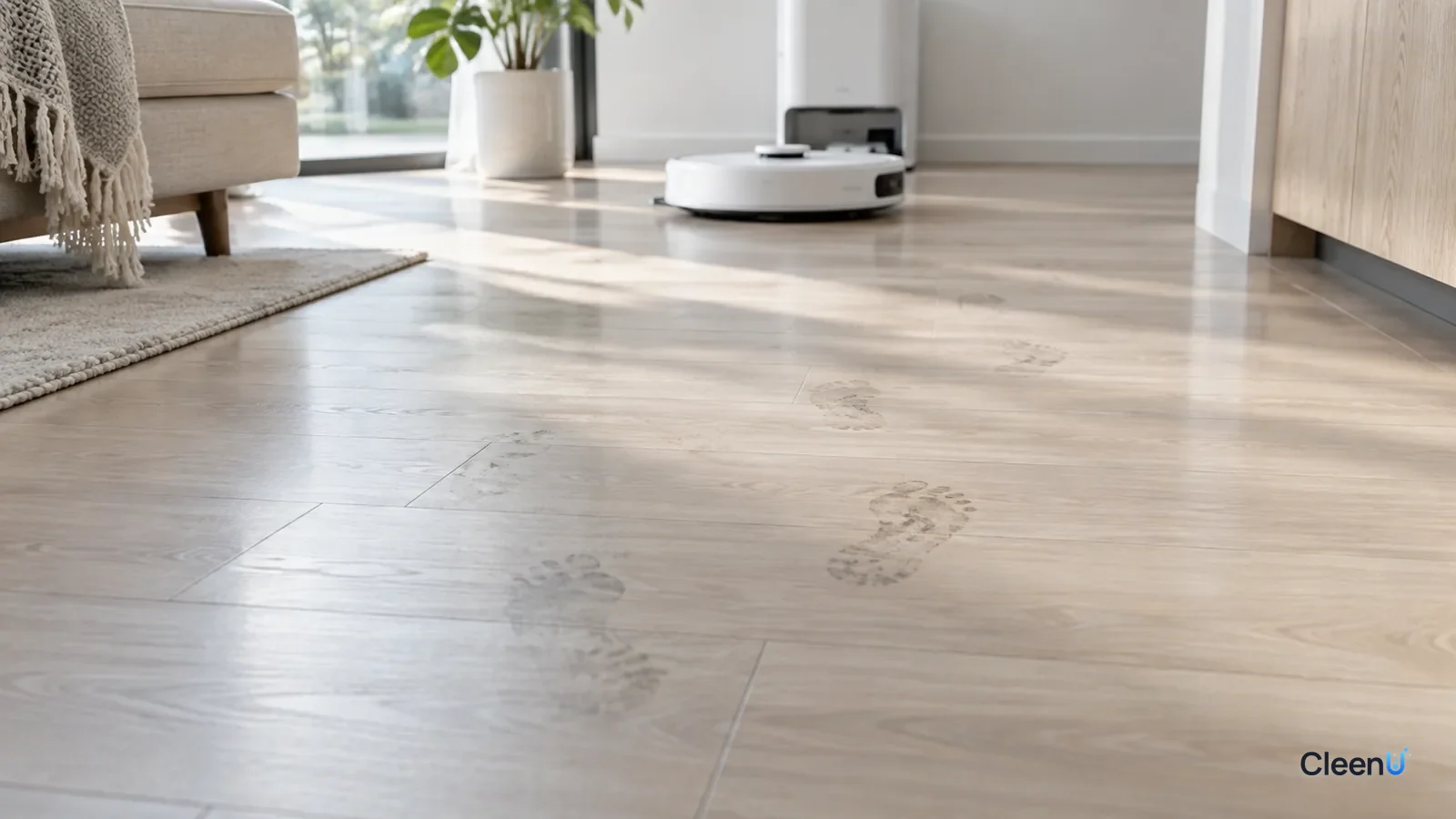
You bought a robot mop, and after a run the floor looks dull and gray, the footprints by the door are still there, the kitchen shows every step, and side light reveals gray wipe lines. It's easy to blame the robot. In most cases, though, the settings and the cleaning solution are the issue, and adjusting them makes a visible difference.
The way a robot mops is simple. Pads carrying a little water and cleaning solution wipe the floor again and again, loosening soil and picking it up, and the dock washes the pads clean. If any link in that chain breaks, the floor doesn't get clean.
Why does the floor look grayer as it goes?
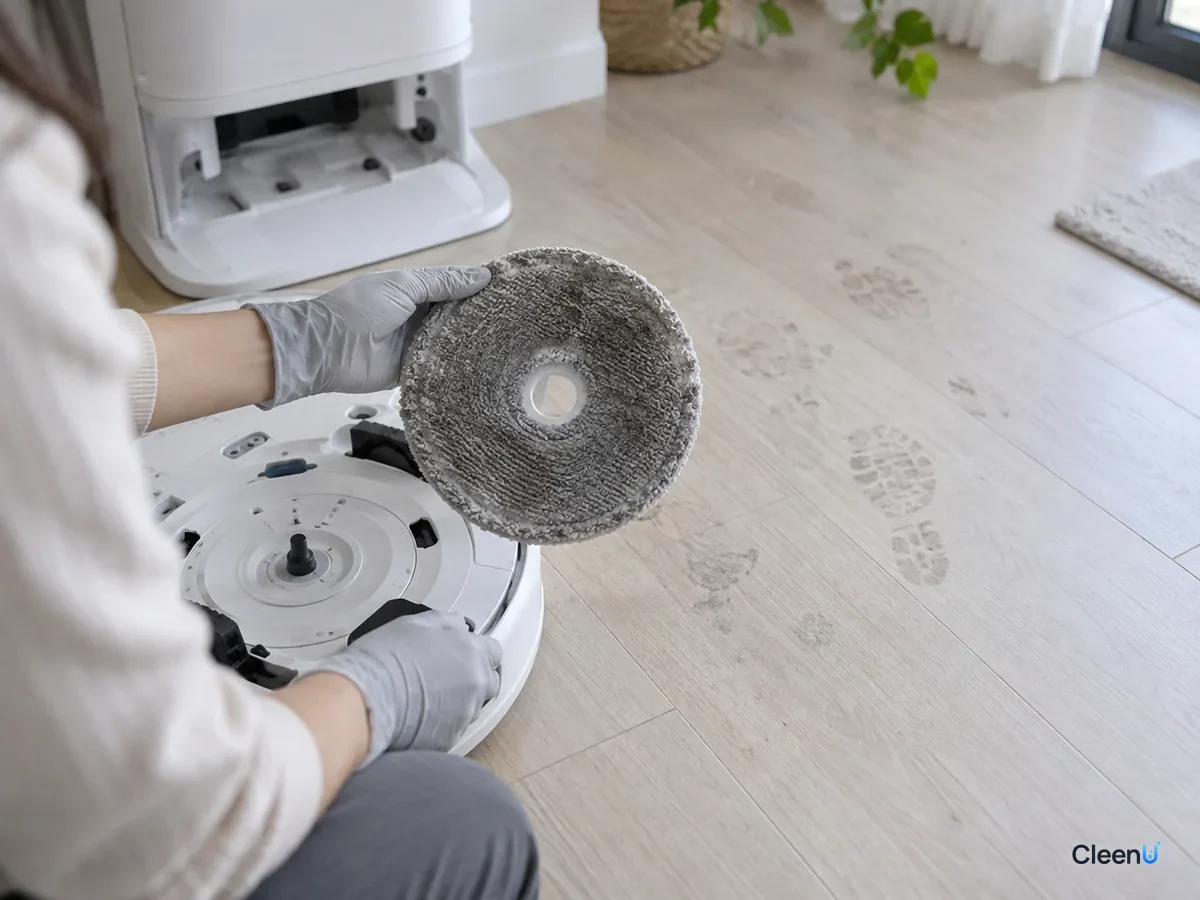
The most common reason is dirty pads. A pad can only hold so much. Once it's loaded with dust, it can't pick up any more, and it starts wiping the grime it's carrying back onto the floor as an even gray film.
Robots with a self-cleaning dock return to wash the pads after a set area or time. If that interval is long, say washing only after the whole living room, the second half of the run is done with dirty pads. Robots without a dock hit that saturation point even sooner.
The second reason is skipping the vacuum pass. Dust, hair and grit on the floor turn into a muddy slurry under a wet pad, and it dries into gray marks. Hair gets rolled into clumps by the pads.
Why won't the greasy footprints come up?
Most footprints and kitchen marks contain oil: skin oil from bare feet, cooking grease drifting onto the kitchen floor, and oily grime tracked in on shoes. Oil and water don't mix. Mopping with plain water just pushes the oily film around, and when it dries it leaves a gray haze that can make the footprints look even more obvious.
To lift oily soil, you need surfactants that wet, emulsify and disperse the oil so the pad can pick it up. That's what a robot mop cleaning solution is for. But not every cleaner works: a regular high-foaming cleaner creates masses of foam inside the robot, and dish soap leaves heavy residue, and both cause new problems.
CleenU Robot Vacuum Cleaning Solution, for example, uses low-foam nonionic surfactants that wrap oil and footprints at low concentration and suspend particles so the pads carry them away, with a defoaming ingredient to keep foam down. It's neutral, pH 6.5 to 7.5, wax-free and chlorine-free, and it needs no rinse. About 1:50 to 1:100, or roughly 10 to 20 mL per fill, is enough.
It works in most robot mops from Roborock, iRobot (Roomba Combo and Braava), Ecovacs, Dreame and Narwal, and in Tineco-type washers. If the manual requires the maker's own solution or the robot is under warranty, follow the manual first. CleenU isn't affiliated with any of these brands.
If you've only ever put water in the tank, it's expected that greasy footprints in the kitchen and at the door don't come up. If you're using a proper robot solution at the right dose and they still won't, keep going down the list.
What decides how clean a floor gets? The four factors of Sinner's circle
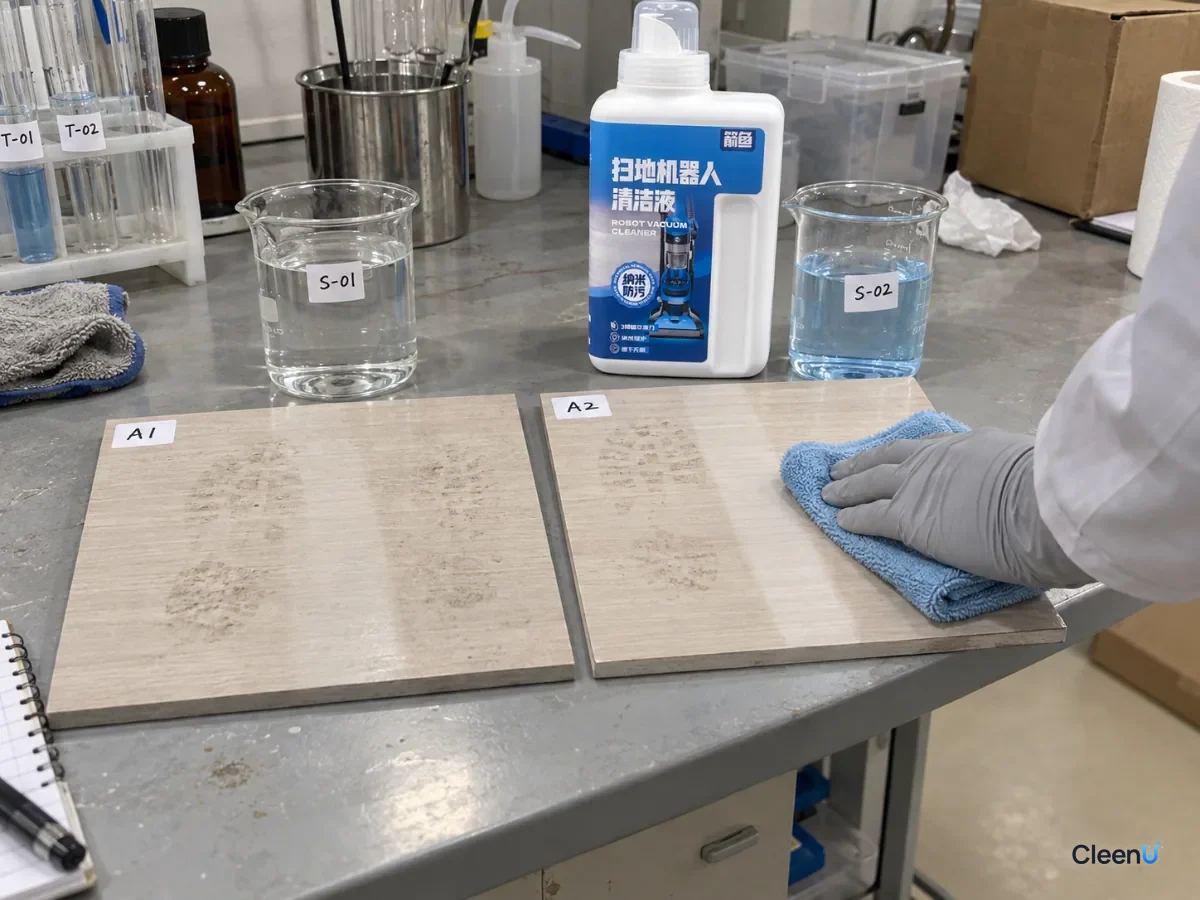
The cleaning industry has a classic model called Sinner's circle: every cleaning result comes from four factors working together, which are chemistry, mechanical action, temperature and time. If one is weak, the others have to make up for it.
Chemistry: surfactants in the solution wet, emulsify and disperse soil.
Mechanical action: the pad's pressure, its speed and how many times it passes over a spot.
Temperature: warmer conditions soften and emulsify oils more easily.
Time: how long the solution stays in contact with the soil.
Apply that to a robot mop and the weak spots are obvious. Pad pressure is limited and each spot gets only a few passes, so mechanical action is weak. It uses room-temperature tap water, so temperature is low. And the pad passes over any point for a second or two, so time is short. Of the four factors, chemistry is the one it can adjust most. That's why water alone handles dust fine but struggles with greasy footprints, and why adding a suitable solution makes such a visible difference.
It also means chemistry can't be turned up forever. Double the solution and cleaning power doesn't double; the extra turns into residue and foam. Use the other levers too: a second pass adds mechanical action and time, and dirty zones can get extra-attention settings.
Dust and grease are two very different kinds of soil
Floor soil falls roughly into two groups, and they come off in different ways.
Particulate soil: dust, fine grit, dirt and hair. It's held on the floor mostly by physical adhesion. Vacuuming removes most of it, and the pad wipes away the fine particles left. The solution's job here is to wet the particles and keep them suspended in the water so they don't settle back.
Oily soil: skin oil from feet, cooking grease and food oils. It clings to the floor as a thin film and glues fine particles in place. Plain water can't lift the film well. Surfactants lower the interfacial tension, emulsify the oil into tiny droplets and disperse them into the water so the pad can soak them up.
The gray footprints by the door are a mix of both: oil from shoes and feet holding dust on the floor. That's why vacuum-first plus a cleaning solution works as a pair: pick up the loose particles first, then let the solution deal with the oily film and the fine dust stuck in it.
"It gets grayer as it goes": soil redeposition
The cleaning industry has a specific term for this: redeposition. Soil has already been loosened from the floor and dispersed into the water, but because the water holds too much soil, or the soil isn't held in suspension well enough, it settles back onto the floor and dries into an even gray film.
On a robot mop, the most common cause of redeposition is a saturated pad. The water in the pad is already dirty, and every new stretch of floor it wipes gets some of that dirt left behind. A good formula uses surfactants and anti-redeposition ingredients to keep soil suspended in the water, but no formula can overcome a pad that's already full. Shortening the pad-wash interval is, at heart, a way of cutting redeposition.
Causes and fixes, side by side
The causes run from most to least common. Change one thing at a time, let the robot mop, and compare the same patch of floor.
Common reasons a robot mop leaves floors dirty, and what to do
| Cause | What you see | Fix | Prevention |
|---|---|---|---|
| Saturated pads | Floor gets grayer as the run goes on | Shorten the pad-wash interval and wash the pads thoroughly | Wash by room or by a smaller area |
| No vacuum pass first | Gray or muddy marks; hair rolled into clumps | Set vacuum-then-mop, or vacuum separately first | Always vacuum first in homes with pets |
| Water flow too low | Pads feel dry; spots don't budge | Raise the water flow one level | Medium on tile, low to medium on wood |
| Water only | Greasy footprints and kitchen floors stay dirty | Add a robot mop cleaning solution at the label dose | Use solution regularly in the kitchen and entry |
| Dried, stubborn spots | Patches of dried drinks or sauce remain | Treat them by hand with a damp cloth first | Wipe spills the same day |
| Worn or misaligned pads | Uneven wiping; strips that get missed | Check that the pads are seated; replace flattened pads | Replace pads on a schedule |
Tune it in this order
Step one: wash the pads thoroughly. Take them off, wash them in water with a little laundry detergent, rinse several times, dry them and put them back. On a docked robot, rinse the wash tray too.
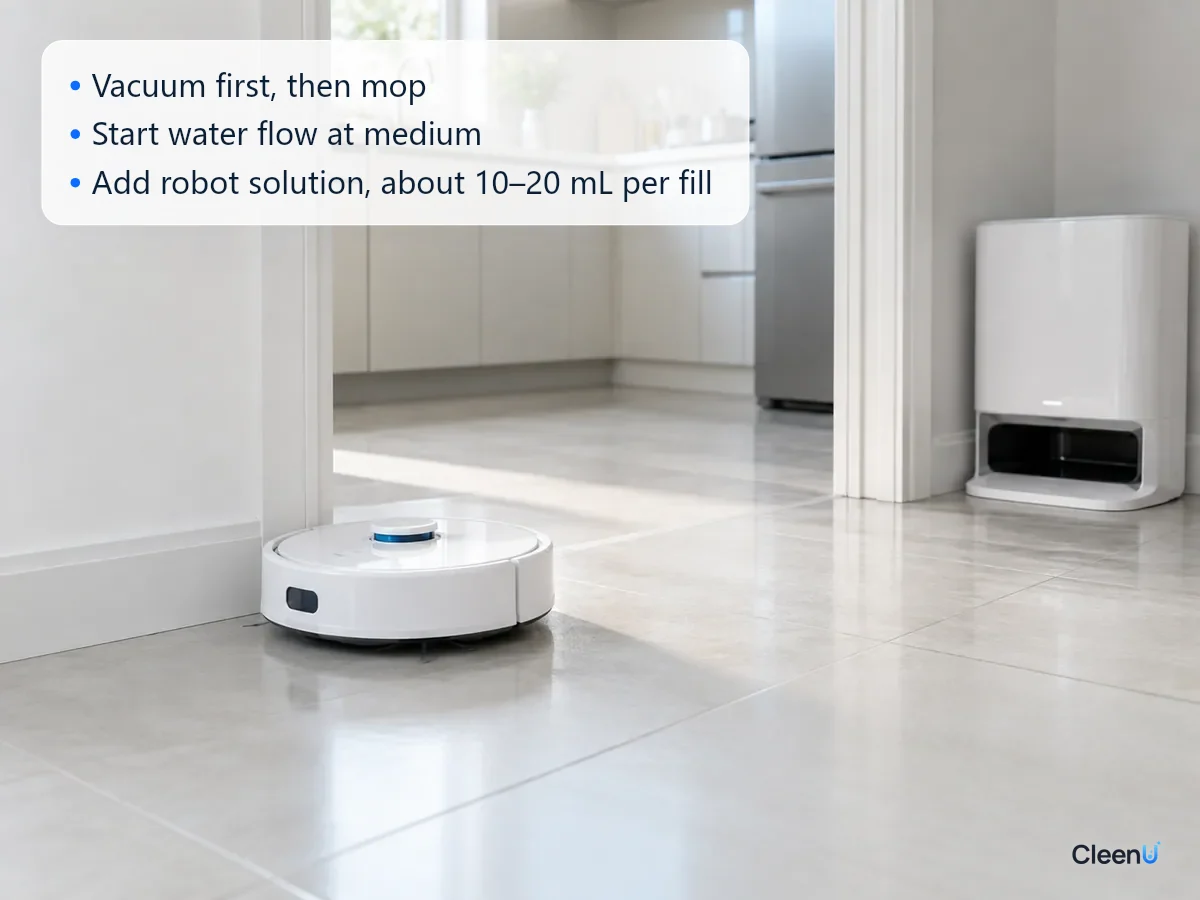
Step two: set vacuum-then-mop in the app with suction at medium or higher, so dust and hair are gone before the pads touch the floor.
Step three: start the water flow at medium. Use medium on tile and vinyl plank and low to medium on wood. After a run the pads should be evenly damp, and the floor should air-dry within a minute or two.
Step four: shorten the pad-wash interval. Wash by room or pick a smaller area setting, and give dirty zones like the kitchen and entry an extra pass.
Step five: add a robot mop solution to the clean tank at the label ratio, run once, and compare the same spots: are the entry footprints and kitchen grease marks clearly reduced?
Change one thing at a time so you can tell which step made the difference.
How to tell the floor is actually clean
In side light, high-traffic spots like the entry and kitchen show no gray footprints or wipe lines. Once dry, the floor feels clean and smooth under bare feet, neither draggy nor sticky. Take a pad off and it's an even light gray, not solid black.
If the floor shows water marks or streaks, see robot mop leaving streaks. For how much solution to add, see how much cleaning solution to put in a robot mop. For why a regular floor cleaner doesn't belong in the robot, see can you use floor cleaner in a robot mop.
Different floors, different kinds of "not clean"
Tile: grout lines collect dust, and pads passing over them can drag it out into gray lines along the grout. Use medium water flow and give high-traffic areas an extra pass.
Vinyl plank (LVP/SPC) and sheet vinyl: the fine embossed texture traps oily footprints, which plain water rarely lifts. This is where adding a robot solution at the label dose makes the biggest difference.
Hardwood and laminate: you can't run the water flow high, and slightly drier pads clean a bit less aggressively. Shorten the pad-wash interval and add a pass with clean pads rather than adding water.
Dark floors: gray marks and wipe lines show most here, so pad cleanliness and residue matter more. Wash the pads often and dose at the low end of the label range.
What robot mops aren't built to handle
A robot's pads press lightly and pass over each spot only a few times. That's great for daily upkeep but not for these:
Old dried drink spills, sauce and gum: treat them by hand with a damp cloth or a scraper first.
Pet vomit and waste: always clean these up by hand. Never let the robot run over them.
Large puddles or oil spills: soak up and wipe these by hand before the robot mops.
Corners and spots around furniture legs: a round robot can't reach them, so touch them up by hand now and then.
Hand the tough jobs to hand cleaning and let the robot handle the daily mopping, and floors stay clean.
This article is part of the Robot Vacuum Cleaning Solution & Maintenance Guide, which covers the full maintenance schedule and links to every troubleshooting guide.
Stop if you see any of these
The pads won't spin, or there's grinding or a burning smell; the robot leaks and leaves puddles; after adding solution there's heavy foam and repeated "dirty tank full" alerts. Pause the robot and check the pads and tanks. For foam, switch to a low-foam robot solution. For mechanical faults, contact the manufacturer's support.
Robot mop cleaning questions people ask most
Can a robot mop get floors clean with just water?
For everyday dust, yes. Greasy kitchen marks and entry footprints won't come up with water alone; add a robot mop cleaning solution at the label dose.
Will more solution get the floor cleaner?
No. Too much causes foam and residue, leaving floors sticky and streaky and quicker to get dirty. Follow the label, and mop twice when the floor is very dirty.
What pad-wash interval should I use?
Washing by room works for most rooms. For the kitchen, the entry or a floor that hasn't been mopped in a while, shorten the interval so the second half of the run isn't done with dirty pads.
Why does the floor look dull and gray after mopping?
Usually the robot didn't vacuum first or the pads were too dirty, so dust got smeared into a film. Vacuum first, wash the pads and shorten the wash interval.
How often should I replace robot mop pads?
Check them every two to three months, and replace them once they're flattened, stiff, dark or still smell after washing.
How do I get a kitchen floor cleaner with a robot mop?
Set the kitchen as a zone that gets an extra pass, use medium water flow and the label dose of solution, and wipe up large grease spots by hand first.
Can a robot mop really get floors clean?
Yes for everyday dust, footprints and light grease; no for dried-on spills, heavy grease or pet accidents. A robot mop works by pad pressure and repeated passes, so it is best at keeping floors clean, not rescuing them. If results are poor, check the pads, the water flow and whether solution is dosed correctly. Pre-treat dried spots by hand and run a second pass in the kitchen.
For a low-foam robot mop cleaning solution that lifts greasy footprints and needs no rinse, try Robot Vacuum Cleaning Solution.
When a robot mop leaves floors dirty, the robot itself is rarely the problem. Saturated pads, skipping the vacuum pass, water flow that's too low and plain water against greasy footprints all leave floors gray. Wash the pads, set vacuum-then-mop, start the water flow at medium, shorten the pad-wash interval, then add a low-foam robot solution at the label dose. Leave stubborn spots and pet accidents to hand cleaning and let the robot handle daily mopping.