
How-to
How to Clean the Auto-Dosing Tank on a Robot Vacuum Base Station
Direct answer
Take the compartment out and empty it, soak and rinse it in warm water around 40°C (104°F), clear crystals from the opening and outlet, wipe the contacts and sensor window, and let it dry fully before reinstalling. Clean it every month or two, and always before switching to a different solution.
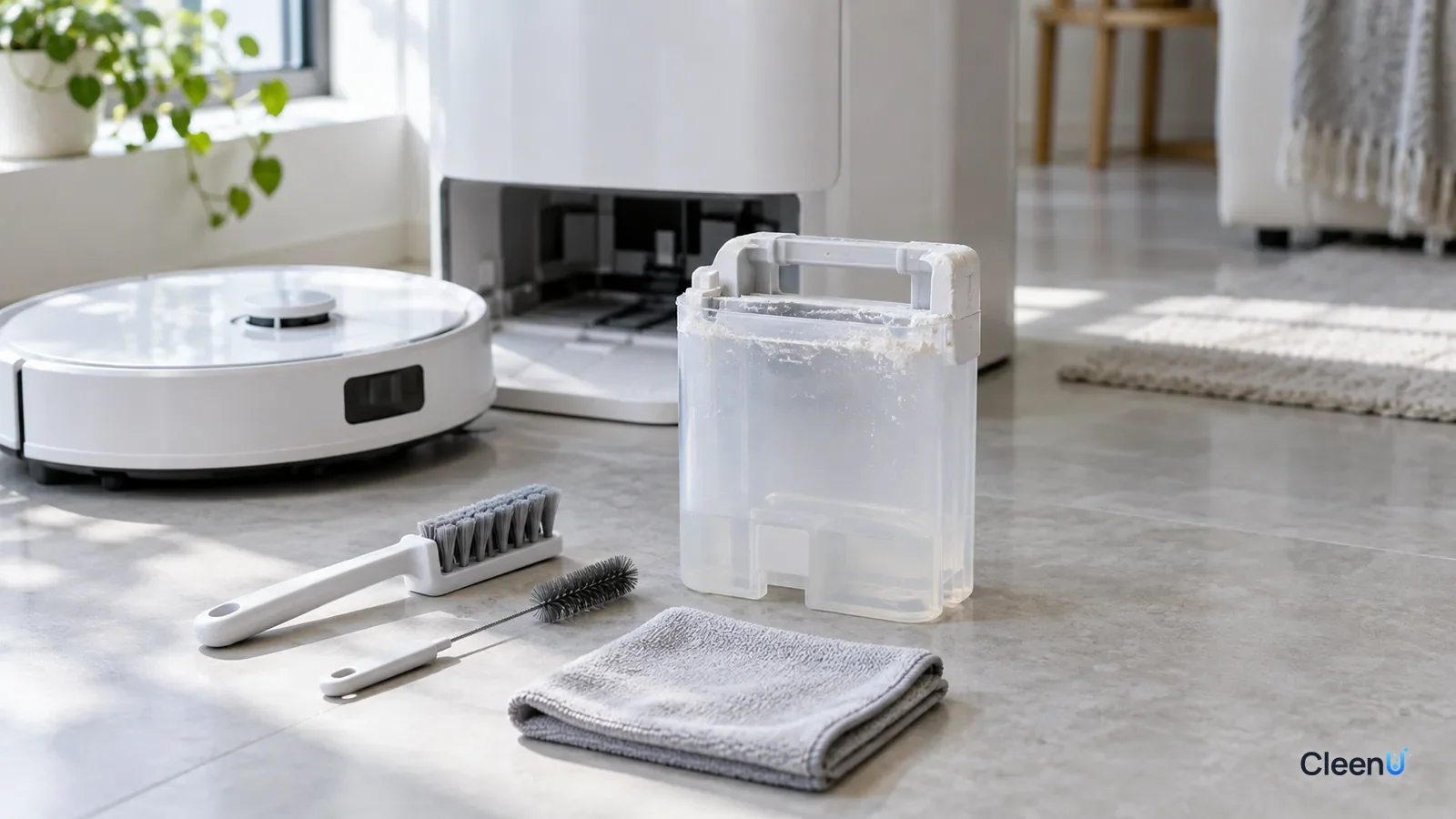
Auto-dosing is standard on a lot of newer robot mop docks. You pour a whole bottle of concentrate into the detergent compartment, and the dock measures out the right amount every time it washes the pads or mops, so you never measure by hand. It's convenient, but the compartment is also the most overlooked part of the machine. It doesn't look dirty like the waste tank or smell like the pads, and many owners never take it out.
Problems tend to show up a few months in: "detergent low" alerts, a dock that won't dispense, or solution that seems too strong one day and weak the next. Pull the compartment and there's a ring of white crystals at the opening and a film over the outlet.
Why does the compartment need regular cleaning?
The compartment holds concentrate, and it sits there for weeks or months. Several things happen in that time.
Crystals and film. The opening, the inside of the lid and the outlet see the most contact with air. Splashes from pouring and the drop left at the outlet after each dose dry out and leave surfactants, fragrance and preservatives behind, building layer by layer into crystals or film. At very high concentration, surfactants can also form gel-like structures thicker than the concentrate, sealing off the small outlet.
Thickening leftovers. The last bit of liquid at the bottom sits exposed to air, slowly loses water, gets stronger and thicker, and becomes harder for the pump to draw.
Mixing risk. Pour a new solution onto the remains of the old one and the two formulas may not get along. Some turn cloudy or drop sediment, some thicken, and foam control and preservation can suffer.
Microbes. The concentrate's preservatives protect it at full strength. But if someone added water, used a wet funnel or left the opening dirty, that protection weakens, and slime or odor can develop.
All of this interferes with sensing and dosing. Crystals over the contacts and sensor window cause false "detergent low" alerts; a blocked outlet leaves the pump pulling air and auto-dosing fails. For that troubleshooting, see robot vacuum says detergent is low right after you refilled it.
How to clean the auto-dosing compartment
Seven steps from removal to reinstalling
Power off and remove the compartment
Turn off the dock per your manual and remove the compartment from the side or top. On some models it's built into the clean water tank; follow the manual's removal steps rather than forcing it.
Empty the remaining concentrate
If what's left looks and smells normal and you'll keep using the same product, pour it back into the original bottle or another clean container. If you're switching products, or the liquid is cloudy, thick or smells off, discard it.
Caution:Only pour back concentrate that hasn't been diluted or contaminated. Never pour watered-down liquid back into the bottle.
Soak in warm water
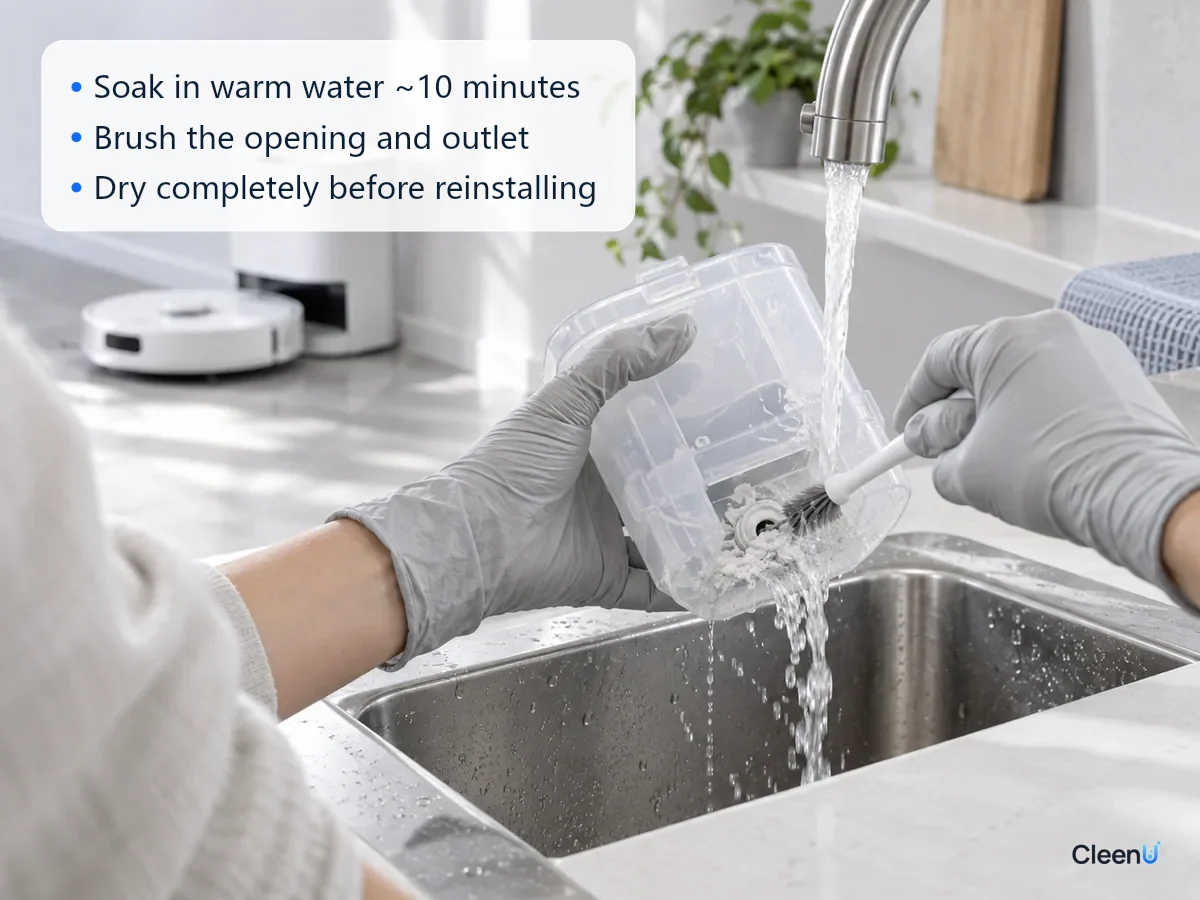
Fill a basin with water around 40°C (104°F), or whatever your manual allows, and soak the compartment and lid for about ten minutes. Warm water softens and dissolves crystals and film far better than cold.
Caution:Don't use boiling water; high heat can warp plastic and seals.
Scrub the opening, walls and outlet
Brush around the opening, the inside of the lid and the bottom corners with a soft brush. Clear the outlet gently with a fine soft brush or the tool your manual recommends, flushing out the softened crystals.
Caution:Skip steel wool, stiff brushes and needles. Scratches and deformation give residue more places to cling.
Rinse clean
Rinse inside and out under running water several times until nothing feels slippery and a shake produces no foam.
Wipe the contacts and sensor area
With a slightly damp soft cloth, wipe the metal contacts, the clear sensor window, and the connector on the dock where the compartment docks, then dry them with a dry cloth.
Dry completely before reinstalling
Leave it upside down or open somewhere with airflow until it's completely dry inside and out, usually two to four hours. Push it all the way into the dock until it clicks, close the lid, then add solution.
How often should you clean it?
When to clean the auto-dosing compartment
- Before switching to a different brand or formula: always
- Routinely: empty and clean it every month or two
- When white crystals or film appear at the opening or outlet: clean it right away
- When the dock says detergent is low but there's liquid inside, or it won't dispense: clean first, then troubleshoot
- When the liquid turns cloudy, thick or smelly, or the wrong liquid went in: clean it immediately
- Before storing the dock for a long time: empty, clean and dry it first
Why clean before switching solutions?
Formulas from different brands can be built very differently. Some are mostly nonionic surfactants, some include anionic ones; some have thickeners, some don't; preservatives, fragrance and pH vary too.
Mix two of them in the compartment and a few things can happen.
Cloudiness and separation. Some anionic and cationic ingredients form insoluble complexes when they meet, and some fragrances won't stay dissolved in another system and separate out as oily droplets.
Viscosity changes. Two surfactant systems combined can form a thicker structure the pump can't draw.
Unbalanced preservation. Each preservative system gets diluted by the other, lowering both below their effective levels.
More foam. One product's defoamer gets diluted by the other, and foam control slips.
Emptying, cleaning and drying the compartment before a switch is the simplest way to avoid all of that.
How to fill it so fewer crystals form
Pour slowly down the wall so concentrate doesn't splash the opening or lid, and wipe the opening with a clean soft cloth afterward.
Don't fill it to the brim. Leave a little room so the liquid doesn't touch the inside of the lid.
Never add water. The compartment is designed for concentrate. Water throws off the dock's ratio, some formulas thicken when partly diluted, and preservation weakens.
Pour from a dry, clean cup or funnel.
For the compartment, choose a liquid your manual allows that flows well, foams little and has no particles or wax. CleenU Robot Vacuum Cleaning Solution is a neutral, low-foam concentrate at pH 6.5 to 7.5 with low-foam nonionic surfactants and a defoamer, no wax, no chlorine and no particles. Added by hand to the clean water tank, it dilutes at about 1:50 to 1:100; 10 to 20 mL per fill is usually enough. Whether it can go in your auto-dosing compartment, and how, depends on your model's manual. It works in most robot mops from Roborock, iRobot (Roomba Combo and Braava), Ecovacs Deebot, Dreame and Narwal, and in floor washers such as Tineco. Add it to the clean water tank or the dock's designated detergent compartment as your manual directs. CleenU isn't affiliated with these brands; the names only indicate compatibility.
How much should you put in at a time?
It's tempting to fill the compartment to the top so you can forget about it for months. But the fuller it is and the longer it sits, the more trouble you get. Concentrate that's exposed to air longer builds more crystals at the opening and thickens at the bottom, and temperature swings make it expand, contract and evaporate over and over.
It's better to fill for what you'll use, roughly two to four weeks' worth.
To estimate, remember that an auto-dosing dock meters out roughly the same ratio you'd use by hand. CleenU Robot Vacuum Cleaning Solution, for example, dilutes at about 1:50 to 1:100 by hand, which is about 10 to 20 mL per liter of water. If your dock goes through one or two liters of clean water a day, that's roughly 10 to 40 mL of concentrate a day, or a few hundred milliliters over two to four weeks. Actual use depends on your model and water setting, so watch how fast the level drops over a week or two and adjust.
When you top up, glance at what's left. If it's clear and smells normal, just add more. If it's cloudy or thick, empty and clean the compartment first rather than pouring fresh concentrate on top of old.
While you're at it, check these too
Dosing lines. Some docks have a line-cleaning function in the app that flushes the path from the compartment to the wash tray with water.
Clean water tank filter. Give the filter at the bottom of the clean tank a quick rinse.
Wash tray. When the compartment has problems, the wash tray often has leftover solution and grime too, so scrub it as well. For a full dock routine, see robot vacuum maintenance schedule.
Turn off auto-dosing if you see these
The compartment is cracked or leaking, or liquid seeps from the dock base; alerts or dosing failures continue after cleaning; or the dosing pump makes noise or runs dry. Turn off auto-dosing, add solution to the clean water tank by hand at the label ratio, and contact the manufacturer. Don't open the dock yourself.
Common questions about cleaning a robot vacuum's auto-dosing compartment
Can I wash the compartment with dish soap?
A tiny amount helps with oily residue, but rinse until there's no foam at all, or leftover soap will foam at the next fill. Warm water and a soft brush are usually enough.
Can I soak it in vinegar?
In hard-water areas, if your manual allows it, a short soak in diluted vinegar or citric acid removes scale; rinse thoroughly afterward. Don't soak it for long, and never fill the compartment with an acidic liquid.
Do I still need to clean it if I always use the same solution?
Yes. Crystals keep building at the opening and outlet. Emptying and cleaning it every month or two cuts false alerts and dosing failures.
What happens if I reinstall it before it's dry?
Leftover water dilutes the concentrate, throws off the dock's ratio and weakens preservation. Let it dry completely inside and out first.
Can I put the compartment in the dishwasher?
Better not. Dishwasher heat and strongly alkaline detergent can warp and age plastic and seals. Hand washing with warm water and a soft brush is safer.
How long can concentrate stay in the compartment?
Go by the shelf life on the bottle. If it turns cloudy, thick, separated or smelly in the compartment, discard it, clean the compartment and refill.
Can I top off the official solution with a different brand?
No. Use up or pour out the old solution, clean and dry the compartment, then add the new one. Different formulas can thicken, separate, or crystallize when mixed, which clogs the outlet and throws off the level sensor. Follow your robot's manual each time you switch.
For a low-foam robot mop solution with no wax or particles that's less likely to crystallize or cling to the compartment walls, try Robot Vacuum Cleaning Solution.
Cleaning a robot vacuum dock's auto-dosing compartment is simple: power off, remove it, empty it, soak it in water around 40°C (104°F) for about ten minutes, brush crystals off the opening and outlet, rinse, wipe the contacts and sensor window, and let it dry completely before reinstalling. Do it every month or two, whenever crystals, false alerts or dosing failures show up, and always before switching solutions so two formulas never mix. Pour slowly down the wall, never add water, and use a low-foam, particle-free formula your manual allows.