
Troubleshooting
Robot Mop Pads Staying Dry After Adding Solution? Check These Causes
Direct answer
Most often the solution is too thick or overdosed, or residue has crusted over the outlet holes. A clogged clean-tank filter or a tank that isn't seated can also do it. Empty the tank, clean the filter and outlet holes, and run once with plain water. Once flow is back, dilute solution at the label ratio.
What you see
The robot heads out on schedule, but the floor barely looks damp afterward. Pull off the pads and one side is wet while the other is dry, or only the edges are damp. The clean tank hardly drops for days. Some models show "water flow error" or "check water tank." It often starts right after you switched or added a cleaning solution.
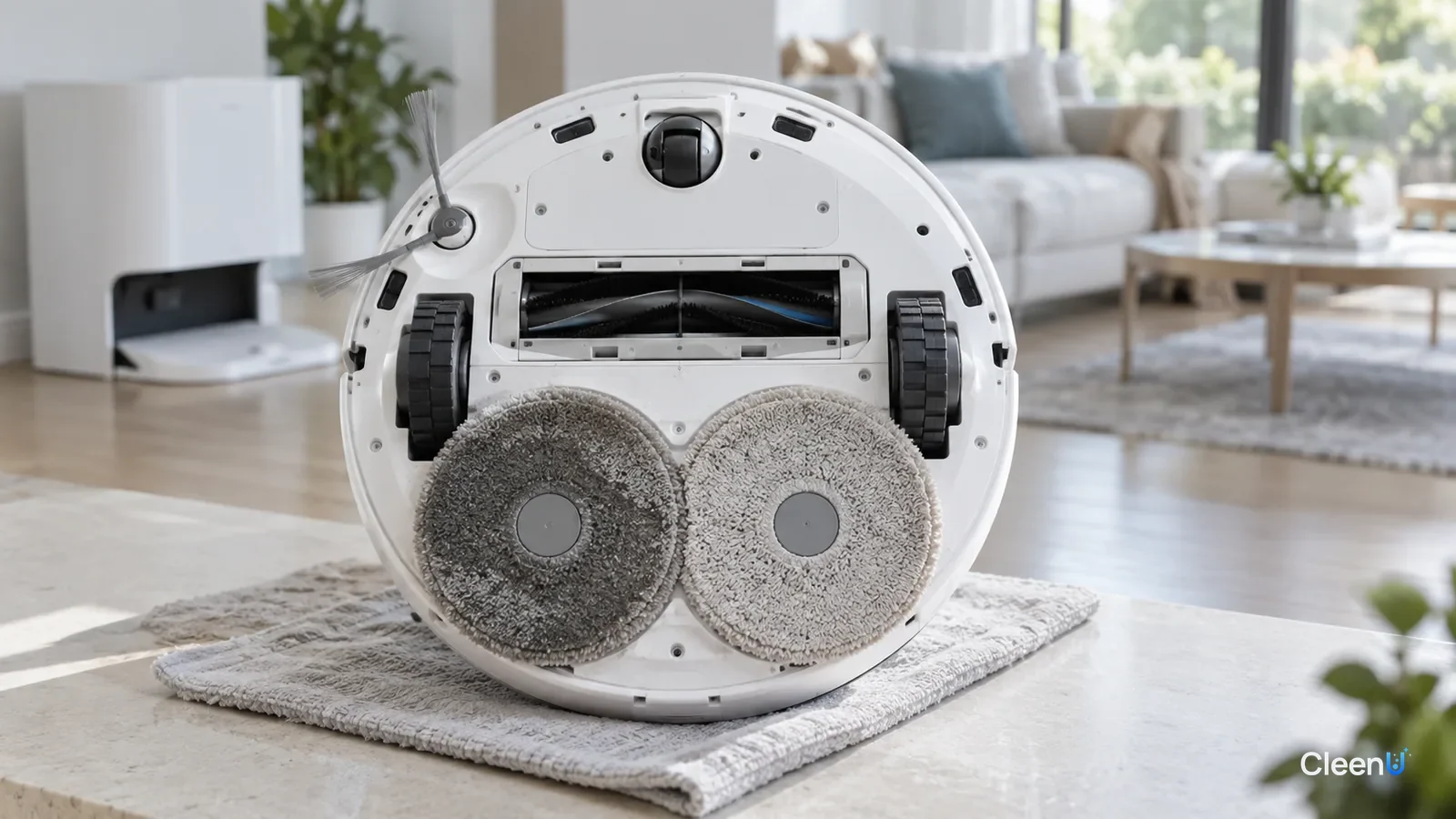
A robot mop's water system is a small, precise set of passages. There's a little filter at the bottom of the clean tank, then a small pump or solenoid valve, then a few outlet holes only a millimeter or two across that feed water onto the pads. Docks with auto-dosing add a detergent compartment and even finer metering lines. Block any one of those and the pads dry out.
Cleaning solution is exactly the thing most likely to affect those passages. It's thicker than water and contains non-volatile ingredients that slowly leave residue behind.
Why does adding solution reduce water flow?
Higher viscosity. Viscosity is a liquid's resistance to flow; water is thin and honey is thick. Concentrate is much thicker than water. Pour it straight into the clean tank without diluting, or add far more than the label says, and the mix gets thicker. Small pumps and tiny outlet holes are designed for water, so a thicker liquid moves less volume in the same time.
Crusted residue. Surfactants and other non-volatile ingredients meet air at the outlet holes and line openings, and as the water evaporates they leave a thin film. Every time the robot stops, the outlet dries and adds a little more. Over time a ring of residue narrows the holes. In hard-water areas, calcium and magnesium deposit along with it as harder scale.
Foam and air bubbles. A high-foam liquid sloshing in the tank sends bubbles into the pump. The pump sucks air and the flow sputters.
Gelling. Some surfactants form a thick, gel-like structure, called a liquid crystal phase, at certain concentrations, especially when concentrate is diluted with only a little water so it sits between full strength and working strength. That in-between mix can be thicker than the concentrate. It's why only liquids your manual allows should go in the auto-dosing compartment, and why you shouldn't add water there. Its metering lines are the narrowest in the system, and gel or crystals clog them fast. For dosing problems, see robot vacuum auto-dosing not working.
Why does a thin ring of residue cut flow so much?
Liquid flowing through narrow tubes and small holes follows a rule from fluid mechanics, Poiseuille's law: at the same pressure, flow rate scales with the fourth power of the opening's radius and inversely with the liquid's viscosity.
Those two relationships explain why robot mop water problems seem to show up suddenly.
Radius to the fourth power. Shrink the outlet radius a little and flow drops a lot. If residue narrows a hole to 80% of its radius, flow falls to roughly 40% of what it was. At half the radius, it's one-sixteenth. That thin-looking crust on the outlet holes is enough to take pads from wet to nearly dry.
Inverse to viscosity. Double the viscosity and the same pump pushes half as much through the same hole. Solution diluted at the label ratio is almost exactly as thin as water. Straight concentrate, or far more than the label calls for, can be several times thicker, so flow drops noticeably.
The two feed each other. Thicker liquid leaves more residue at the holes, residue narrows them, narrower holes slow the flow and let liquid sit longer, and that leaves still more residue. That's why flow problems tend to get steadily worse, and why one good cleaning of the outlet holes plus the right dilution brings the flow right back.
Robot mop pumps are tiny, matched to deliver the right amount of plain water. They have no extra pressure to force thick liquid through a narrowed hole. It's one more reason robot mop solutions are designed to work at low concentration and low viscosity.
Work through these steps
Pads staying dry? Check these five things in order
-
Step 1 Did you recently pour in concentrate undiluted, add far more than the label says, or switch to a thicker solution?
- Yes
- Empty the clean tank, rinse it several times with warm water and run once with plain water. When flow returns, dilute at the label ratio and err on the low side.
- No
- Go to the next check
-
Step 2 Take out the clean tank and look at the small filter at the bottom. Is it coated with slime, lint or white crystals?
- Yes
- Brush the filter in warm water with a soft brush, rinse and reinstall. Replace it per the manual if it's damaged.
- No
- Go to the next check
-
Step 3 Flip the robot and look at the outlet holes. Are they crusted with white or clear residue?
- Yes
- Wipe them with a soft cloth soaked in warm water, then clear them gently with the soft pin or fine brush your manual recommends. Don't jab them with anything hard.
- No
- Go to the next check
-
Step 4 Is the clean tank pushed fully into place with the latch clicked, and are the lid and seal sitting straight?
- Yes
- Reseat the tank and lid until you hear the click and make sure the seal lies flat.
- No
- Go to the next check
-
Step 5 Is the water level set to lowest or off, or is the robot in vacuum-only mode?
- Yes
- Set a proper water level in the app and make sure mopping is turned on.
- No
- If everything checks out and there's still no water, the pump or valve may have failed. Contact the manufacturer; don't open the robot yourself.
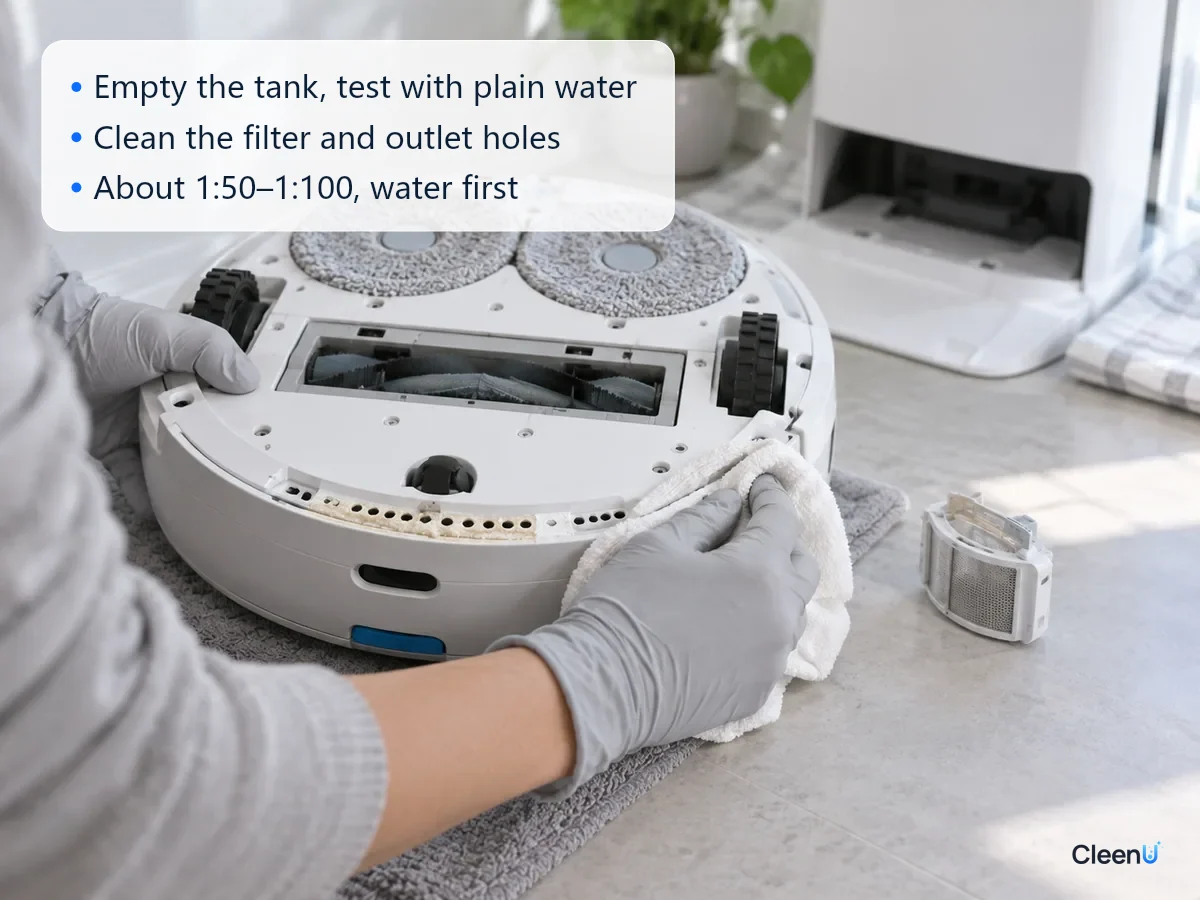
How to clean the outlet holes and lines
Empty the clean tank and fill it with warm water, around 40°C (104°F) or whatever your manual allows, with nothing added. Let the robot mop a small area, or use the app's drain or line-cleaning function if it has one. Warm water softens and dissolves residue and flushes it out.
Repeat once or twice until the pads wet evenly.
For hard residue at the outlet holes, hold a cloth soaked in warm water on them for a few minutes, then wipe it away gently.
For hard-water scale, if your manual allows, soak the clean tank filter and removable parts in diluted citric acid, then rinse thoroughly. Don't leave acid sitting in the machine or use it as a routine additive.
Auto-dosing compartment: empty it, rinse with warm water, clear crystals from the opening and bottom, and let it dry before reinstalling. For step-by-step cleaning, see how to clean the auto-dosing tank on a robot vacuum base station.
How to add solution without clogging the holes
Dilute at the label ratio and err on the low side. CleenU Robot Vacuum Cleaning Solution, for example, dilutes at about 1:50 to 1:100; 10 to 20 mL per fill is usually enough, or about 10 to 20 mL for a 1-liter tank. At that dilution the mix flows almost exactly like water and doesn't strain the pump or outlet holes.
Water first, then solution. Fill the clean tank at least halfway with water, pour in the measured capful, then top up and give it a gentle swirl. The concentrate gets diluted the moment it goes in, instead of settling as a thick, strong layer at the bottom.
Never pour in concentrate straight, and never squeeze dish soap into the tank. Dish soap is thick and high-foam, and it's one of the most common causes of clogs and sputtering flow.
Choose a low-foam formula with no particles and no wax. Wax and particles settle at the outlet holes, and high-foam liquids send bubbles into the pump.
Mix fresh and don't leave solution in the tank for days. As water evaporates, the mix gets stronger and leaves more residue in the tank and lines.
CleenU Robot Vacuum Cleaning Solution is a neutral, low-foam concentrate at pH 6.5 to 7.5 with low-foam nonionic surfactants and a defoamer, no wax, no chlorine and no particles, in a 1-liter bottle with a measuring cap. It works in most robot mops from Roborock, iRobot (Roomba Combo and Braava), Ecovacs Deebot, Dreame and Narwal, and in floor washers such as Tineco. Add it to the clean water tank or the dock's designated detergent compartment as your manual directs. CleenU isn't affiliated with these brands; the names only indicate compatibility.
Sometimes dry pads aren't a water-flow problem
The pad itself is clogged. When pad fibers are packed with residue and soil, they stop absorbing, so water hits the pad but doesn't soak in. The pad looks dry while droplets sit on the floor. Hand wash and rinse the pads, and replace worn ones per the manual. For washing tips, see how to clean smelly robot mop pads.
The pad isn't seated. A gap between the pad and its mount means water from the outlet holes misses the pad. Reattach it and make sure it's snug.
The dock dried the pads. Some docks dry pads after washing, so they can feel dry for the first minute or two of a run while the robot rewets them. That's normal.
Warm floors. With radiant heat or in summer, the damp trail dries so fast it looks like no water came out. Feel the pad before deciding.
This article is part of the Robot Vacuum Cleaning Solution & Maintenance Guide, which covers the full maintenance schedule and links to every troubleshooting guide.
Stop the robot and contact support if you see these
The pump runs with an unusual noise but no water comes out; the robot reports a pump or sensor fault that doesn't clear after cleaning; the tank or body leaks; or the body gets hot or smells burnt. Stop using it, don't open the housing, and contact the manufacturer for service.
Common questions about dry robot mop pads and low water flow
The pads stopped getting wet after I added solution. Is the solution the problem?
Usually it's how it was added: undiluted concentrate, too much, or a thick, high-foam liquid. Diluting at the label ratio and adding water first normally fixes it.
Can I poke the outlet holes clear with a needle?
Only with the soft pin or fine brush your manual recommends, used gently. Something hard can deform the holes and make flow even less even. Soften the residue with warm water first.
Can I flush the lines with hot water?
Use warm water within your manual's range, usually around 40°C (104°F). Hotter water can warp the tank and seals.
Can I add water to the auto-dosing compartment?
No. Fill it with concentrate or the liquid your manual specifies. Partly diluted concentrate can actually be thicker in some formulas, and it's less well preserved.
One pad is wet and the other is dry. Why?
Usually the outlet holes on one side are blocked by residue or scale, or that pad isn't seated flat. Clean that side's holes, then reattach the pad.
How often should I clean the outlet holes and filter?
Rinse the clean tank filter weekly and check the outlet holes monthly, or every two weeks in hard-water areas or if you use solution often.
Will foam from cleaning solution clog the filter?
It can, which is why you should use a low-foam solution and stay at the label dose. Foamy products such as dish soap leave a film on the tank filter and outlet holes, cutting flow until the pads stay dry. Rinse the filter and outlet holes, then refill with a low-foam robot solution.
My robot mop is not putting out water. What should I check first?
Check the clean tank level, the water-flow setting, and the tank filter, then look for white scale or film on the outlet holes. If it started after a new solution, you likely added too much or the mix is too thick; rinse the filter and holes and refill at about 1:50 to 1:100.
For a robot mop solution that flows almost like water once diluted and has no wax or particles to crust over the outlet holes, try Robot Vacuum Cleaning Solution.
When robot mop pads stay dry after you add solution, the usual causes are a liquid that's too thick or overdosed, or residue and scale blocking the filter and outlet holes. A tank that isn't seated or a water setting turned down can do it too. Check in order: empty the tank and run once with plain water, clean the filter and outlet holes, reseat the tank, and check the settings. If it still won't flow, contact support. To prevent it, dilute at the label ratio, add water before solution, choose a low-foam formula with no particles or wax, and mix fresh each time.